Add conditional logic to a Google Form

Google Forms offers only limited logic features, import them into Weavely AI for advanced logic.

Import your Google Form!

How to add conditional logic to your Google Form?

1
Import your Google Form

2
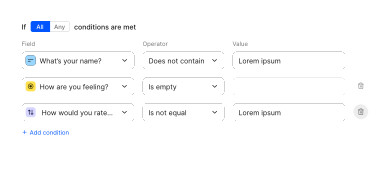
Add advanced conditional logic
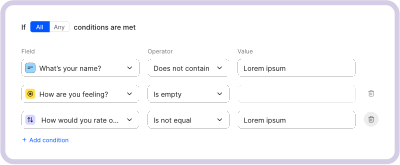
3
Publish your form!

How to set up conditional logic in Google Forms?

A step-by-step guide on Google Forms conditional logic. This article will explain what it can and can't do, how to set up logic using the same feedback form example, and how the same result compares when you build it with AI in Weavely instead.
Read the blog post

How to set up Google Forms logic (+ how to do it faster with AI)

What can I do with my Google Form in Weavely?

Paste a link to a Google form you want to customise with Weavely - no account needed.