
Free alternative to Google Forms with AI form generation
Build forms faster than Google Forms — with better design, more field types and integrations.
AI creates and styles forms for you.
Upgrade your Google Form
Looking to make your Google form more on-brand, add more advanced fields and integrate it with more third-party tools like Hubspot or Notion? Weavely can help you with all of it — for free!
Import your Google Form!
Importing and creating a form in Weavely is incredibly straightforward. Simply provide the link to your existing Google Form, and our AI will handle the rest, recreating it in seconds.
When it comes to building forms, Google Forms is often the default choice, and for a good reason. But often you just wish it offered a bit more flexibility, both in functionality and design.
If you like Google Forms’ simplicity but need something more powerful, Weavely is a solid alternative. We’ve put together a side-by-side comparison of Weavely and Google Forms to help you decide which form builder fits your needs best.
If you like Google Forms’ simplicity but need something more powerful, Weavely is a solid alternative. We’ve put together a side-by-side comparison of Weavely and Google Forms to help you decide which form builder fits your needs best.
Feature | Weavely | Google Forms |
|---|---|---|
| Forms (Free Plan) | Unlimited, Free | Unlimited |
| Responses | Unlimited, Free | Unlimited |
| AI-Powered Form Creation | Builds and styles forms from a prompt (text, voice, or document) | AI content generation (no styling) |
| AI Logic Generation | Free | Not available |
| AI Data Analytics | Free | Not available |
| Branding & Design Customisation | Upload logo, extract brand colours, style by prompt | Basic colour themes only |
| Conditional Logic | Free | Limited |
| Answer Piping | Free | Not available |
| Advanced Field Types | Ranking, star ratings, scale rating, file uploads, date/time pickers, embed HTML/video/audio, Signature | Limited to basic fields |
| Receive File Uploads | Free | Yes |
| Calculations | Free | Not available |
| Multi-language form support | $20/month | Not available |
| Save and Continue Later | Free | Not available |
| Native Integrations (free plan) | Google Sheets, Salesforce, Hubspot, Airtable, Notion, Email notifications, Zapier, Make, Zoho, Mailchimp | Google Sheets only (native) |
| Password protect | Free | Not available |
| Spam Protection (reCAPTCHA) | $20/month | Not available |
| Custom domain | $20/month | Not available |
| Custom Link Preview | $20/month | Not available |
| GDPR Compliance & EU Hosting | Free | Not guaranteed (depends on settings) |
| Self-email Notifications | Free | Yes |
| Confirmation Email to Respondents | Free | Yes |
| Team Functionality | Free | Yes |
| Embeds, Share Links, Popups | Free | Requires extra coding for popups |
| QR Code Sharing | Free | Not available |
Google Forms is a great starting point to build forms and surveys, but it lacks many of the features modern teams need to build smarter, better-looking forms. Weavely is the better Google Forms alternative if you've ever thought: "My forms look too generic", "I need this to connect to HubSpot", "I wish I could add more complex logic", or "I want AI to just build this for me." However, Google Forms can still be a good option if you need something quick, it's just for internal use, and Google Sheets is all you need.
What can I do with my Google Form in Weavely?


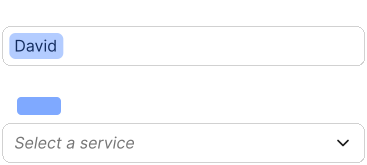


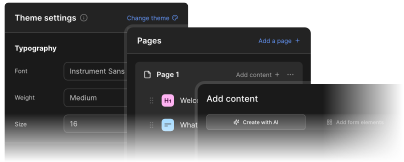
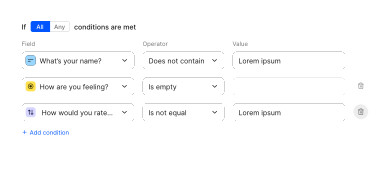




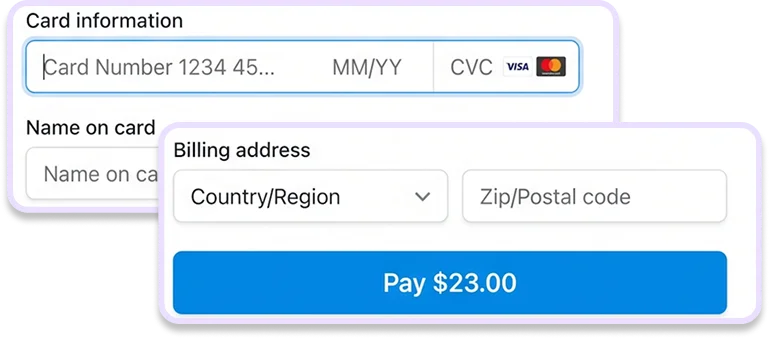
Weavely, an AI form generator, offers a fresh alternative:
You get the same ease of use, plus AI-powered form creation, deeper customisation, and advanced functionality like conditional logic, answer piping, calculations, and CRM integrations, all while staying GDPR-compliant with EU hosting.
Start for free

"I tried the popular and common sites like Google Forms and Survey Monkey, however Google Forms was time consuming and Survey Monkey was not free. I did a search and came across Weavely and it completed everything I needed within a matter of minutes. I am very happy I found it and am very pleased with the results."
JillyAnne
MBA student
Comparing Form Tools?
Check out our other comparisons to pick the best form and survey tool for you!
FAQ
Is Weavely really free to use?
Yes! Weavely’s free plan lets you create unlimited forms and collect unlimited responses - no usage caps or forced upgrades. The paid plan is only needed if you want to remove Weavely branding or use custom branding options, like connecting a custom domain.
How is Weavely different from Google Forms?
Weavely uses AI to generate forms from a simple prompt, supports advanced question types and functionality (like star ratings, logic, piping), and offers much more design flexibility, including brand styling from logos and prompts.
Can I import my existing Google Form into Weavely?
Yes! You can easily import a Google Form into Weavely. Just provide the link to your form (recommended), or upload a a screenshot of your Google form , and our AI will recreate it for you in seconds.
Can I customise the design of my forms in Weavely?
Absolutely. You can upload your logo, extract brand colorus automatically, or describe your aesthetic in plain language, and Weavely will style it for you.
Does Weavely support conditional logic and answer piping?
Yes, both are fully supported.
What integrations are available on Weavely’s free plan?
You can connect forms to Google Sheets, Airtable, Notion, Hubspot, Salesforce, and email notifications - all without upgrading!
Can I use Weavely without any technical skills?
Yes! Weavely is built for speed and simplicity. Just describe what you need, and AI builds your form. No coding, no drag-and-drop.
Is Weavely GDPR-compliant?
Yes. Weavely hosts data in the EU and is fully aligned with GDPR requirements.

Built with ❤️ by WEAVE.LY BV • BE0773.878.569 • Herbert Hooverlaan 141, 1030 Schaarbeek, Belgium
