The complete guide to real estate online forms for agents (2026)
Online forms are becoming central to real estate business
About 80% of real estate firms now use electronic contracts and forms in some capacity, but as the industry's shift to digital shows, for most agents that still just means a PDF downloaded from the website, filled out by hand, scanned, and emailed. That's not a real digital workflow.
True online forms, the ones that live at a URL, load on any device, collect structured data automatically, and route submissions to the right place are still the exception in most independent real estate agencies.
The scale of the admin burden is huge in real estate business. According to NAR data, the average real estate transaction takes around 40 hours from start to finish, and roughly 30 of those hours are spent on administrative and unlicensed tasks rather than client-facing work. That's 75% of a transaction's time going to paperwork, coordination, and data entry.
McKinsey estimates the real estate industry could gain $110–180 billion in productivity value from AI-powered automation, with the largest share coming from automating marketing and sales tasks, the exact workflows where online forms play a central role.
And yet real estate agents are not rushing to adopt digital tools that could help them be more productive. Deloitte's 2024 Commercial Real Estate Outlook found that 61% of real estate firms still rely on legacy technology. For independent agents, that gap represents a real competitive advantage. Want to beat your competitor as a real estate agent? - Automate your workflows! Use online forms and agreements, send your leads to CRM and automate communication.
What realtors actually lose to bad form workflows
The cost of manual real estate form processes isn't only time. When a buyer fills out a paper open house sign-in sheet, that data often never makes it into a CRM, which means that you're simply losing hot leads. When a rental application arrives as a scanned PDF, comparing 12 applicants requires opening 12 attachments. When a buyer questionnaire is done verbally, the agent's notes are inconsistent and hard to reference later.
Online forms fix all of this. Submissions land in one place, in a consistent format. They can be easily analysed and followed-up on.
Essential online forms every real estate agent needs
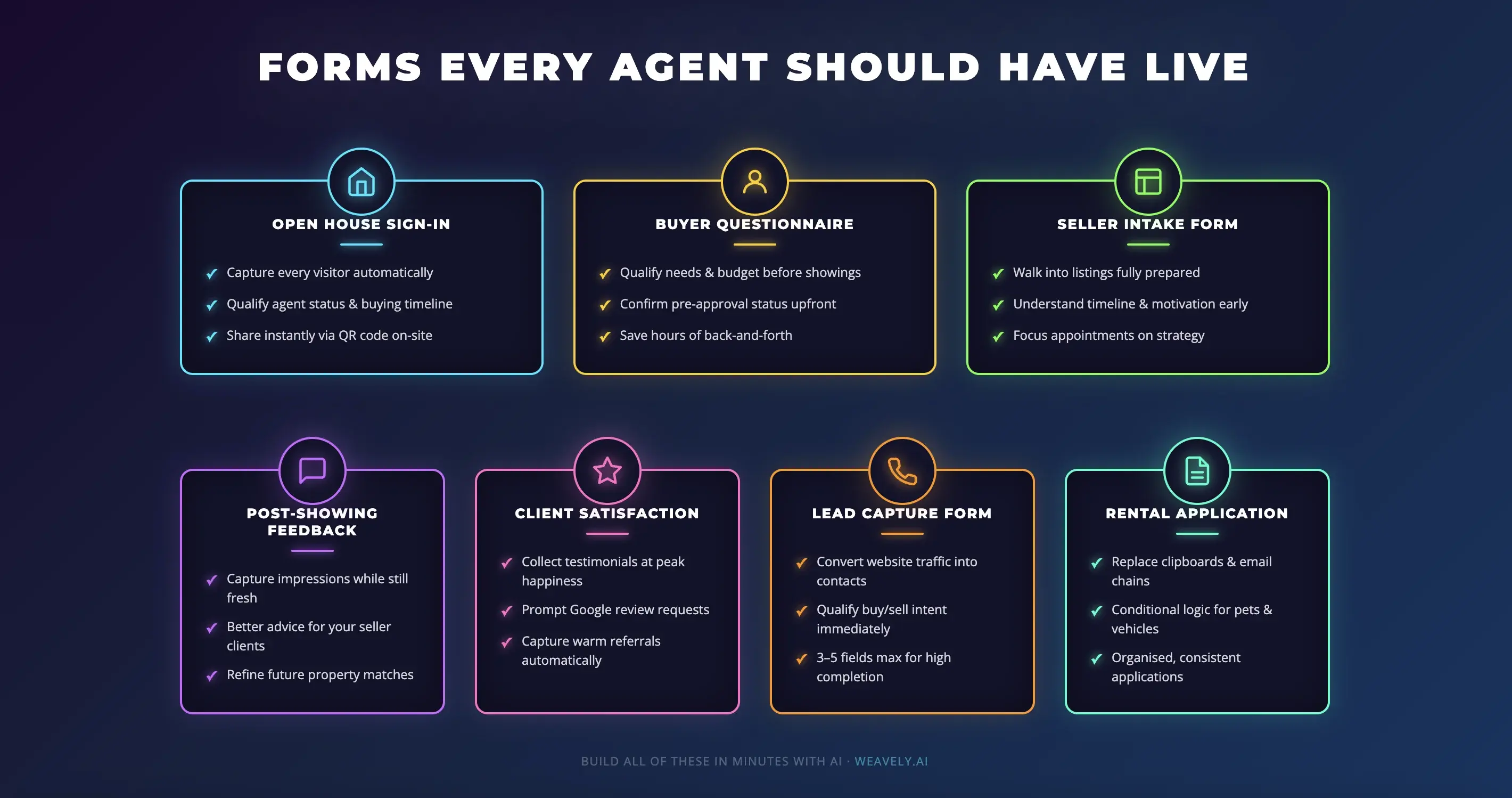
Not all forms are equal in priority. The eight below are the ones that will immediately impact how you capture leads, qualify clients, and manage relationships.
1. Buyer questionnaire (Client intake form)
The buyer questionnaire is the cornerstone of any agent's client relationship. It's the first structured conversation you have with a buyer, and done well, it tells you almost everything you need to match them with the right properties.
What to include:
- Current housing situation (renting, owning, timeline to move)
- Budget range and financing status (pre-approved? Cash buyer?)
- Property type preferences (single family, condo, townhouse, multi-unit)
- Location preferences and deal-breaker neighborhoods
- Experience leve: first-time buyer or experienced?
- Timeline urgency and flexibility
What to leave out:
Avoid Fair Housing-protected questions about family status, national origin, or religion. Also skip the 30-field monsters. If your form takes more than 4 minutes to complete, you'll lose responses. Focus on what you'll actually use in the first conversation.
👉🏻 Try Weavely's AI buyer questionnaire generator
2. Open house sign-in sheet
The open house sign-in sheet has one job: turn anonymous visitors into trackable leads. Paper sheets fail at this. They get lost, the handwriting is illegible, and the data never makes it anywhere useful.
What to include:
- Name and contact info (phone + email)
- Whether they're currently working with an agent
- Buying timeline (within 30 days / 1–3 months / 6+ months / just looking)
- Are they pre-approved for a mortgage?
- What features they're looking for in a home
- How they heard about the open house
How to deploy it:
Generate a QR code from your form link and print it on a small stand at the door. Visitors scan it, fill it out on their phone in 60 seconds, and submissions land directly in your inbox and CRM. No paper. No transcription. No lost leads.
👉🏻 Try Weavely's free AI open house sign-in sheet generator
3. Rental application form
Whether you manage rentals directly or work with landlord clients, a solid rental application form is non-negotiable. The right digital rental application collects everything needed for tenant screening in a format that's easy to compare across applicants.
What to include:
- Full legal name and contact details
- Employment information and monthly income
- Consent for credit and background check
- Move-in date and lease term preference
- Pet and vehicle information (if applicable to the property)
What to avoid:
Same tip here, avoid Fair Housing-protected questions about family status, national origin, or religion.
👉🏻 Try Weavely's free AI rental application generator
4. Real estate lead generation form
Your website and social media are generating interest every day, but if you don't have a form to capture that interest, it evaporates. A real estate lead capture form converts curious visitors into warm prospects.
What to include:
- Name and contact info
- What they're looking to do (buy, sell, rent, invest)
- Timeline
- A clear value offer — what do they get for filling it out? (free home valuation, market report, listing alerts)
Keep lead forms short. Three to five fields is ideal. The goal is not to qualify them fully, that's the buyer questionnaire's job. The goal is to get them into your pipeline so you can start a conversation.
👉🏻 Try Weavely's free AI lead generation form generator
5. Property feedback form
After a showing, most agents send a quick text or call to follow up. That's fine for one client, but when you're juggling multiple buyers, structured feedback data is far more useful than informal conversations.
What to include:
- Overall impression (scale of 1–5)
- What they liked about the property
- What didn't work for them
- Interest level: Would you make an offer?
- What would need to change to make it a strong contender?
- How does it compare to other properties they've seen?
Showing feedback forms also serve another purpose: when your client's requirements evolve, their earlier feedback tells you exactly why. It's a paper trail for the buyer's own changing priorities.
👉🏻 Try Weavely's free AI real estate feedback form generator
6. Seller intake form
When a seller reaches out about listing their property, you need to gather a lot of information before you can do a proper CMA (comparative market analysis) or listing presentation. A structured seller intake form saves a full phone call and ensures you never miss critical details.
What to include:
- Property address and basic specs (beds, baths, square footage, lot size)
- Year built and major renovations
- Current mortgage situation (is there equity?)
- Reason for selling and timeline
- Target selling price (their expectation)
- Any known issues or disclosures
- Preferred communication method
👉🏻 Try Weavely's free seller intake form generator
7. Property inquiry form (Website listing form)
Every property listing on your website should have a form attached. Not a generic "contact me" form, but a property-specific inquiry form that captures what the visitor wants to know and how serious they are.
What to include:
- Which property they're asking about (pre-fill from the listing page if possible)
- What they want to know (schedule a showing / more info / make an offer)
- Buying timeline
- Whether they're working with an agent
- Contact details
Connecting this form to your CRM with an automatic tag like "website-inquiry" means every submission arrives pre-labeled and ready for your follow-up sequence.
👉🏻 Try Weavely's free property listing form generator
8. Maintenance request form (For property managers)
If you manage properties on behalf of clients, a digital maintenance request form replaces the chaotic mix of texts, calls, and voicemails that most property managers deal with. A structured request creates a record, sets priority levels, and lets you track resolution.
What to include:
- Tenant name and unit/property
- Type of issue (plumbing, electrical, HVAC, structural, other)
- Issue description
- Urgency level
- Photo upload option
- Availability for access
How AI form builders are changing real estate workflows
The old way: 30 minutes per form
Traditional form builders like Google Forms or its more advanced alternatives focus on drag-and-drop interfaces and fully manual set-up whether it comes to application of conditional logic or design customization.
A well-built open house sign-in sheet in a traditional tool takes 20–40 minutes, unless you use a dedicated template. Yet, you will still need to customize the template for your exact use case. A rental application with conditional logic for pet owners, employment type, and income verification takes closer to an hour. Multiplied across all the forms a real estate professional needs, that's a meaningful time investment before you've seen a single lead.
The new way: AI-generated forms in seconds
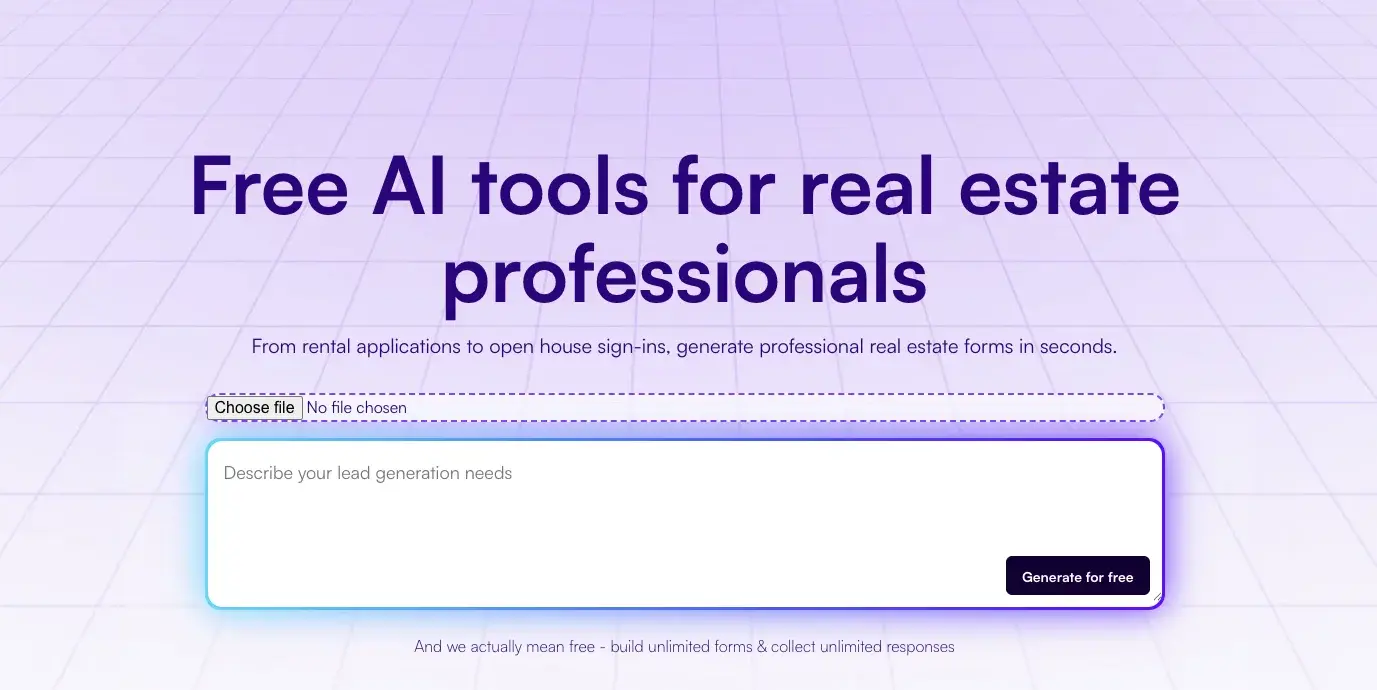
AI-powered form builders like Weavely flip this completely. Instead of building field by field, or using a generic template, you describe what you need in plain language, and the form generates automatically, complete with the right fields, logical structure, and a professional layout.
Weavely offers dedicated AI tools for real estate agents, such as multiple form and sign-in sheets generators, as well as a real estate commission calculator.
Features that make your forms more powerful (available in Weavely for free)
Voice-to-form: Describe your form verbally — useful when you're between showings and have an idea for a new form.
Multistep flows: Long forms (like rental applications) become much less daunting when broken into steps. Completion rates increase significantly with a progress indicator.
Conditional logic: Show or hide fields based on previous answers. For example, if a tenant says they have pets, show the pet policy section.
Answer piping: Use a respondent's earlier answers later in the same form. "Hi [First Name], based on your budget of [Budget], here are the next questions...". This functionality helps you create a far more personalized experience.
Document input: Upload a PDF or Word document, and Weavely converts it to a live digital form.
Connecting your real estate forms to the rest of your business
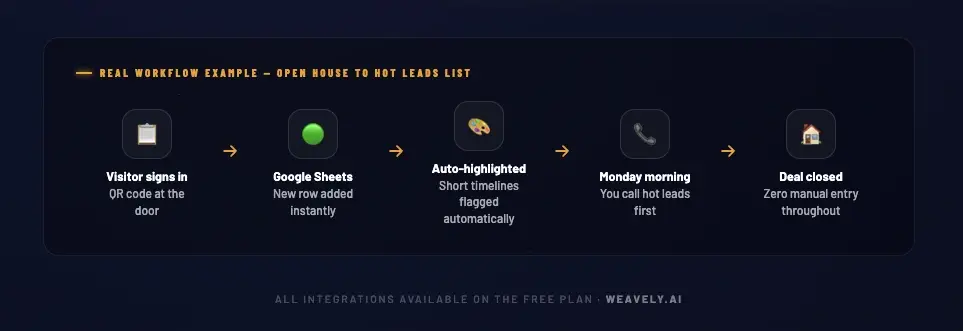
A form is a starting point. What matters is what you do with the collected data. An effective real estate form is the one that automatically updates your CRM, creates a task in your task manager, and adds the lead to a follow-up sequence. Here's how the key integrations work.
CRM integrations
One of the most important connections for a real estate professional is form → CRM. When a buyer fills out your lead capture form, that contact should be in your CRM within seconds, tagged with the right source and pipeline stage.
- HubSpot: Send data from Weavely natively, routing form submissions directly to your contact database.
- Salesforce: Full integration for teams managing high volumes of leads
- Any CRM via Zapier: Connect to Pipedrive (has dedicated real estate management features), kvCORE, LionDesk, BoomTown, and hundreds of others.
Google Sheets
For agents who manage their pipeline in spreadsheets, connecting your forms to Google Sheets creates an automatic, real-time database of every lead, rental applicant, or open house visitor, without any manual copying.
A common real estate workflow: open house sign-in form → Google Sheets → conditional formatting highlights leads with short buying timelines → you call the hot leads first every Monday morning.
Airtable
Airtable sits between a spreadsheet and a database, and it's popular among property managers and teams who need to track multiple properties, applicants, and maintenance requests simultaneously. Weavely's Airtable integration makes every form submission a new record in your base.
Email automation via Zapier
Zapier unlocks automated workflows that would otherwise require a developer. When a rental application is submitted, Zapier can automatically send the applicant a confirmation email, notify you by SMS, create a task in Asana, and add the applicant to a Google Sheet.
Tailoring forms for buyers, sellers, tenants, and investors
Forms for buyer clients
Buyer clients need forms that help you understand their preferences, financial readiness, and timeline. The buyer questionnaire is your primary tool here, but you should also have showing feedback forms that help buyers articulate what they're reacting to This is especially important in a competitive market where decisions need to happen fast.
Forms for seller clients
Seller clients need a different experience. The seller intake form or a property listing form gets you the property details you need for the CMA, but you can also use forms to gather photos, listing preferences, and HOA documentation. A post-listing feedback form, asking sellers how they felt the process went, also helps you improve your service over time.
Forms for rental management
Property managers live on forms: rental applications, pre-screening questionnaires, move-in checklists, maintenance requests, lease renewal surveys, and tenant satisfaction forms. Each of these can be built once, branded once, and reused indefinitely. AI form builders like Weavely make this initial build fast enough that even small independent landlords can have a professional form workflow.
Forms for investor clients
Investor buyers have different questions than owner-occupants. A buyer questionnaire for investors should cover investment strategy (fix-and-flip vs. hold), target markets, desired cap rate or ROI, financing approach, and portfolio context. Create a dedicated version of your buyer questionnaire for investment clients — it'll make your consultations more focused and your recommendations more accurate.

Tatiana is the Growth Marketing Manager at Weavely, where she's spent nearly four years running marketing end to end. From campaign strategy to the SEO content that brings new readers to the platform. Working day to day on a form builder gives her a front-row seat to what actually makes forms, surveys, and landing pages convert, and that's what she writes about here: practical, tested advice on lead generation and form design. Before Weavely, she led brand and SEO work at Digital Leap and cut her teeth on B2B and B2C content at Ruddy. She's based in Brussels.


