What questions to ask in a lead generation form
Most contact forms ask for a name, an email, maybe a phone number, and nothing else. That's a problem. When your form collects only basic contact details, you have no way to tell a serious buyer from a casual browser before you invest time in a call. A smarter approach is to treat your lead gen form as the first step in your lead qualification process.
This article breaks down exactly which questions to include, why each one works, and what to avoid. For the full framework on building high-converting forms, read our blog How to Capture High-Intent Leads with Smart Lead Generation Forms.
Why form questions are your first sales filter
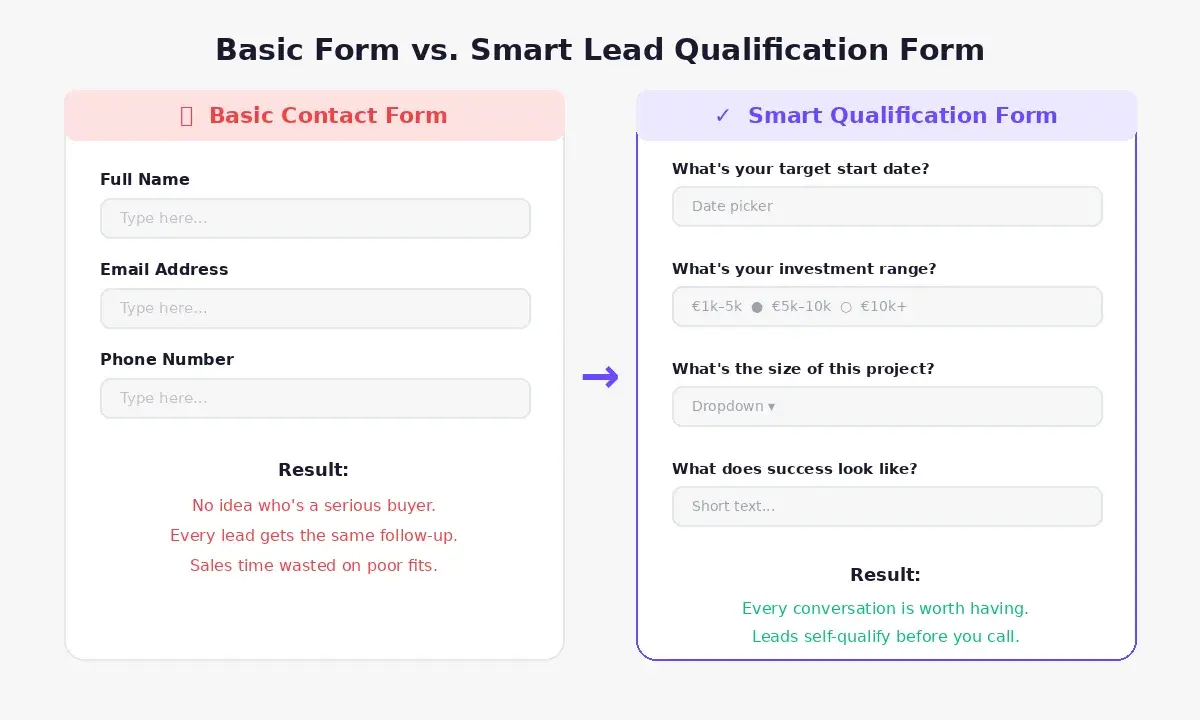
It may sound counterintuitive, but a longer, more specific form doesn't scare off serious buyers. High-intent prospects, the ones ready to spend, expect to answer a few targeted questions for a high-ticket service.
A longer form allows for comprehensive lead profiling. It provides the deep context necessary for targeted nurturing. Because Weavely handles conditional logic and answer piping, you can expand the form gracefully across multiple screens. This keeps the cognitive load light while capturing extensive data. You get the deep qualification data your sales team demands while your users get a smooth experience that respects their time.
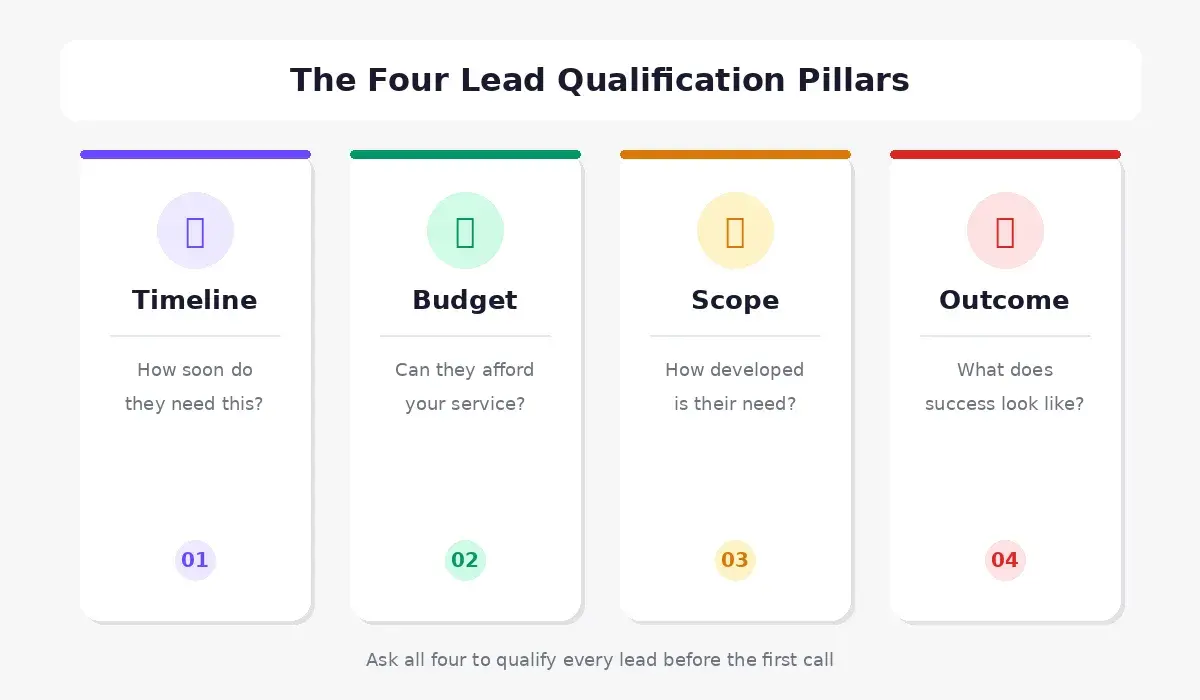
Every question on your form should map to one of four core qualification pillars:
- Timeline — are they ready to move?
- Budget — can they afford your service?
- Scope / Scale — how developed is their need?
- Desired uutcome — do they know what they want?
Rule of thumb: Keep your total question count to 6–8 on a single-page form. For multi-step forms, 10–12 questions is fine if the progression feels natural and logical.
Optimizing lead generation forms with lead qualification questions
Originally conceived by IBM as a way to quickly identify leads most likely to make a purchase, BANT — budget, authority, need, and timeline — is considered A lead that meets at least three of the four BANT criteria is generally considered viable.
1. Timeline - how soon do you need this?
Why it matters: A prospect with a defined deadline is in active buying mode. Vague timing ("sometime this year") signals passive browsing.
Question examples:
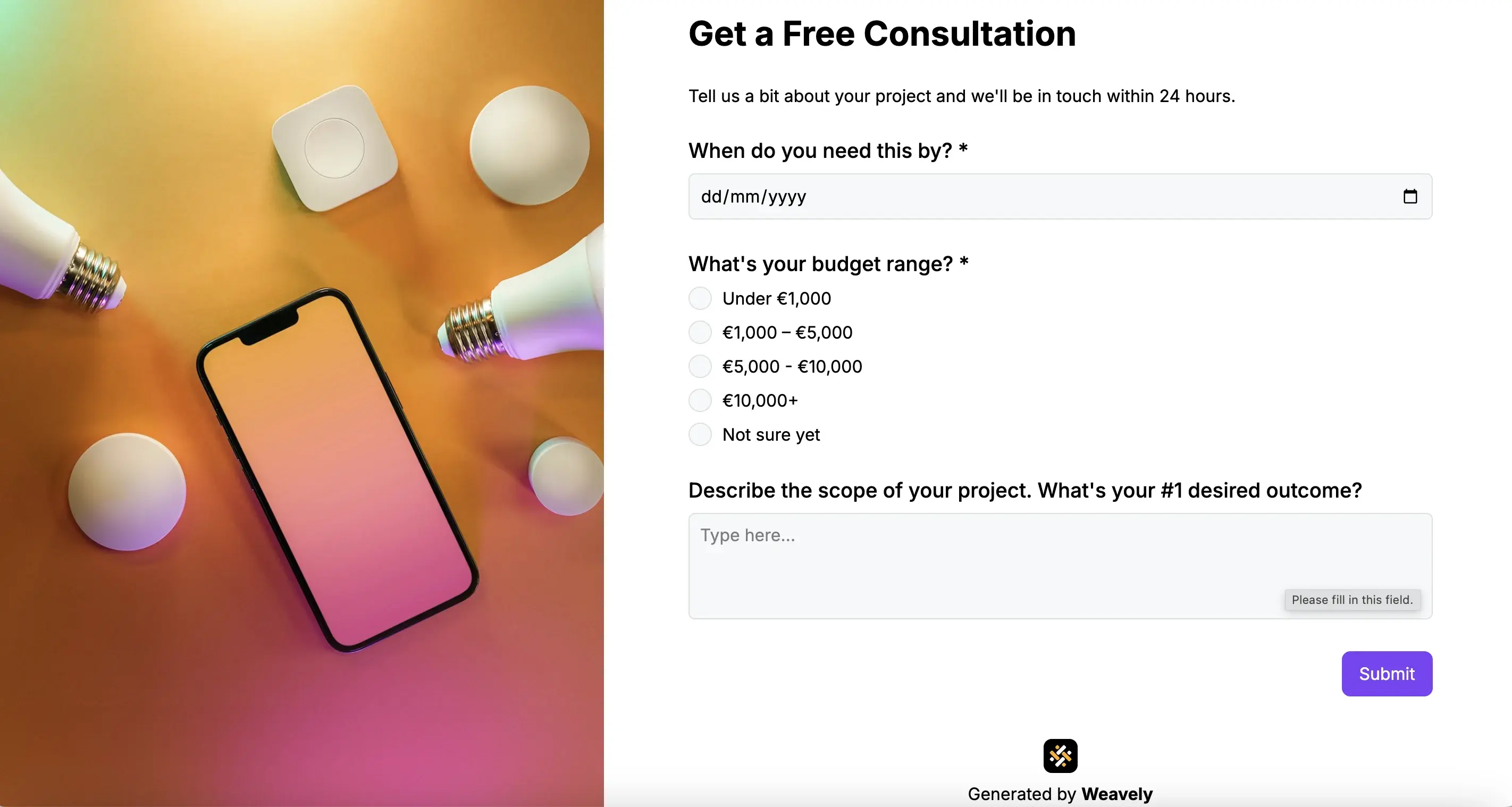
- "When do you need this by?"
- "What's your target start date?"
- "Is there a specific event date we should know about?"
Form input tip: Use a date picker for event-based services (weddings, product launches). For project-based services, a dropdown works well , with choice options like Within 30 days / 1–3 months / 3–6 months / Just exploring make segmentation easy.
2. Budget - are they ready to invest?
Why it matters: Financial clarity is one of the strongest signals of buying intent. It also saves both parties from wasted discovery calls.
Question examples:
- "Do you have a budget range in mind?"
- "What's your investment range for this project?"
- "Our packages start at $X — does that fit your budget?"
Form input tip: Radio buttons or a range slider both work well. Always include a "not sure yet" option to reduce form abandonment — but track who selects it. Those leads often need a nurture sequence rather than an immediate sales call.
3. Scope & scale — how developed is their need?
Why it matters: The more specific someone is about their requirements, the further along they are in their decision-making process. Vague answers here often mean a prospect is still in research mode.
Question examples:
- "How many guests are you expecting?" (event services)
- "How large is your team?" (B2B / SaaS)
- "How many locations does this cover?"
- "What's the approximate size of this project?"
Form input tip: Tailor this question to your service. Use dropdowns for easier segmentation.
4. Desired outcome — what does success look like?
Why it matters: Prospects who can articulate a clear outcome have already mentally committed to solving the problem. Their answer also gives you everything you need to personalize your follow-up response.
Question examples:
- "What's the #1 outcome you're hoping to achieve?"
- "What challenge are you trying to solve?"
- "Describe your ideal result in a few words."
Form input tip: Use a short open-text field here, let your prospects describe every detail of their desired experience. This will give you rich qualification data, and it lets prospects feel heard before they've even spoken to you. Adding an open-text "desired outcome" field is worth it, even if it slightly reduces your form completion rate. According to research from Deloitte and Accenture, that small drop in completions is offset by a 28% improvement in lead quality, meaning fewer wasted calls and more prospects your sales conversation is actually worth having
Lead generation form questions for specific service types
It's estimated that at least 50% of prospects will never be a true fit to buy from you, no matter how good your sales pitch Martal Group, which makes industry-specific questions on your form one of the fastest ways to filter them out before a call.
Pick one or two of these to add alongside the core four, depending on your industry.
For Service Businesses (Consultants, Agencies, Coaches)
- "Have you worked with a [consultant/agency/coach] before?" — gauges expectations
- "How did you hear about us?" — attribution and intent signal
- "What have you already tried to solve this?" — shows urgency and rules out easy DIY options
For Event Vendors (DJs, Photographers, Caterers, Florists)
- "What type of event is this?"
- "Have you booked any other vendors yet?" — signals how far along planning has progressed
- "Is there a theme or style direction in mind?"
For B2B / SaaS Lead Forms
- "What's your current solution for [problem]?" — competitive context
- "Who else is involved in this decision?" — identifies the buying committee
- "What's your priority — speed, cost, or capability?"
Structuring your questions for maximum completion
The order of your questions matters as much as the questions themselves. A few structural principles:
- Start easy — name, email, service type — to build momentum before you ask anything substantive
- Put budget and timeline mid-form, after the prospect is already engaged
- Use conditional logic to show or hide relevant follow-ups based on earlier answers (e.g., only show "event date" if they selected "wedding")
- Offer a calendar embed at the end so high-intent respondents can book directly without a back-and-forth email chain
This is exactly the structure Weavely's AI form builder is designed to create. Describe your service, and it generates the right questions, including conditional logic, automatically, without any manual configuration. Check out some lead form examples to see it in action.
Conclusion
The right questions, such as timeline, budget, scope, and desired outcome, turn a passive contact form into an active qualification engine. You filter out poor fits before the first call, and walk into every conversation already knowing whether the prospect is worth your time.
Ready to build a lead form that qualifies for you? Try Weavely's AI-powered lead generation form builder. Describe your service, and it generates the right questions automatically.

Tatiana is the Growth Marketing Manager at Weavely, where she's spent nearly four years running marketing end to end. From campaign strategy to the SEO content that brings new readers to the platform. Working day to day on a form builder gives her a front-row seat to what actually makes forms, surveys, and landing pages convert, and that's what she writes about here: practical, tested advice on lead generation and form design. Before Weavely, she led brand and SEO work at Digital Leap and cut her teeth on B2B and B2C content at Ruddy. She's based in Brussels.


