How to Build Forms and Surveys in ChatGPT (AI Form Builder App)
You can now build a working form or survey without leaving ChatGPT. Connect an AI form builder app, describe what you need in plain language, and you get a live, shareable form in seconds. Then refine the questions, design, and logic by chatting, the same way you'd ask ChatGPT to rewrite an email. No templates, no drag-and-drop, no copy-pasting between tools.
This guide covers how it actually works, how to build and automate forms and surveys in ChatGPT step by step, and when you're still better off in a dedicated form builder.
Key takeaways
- ChatGPT can act as an AI form builder once you connect an app that generates, hosts, and manages live forms. On its own, ChatGPT can only write the questions.
- There are two paths: build end-to-end inside ChatGPT with a form-builder app, or have ChatGPT draft the questions and logic and rebuild them in Google Forms.
- You generate a form from a single prompt, edit it by chatting, publish a link, and start collecting responses.
- Responses live in your form tool and can be sent on to Google Sheets, a CRM, or automation platforms like Zapier, Make, and n8n.
- It's best for fast, lightweight forms and surveys; reach for a traditional builder when you need strict compliance, complex permissions, or deep analytics.
Can ChatGPT build forms and surveys?
Yes, with one distinction worth understanding. On its own, ChatGPT writes excellent survey questions, answer options, and logic plans, but it can't host a form or collect responses. To get a live, shareable form, you connect a ChatGPT app that handles the building and hosting for you.
That gives you two ways to work:
- Build it inside ChatGPT (the fast path). Connect an AI form builder app like Weavely, describe your form, and it generates a real, working version you can publish without leaving the chat.
- Draft in ChatGPT, build in Google Forms (the manual path). Ask ChatGPT to write the questions (or even generate a Google Apps Script), then paste the result into Google Forms and adjust the settings. This is how to create a Google Form using ChatGPT when you specifically need the form in Google's ecosystem.
This guide focuses on the first path, because it's faster and keeps everything in one place. It works for customer feedback, lead capture, event registration, onboarding questionnaires, and market research. It also doubles as an AI quiz generator for tests and assessments.
What are ChatGPT Apps?
ChatGPT Apps are third-party tools you connect inside ChatGPT so it can do more than talk: things like editing a document, booking a trip, or, here, building a form. Once an app is connected, you use it through normal conversation, and its output (like a live form preview) appears right in the thread. They're newer and more capable than ChatGPT's custom GPTs: an app can take real actions and hand you a finished product, not just answer questions. Weavely is one of these apps, built specifically for forms and surveys.
Why build forms and surveys in ChatGPT?
Three things make it better than a traditional builder for everyday work.
Speed. You skip template hunting and field-by-field setup. The Weavely ChatGPT app generates a working form from a single prompt in 3 to 10 seconds. A drag-and-drop builder is fast by traditional standards, usually described as a "few minutes" job, with one builder pegging the average at just under four minutes for a form with 20-plus fields.
Refinement by conversation. Changing the form is just another message. "Make question 5 multiple choice," "add a consent checkbox," "shorten the intro," "ask the AI survey generator to make it more professional." The form updates each time, with no menus to learn.
Context stays in one thread. If you're already using ChatGPT to think through your survey (what you're measuring, who you're asking, your brand voice), the form builder draws on that context to write sharper questions and follow-ups. You never have to restate yourself in a separate tool.
How to build a form or survey in ChatGPT, step by step
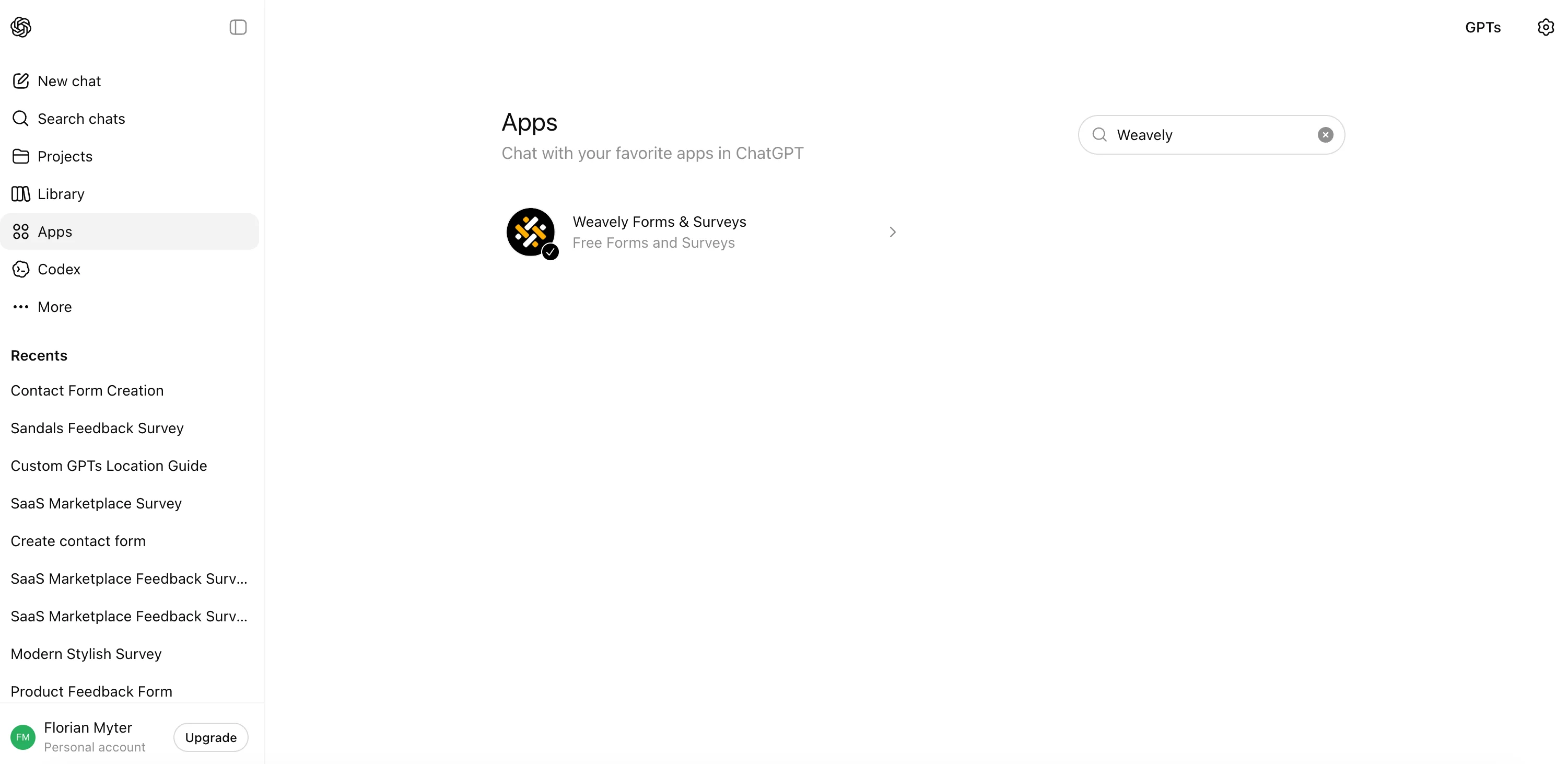
- Connect the app. In ChatGPT, open Apps and search for your form builder. Weavely is listed as "Weavely Forms & Surveys" Select Connect and approve the permissions, which typically cover creating forms and reading responses. You can let it use your chat memory, but you don't need to for building a form.
- Describe the form you need. Give it context, and be specific: the better the prompt, the better the draft. For example: "Create a 10-question customer feedback survey for a B2B SaaS product. Include an NPS question, a few 5-point rating scales, two open-ended questions, and a thank-you screen." The app tells you what it's going to build, then generates a fully functional preview.
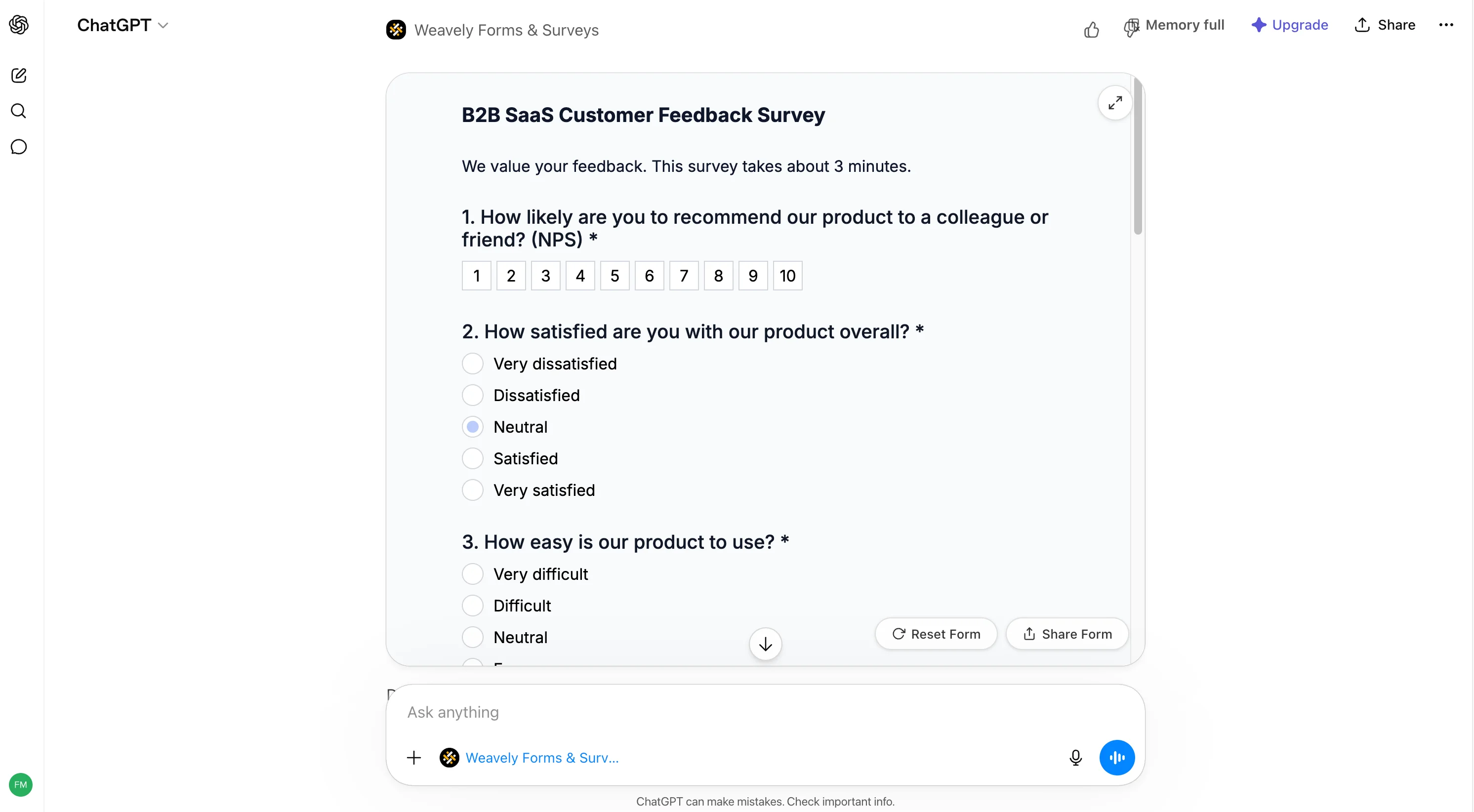
- Test the preview. The preview is interactive, not a mockup. Fill it in, submit it, and reset it to try different paths. Check how it looks on mobile as well as desktop.
- Refine it in chat. Treat the first version as a draft. Ask for changes in plain language: reword a question, switch a question type, add or remove fields, rewrite the intro. Each request updates the live form.
- Publish and share. When you're happy, publish to get a shareable link. With Weavely, selecting Share form takes you into the Weavely platform to create a free account (if you don't have one yet) and copy your form's URL. Depending on the tool, you can also embed the form on your site or open it as a pop-up.
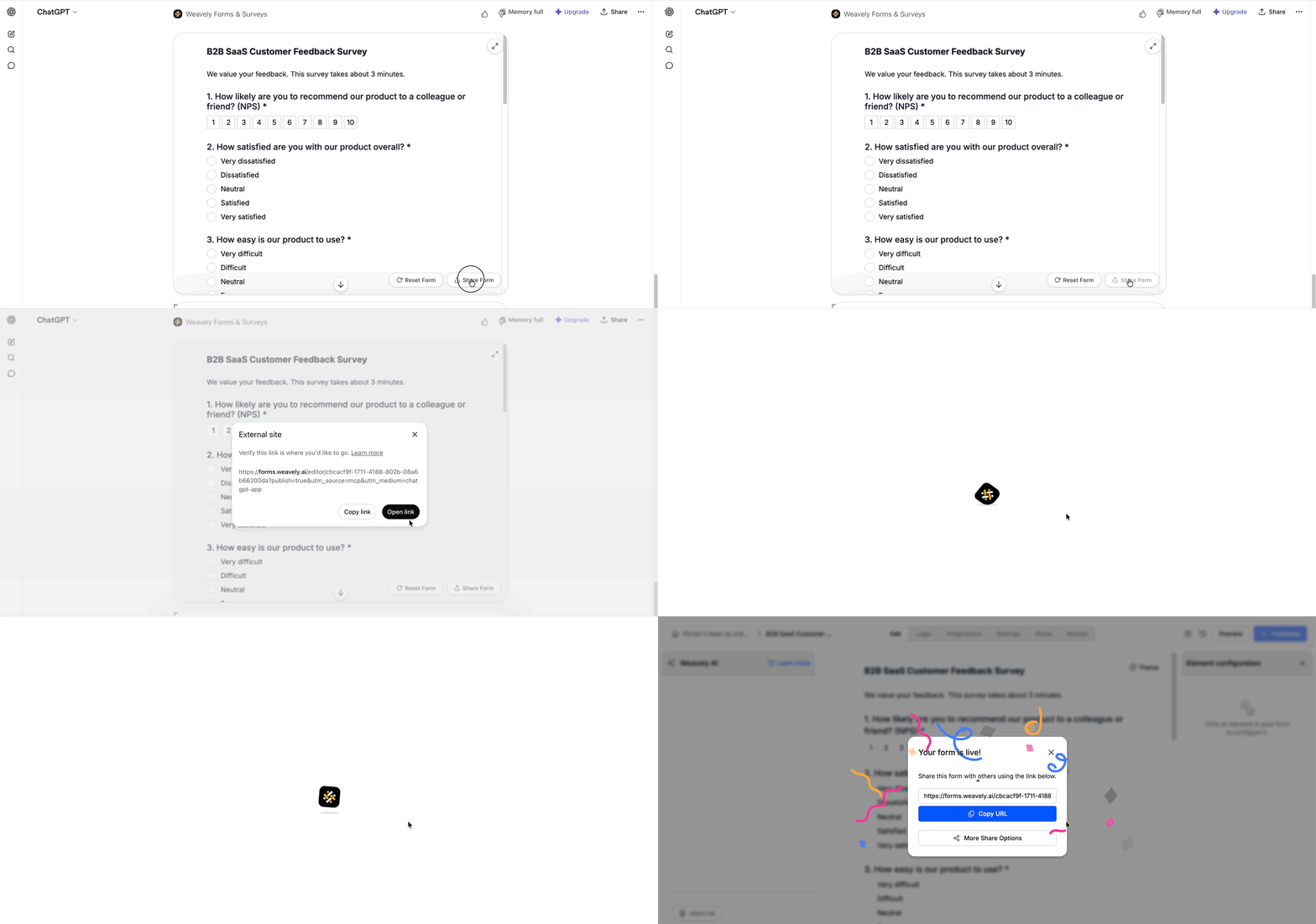
For a screen-by-screen walkthrough, see Build forms and surveys in ChatGPT with Weavely or watch the tutorial.
Design and logic without touching an editor
You can control how the form looks and behaves entirely from chat.
Design. Ask for the look you want: "use a warmer palette," "match my brand's blue," "make it feel more playful." In our sandals feedback survey from the tutorial video, asking to make the colors "more beach-like" swapped in a sand-toned background and an ocean-blue submit button. No color pickers involved.
Conditional logic. Show questions only when they're relevant: "only show the sizing question if the rating is above two," or "if satisfaction is 3 or lower, show a comment box." The app applies the rule and you can test it in the preview right away: a high rating reveals the follow-up, a low one hides it.
.gif)
That's the part that makes ChatGPT genuinely useful for forms: you're describing the behavior you want, not configuring it.
Automating your form and survey responses
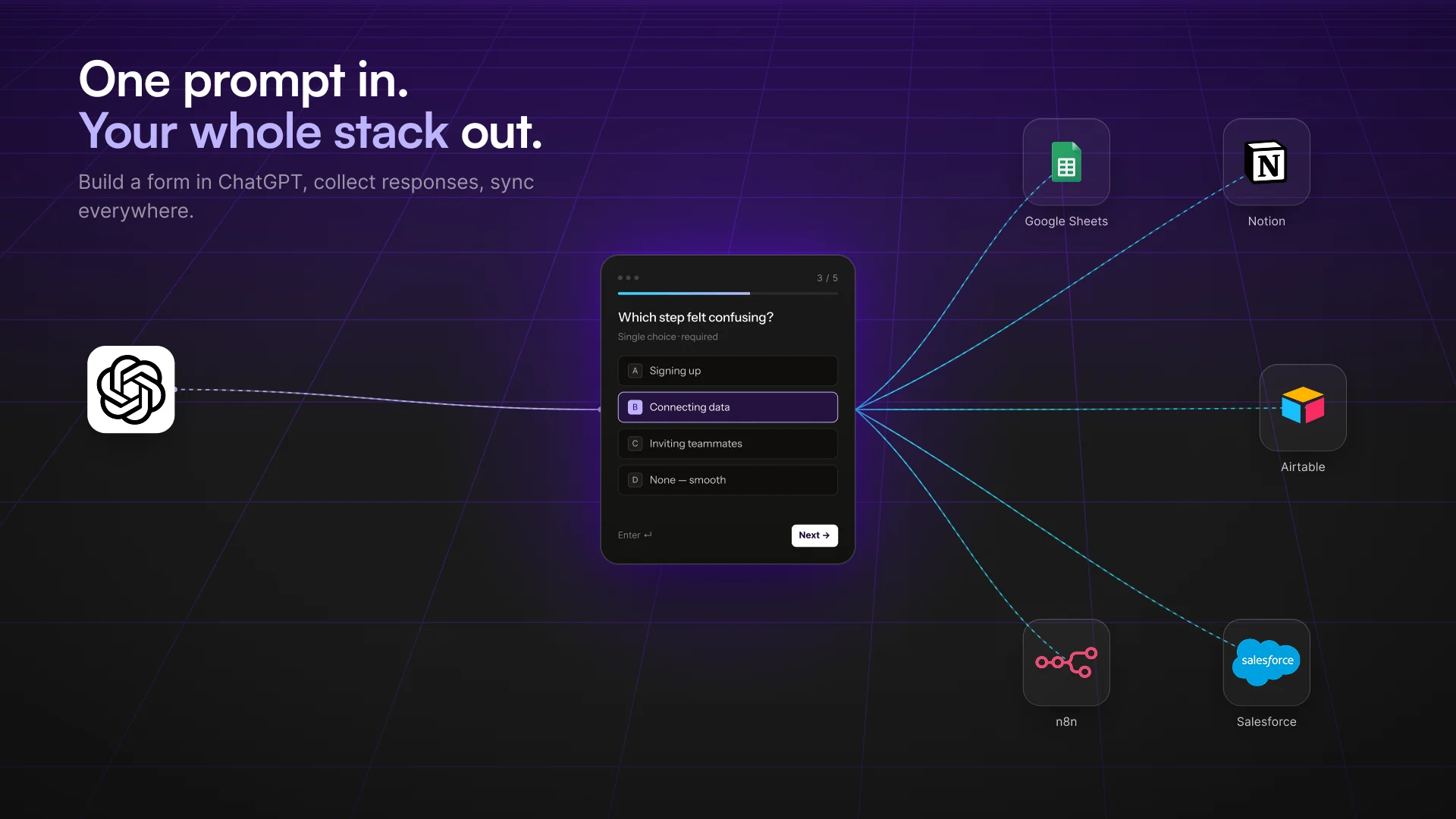
A form is only useful if the data goes somewhere. Once people start submitting, responses collect in your form tool, and from there you can route them onward. This is where form automation comes in.
Common flows:
- Send responses to Google Sheets for a live record.
- Push new leads into a CRM or email platform.
- Trigger notifications or multi-step workflows with Zapier, Make, or n8n.
Be realistic about setup. Weavely supports integrations like Google Sheets, Zapier, Make, and n8n, but several are a one-time manual configuration rather than something the app wires up for you automatically. If you need records for compliance, export a CSV or XLSX backup.
You can also lean on ChatGPT for the analysis side: paste in your responses and ask it to summarize the open-ended answers, group them into themes, or draft a short report. That's the survey automation payoff: less manual reading, faster insight.
ChatGPT vs. a regular form builder: when to use which
Use a ChatGPT form builder when you want speed and simplicity: quick surveys, internal forms, a lightweight lead-gen form, a fast quiz, or anything you'd rather describe than build.
Use a dedicated tool (Google Forms, Typeform, or similar) when you need strict compliance, complex role permissions, heavy file-upload workflows, or deep built-in analytics. For Google specifically, the "Google Forms AI" route is to draft in ChatGPT and rebuild in Google Forms, then automate Google Forms with Apps Script or add-ons.
You can also do both: structure the form in ChatGPT, then move it into whatever tool your team already runs on. See our ChatGPT form-builder comparison for more information.
FAQ
Can ChatGPT create a live, shareable form or survey link?ChatGPT can draft the form, but you need a connected app to host it and give you a live URL. The app does the publishing; ChatGPT does the writing.
Is there an AI form builder inside ChatGPT that works like Google Forms?Yes. ChatGPT apps can generate forms, apply logic, and collect responses straight from a prompt. They're not identical to Google Forms, but for most surveys and feedback forms they do the same job faster.
How do I create a Google Form using ChatGPT?Ask ChatGPT to draft the questions, descriptions, confirmation text, and any branching, then paste it into a new Google Form and set required fields and logic. ChatGPT can also generate a Google Apps Script to build the form for you.
Can I automate responses into Google Sheets or a CRM?Yes, through your form tool's integrations or exports. Whether the sync is fully automatic or a one-time setup depends on the tool and the integration you choose.
Is using an AI form builder in ChatGPT free?It depends on your ChatGPT plan and the app. Weavely's free tier includes unlimited forms and unlimited responses, with a "Generated by Weavely AI" badge on your forms.
Conclusion
Building forms in ChatGPT turns a chore into a conversation: describe what you need, refine it by chatting, publish a link, and send the responses wherever they need to go. For quick surveys, feedback forms, lead capture, and quizzes, it's the fastest path from idea to live form.
Ready to try it? Open ChatGPT, connect Weavely, and build your first form in a single prompt.

Florian is the co-founder and CEO of Weavely, where he does a bit of everything: from product and fundraising to making YouTube videos and writing for the blog. He holds a PhD in computer science and sits on the board of No Code Belgium, the country's no-code community, after more than seven years as a researcher and business developer at Vrije Universiteit Brussel. He writes the hands-on tutorials here, drawing on both an academic background and the day-to-day reality of building a form tool from the ground up. Based in Brussels.


