Best ChatGPT Apps for Forms and Surveys: Weavely vs Jotform vs Formbyte
There are three ChatGPT Apps you can use to build live forms and surveys without ever leaving the chat: Weavely, Jotform, and Formbyte. That's the whole field. So if you've been wondering which of the best ChatGPT apps to pick when you want to generate forms inside the chat, the field is small enough to compare honestly.
We put all three AI form builders through the same test, same prompt, same workflow, and judged them on what actually matters: how the AI form generator behaves in the chat, how far you can refine an AI-generated form by chatting, publishing and sharing, in-chat analysis of form responses, pricing, and the free plan.
Short version, for skimmers:
- Weavely wins on free plan and conditional logic. The most permissive of the best ChatGPT apps for everyday form creation, lead generation, event registration, customer inquiries, and anyone who builds more than a few forms a month.
- Jotform wins on advanced features and in-chat analysis of form submissions. Best if you need to analyse responses inside ChatGPT and you have budget.
- Formbyte is interesting but early. A promising prototype with visible bugs; not yet reliable enough to gather real submissions.
Quick disclosure: this comparison is published by Weavely, so we're not a neutral third party. We've tried to be straight about where Jotform beats us and where Formbyte is promising. The best comparison is always the one you do yourself on your own use case.
What are ChatGPT Apps?
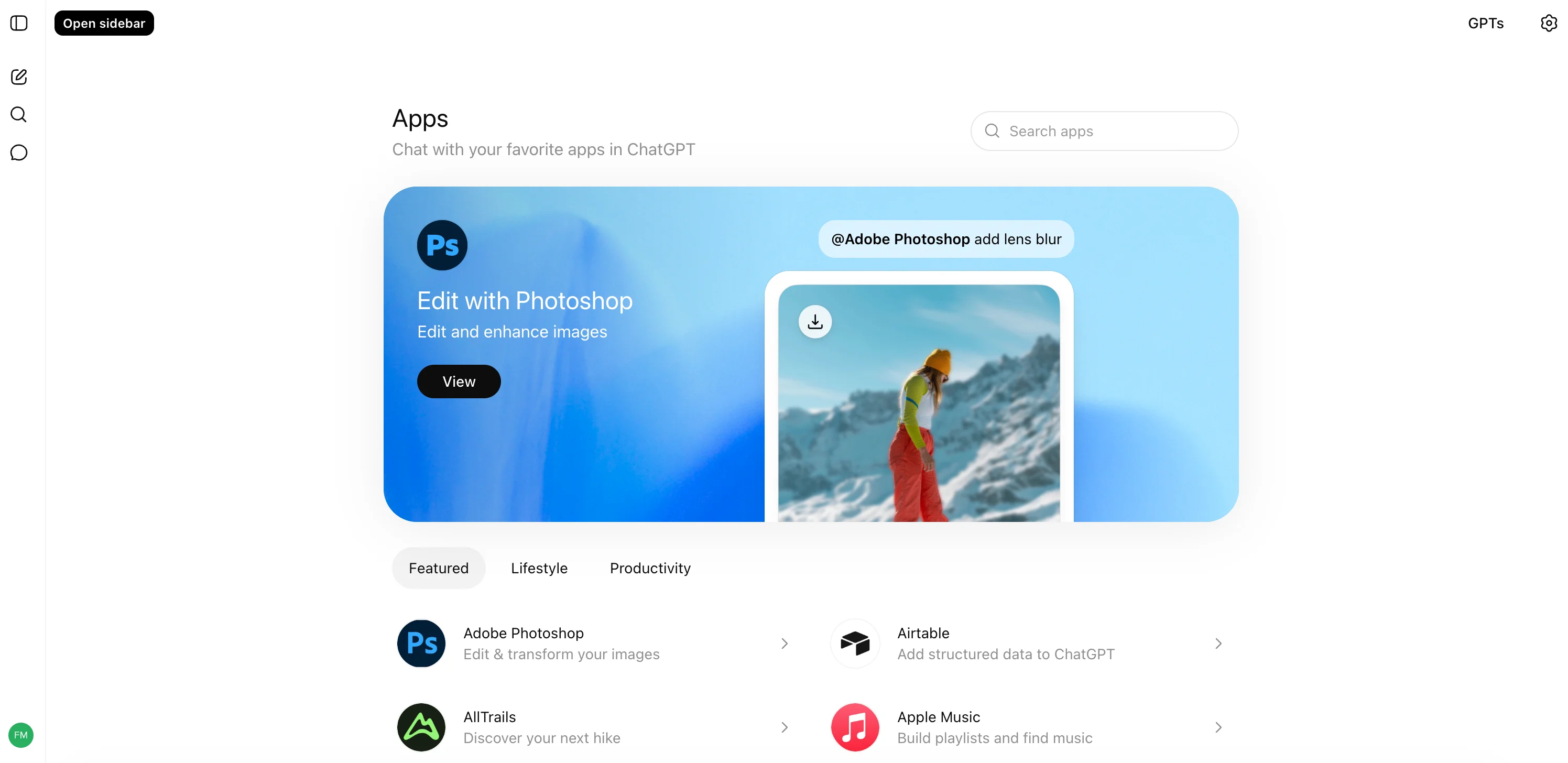
ChatGPT Apps are third-party tools you connect inside ChatGPT so it can do real work, not just talk. Once an AI form builder is connected, you describe what you need and ChatGPT uses the app's tools to generate forms (or documents, or bookings). The AI-generated form appears right in the thread as a live preview. ChatGPT Apps are newer and more capable than ChatGPT's custom GPTs because an app can take real actions on your behalf.
Forms and surveys are a small but useful slice of the wider ChatGPT app ecosystem, and as of writing only three apps actually generate live forms inside the chat: Weavely, Jotform, and Formbyte. All three function as AI form generators that turn a single text prompt into a working form, no code and no drag and drop editor required.
The test: same prompt, three AI form generators
Same prompt across all three AI form builders: "I need a contact form." No further instructions. Whatever each app produced from that first prompt is what we used to judge the AI form generation behaviour. Then we tweaked each AI-generated form by chatting (style, extra fields, conditional logic where supported) to see how far the ChatGPT interface actually goes.
For each AI form generator, we'll cover:
- How the form is rendered inside ChatGPT
- How well it handles tweaks via chat
- Publishing and sharing
- In-chat analysis of form responses (if any)
- Pricing and free plan
Weavely: the most permissive free AI powered form builder
Weavely is an AI-powered form builder that lives inside ChatGPT and generates a fully interactive, live form preview from a single text prompt. You can fill in the AI-generated form, refine it through chat, and publish a shareable link without ever leaving the conversation. It's the most permissive of the three on free plan: unlimited form creation and unlimited submissions, with a small "made with Weavely" badge on published forms.
Setup. Search for Weavely in the ChatGPT Apps directory, press Connect, and you're ready. No upfront account creation. You only get asked to sign up later, when you want to publish a form.
The first form. From "I need a contact form" Weavely builds a clean contact form with name, email, phone, and message fields. The AI-generated preview inside ChatGPT isn't a mockup, it's the actual form. You can fill it in to test, and email validation is built in. Reset and re-test as often as you need.
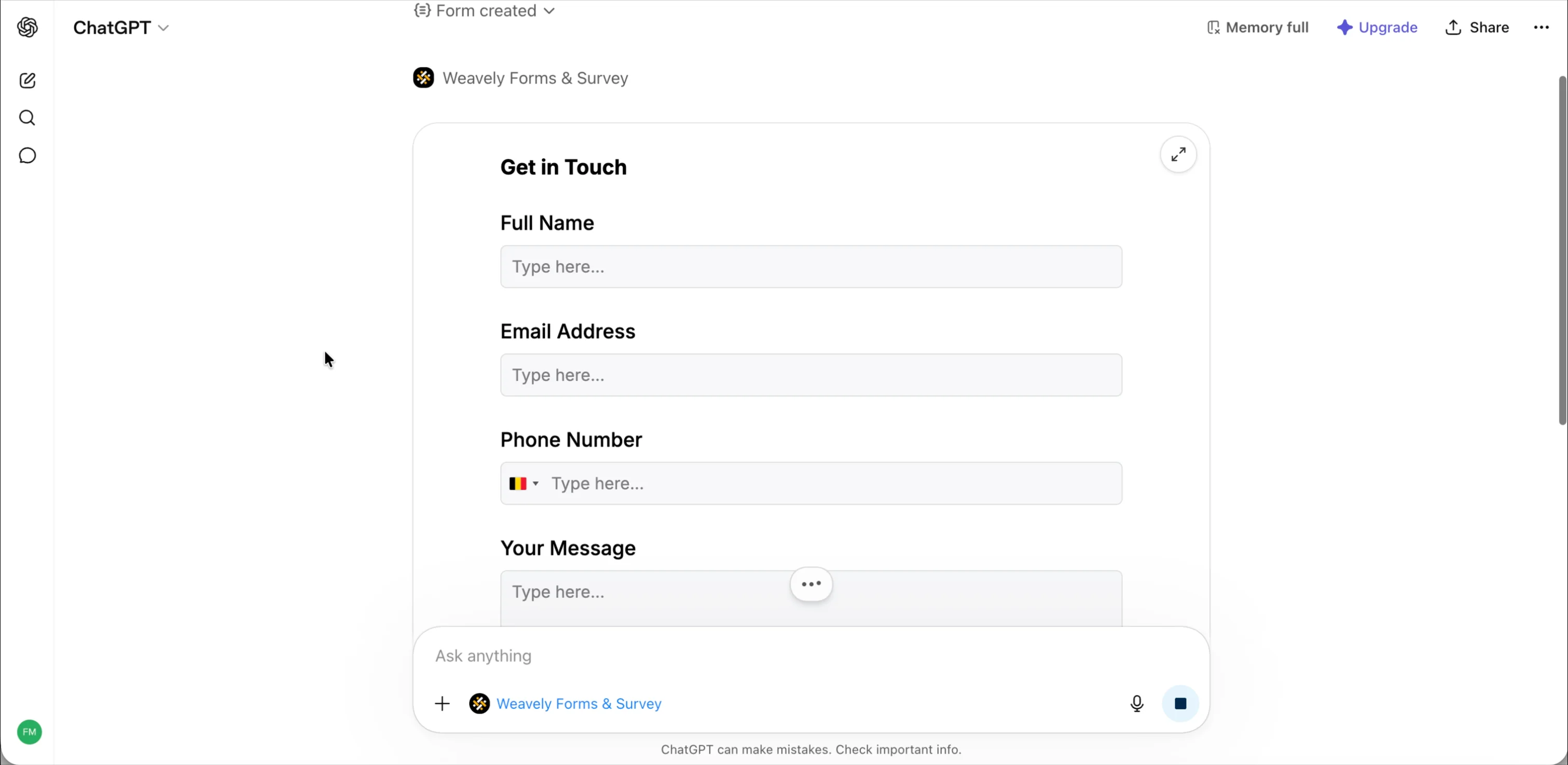
Refining by chat. Everything about the AI-generated form is editable through conversation. Ask Weavely to add a question ("add a gender question") and the preview updates with the new element. Ask the AI assistant to change the design ("make the colors more on brand") and it restyles. The colour-picking is fine for vague prompts and very good if you give Weavely your brand colours to work with. This is what makes the chat interface useful for form creation: you describe what you want in plain language and the AI builds it.
Conditional logic. This is where Weavely stands out among the three AI form generators. Ask it to show or hide fields based on answers ("only show the email field when someone typed in their name") and it applies the rule, then lets you test it in the preview straight away. That kind of advanced logic is usually buried two menus deep in a traditional form builder. Here you describe the behaviour you want in plain language and Weavely applies it, which means you can build complex forms, multi step forms, and custom forms with conditional branches entirely from chat.
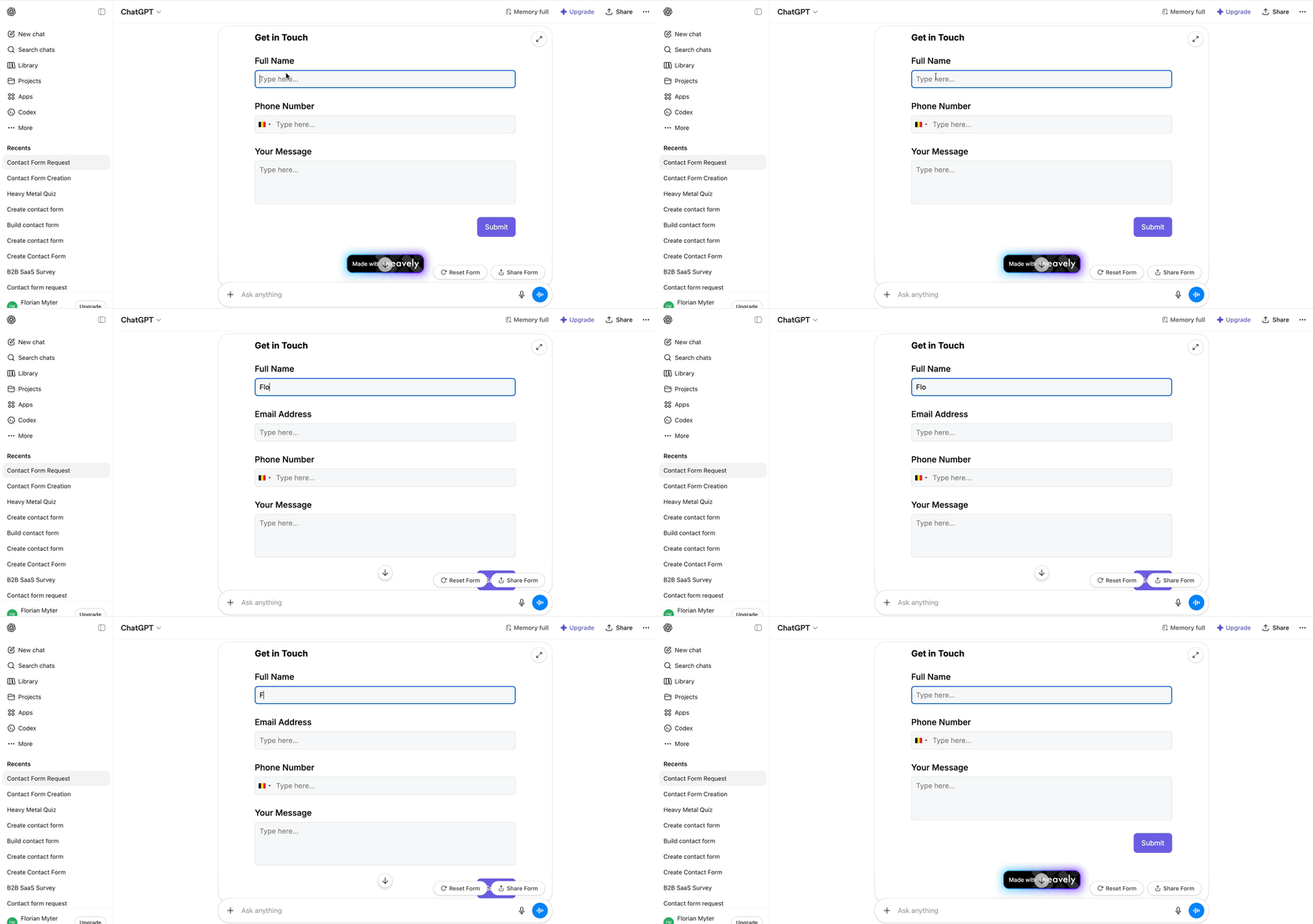
Publishing. Press the Share form button (or just ask in chat) and Weavely opens the platform to create your free account, then copies the form over and gives you a standalone URL you can share or embed.
Free plan. Unlimited forms, unlimited submissions. The trade-off is a "made with Weavely" badge on the published form, which paid plans start removing at the lowest tier of the three.
Integrations. From the Weavely interface you can connect Google Sheets, Zapier, Make, and n8n to route form submissions where you need them. Pushing data straight into Google Sheets is the most common workflow automation people set up first. Setup is currently manual for several of these, so factor that in if you're planning heavier workflow automation.
Where Weavely loses. Weavely's ChatGPT app doesn't currently let you analyse submissions from inside ChatGPT. You can export a CSV from the Weavely platform and upload it back to ChatGPT to get the same effect, which works but adds a step. Weavely also defaults to single-column layouts, whereas Jotform generates two-column custom forms out of the box.
Jotform: in-chat form response analysis
Jotform is the established form builder that brings most of its feature set into ChatGPT, including this comparison's biggest differentiator: you can analyse submitted form responses from inside the chat. The trade-off is a less permissive free version (5 forms, 100 submissions per month) and a heavier setup, because Jotform asks you to create an account before you can build anything.
Setup. Search for Jotform in the ChatGPT Apps marketplace and connect. Unlike Weavely, Jotform asks you to create a Jotform account up front, before any form generation can happen.
The first form. Same prompt: "I need a contact form." Jotform generates a form with a two-column layout, which Weavely doesn't do by default and which looks more polished for some customer inquiries and intake use cases. Validation works similarly. We did hit one minor display error in the chat preview, but the form itself was fine.
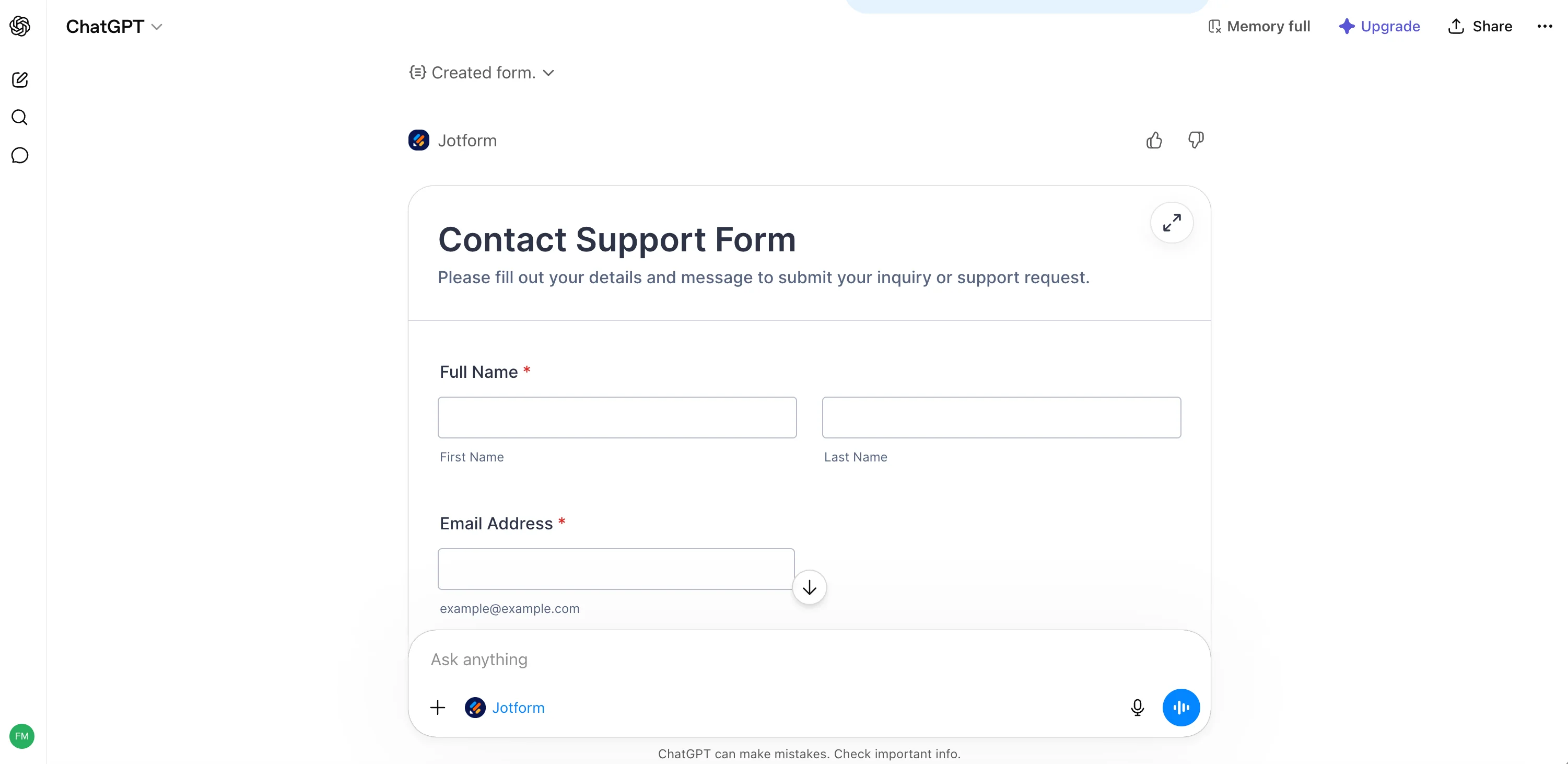
Refining by chat. Works similarly to Weavely. Where Jotform pulls ahead is the advanced features available through chat, like WhatsApp integration, payment processors, and richer field types that reflect Jotform's more mature platform.
The real differentiator: in-chat analysis. Jotform's ChatGPT app pulls live data from your submissions and analyses it for you. Say "list my forms" and you'll get an overview of every form on your account. Say "analyse the responses for the product feedback survey" and ChatGPT pulls the data and generates a summary, including charts and themes if you ask. As always with AI generation, the better your prompt, the better the output. But having this built in is genuinely useful, because the alternative with another form builder is exporting a CSV and uploading it back to ChatGPT yourself.
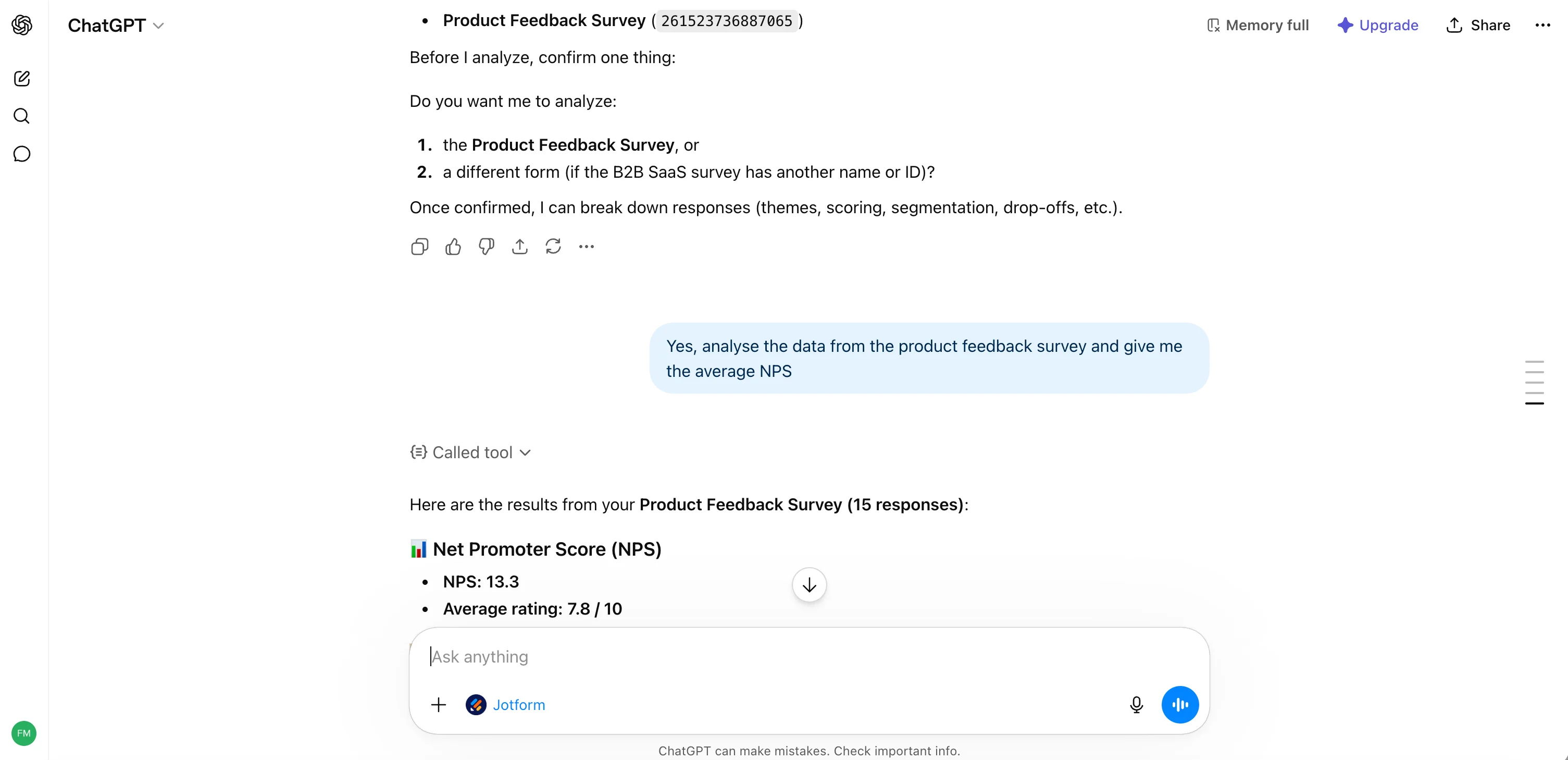
Publishing. Standard Jotform: published forms get a URL and live in your Jotform account. From there you can connect Google Sheets, payment collection, and Jotform's wider set of data management tools to streamline data collection across your workflow.
Pricing and paid plans. This is where Jotform is meaningfully less generous than Weavely. The free tier is capped at 5 forms and 100 submissions per month, so anyone running into form creation limits quickly will outgrow it fast. If you do outgrow it, paid plans start higher than Weavely's, so for high-volume use cases the Jotform bill adds up. If you specifically need the in-chat analysis though, paying for Jotform may still be worth it.
Note on naming. Jotform AI Agent is a separate Jotform product (a chatbot/agent builder, not the ChatGPT app). This comparison is about the Jotform ChatGPT App, not the AI Agent.
Where Jotform loses. Stricter free plan, account required up front, and more expensive at scale. Worth it for established Jotform users who want a ChatGPT integration layered on top of what they already have, less so for someone starting fresh on a budget.
Formbyte: a promising prototype, still buggy
Formbyte is the newest of the three ChatGPT Apps for form creation, and easily the roughest. The concept is similar to the other two AI form generators, but several core pieces of the form building process aren't working reliably yet, including the in-chat preview, which shows a mockup of what will be in the form rather than the form itself.
Setup. Search for Formbyte in the ChatGPT Apps directory and connect.
The first build. Same prompt: "I need a contact form." Formbyte responds, but the AI-generated preview inside ChatGPT isn't an interactive form. It's a preview of the fields that will be in the form, more like a list of form field data. To actually try the form, you have to press View details, then a separate Preview button on the resulting screen.
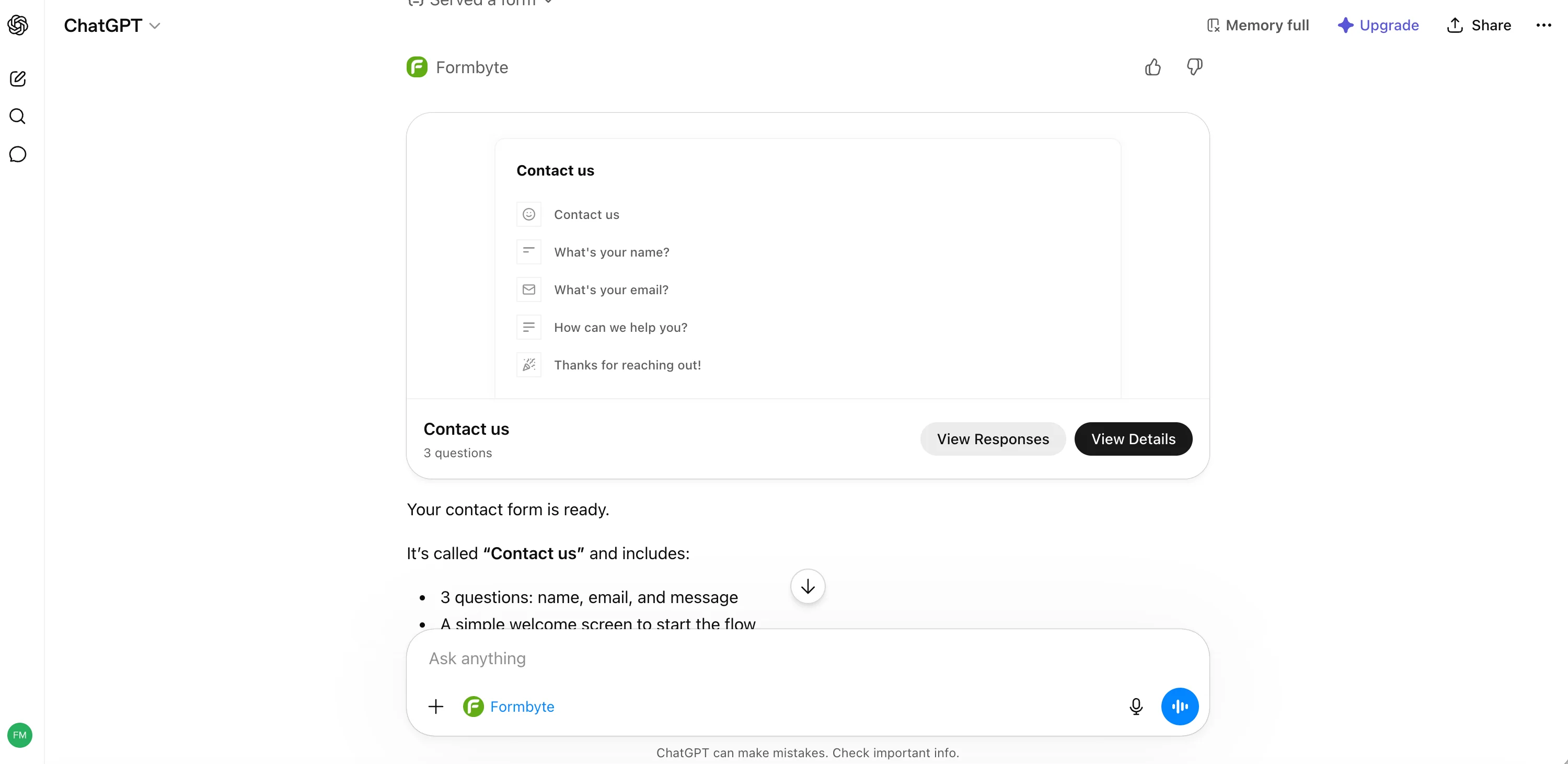
The bugs. Pressing "Open in Formbyte" redirected us to the marketplace landing page instead of the form. Another button led to a blank page. There's also no pricing visible on the Formbyte landing page, which makes it hard to commit to.
The promise. Formbyte is supposed to support response viewing and analysis in the same shape as Jotform, which would make it a real third option for streamlining data collection inside ChatGPT. We just couldn't reliably test the rest of the workflow because of the bugs.
Verdict on Formbyte. Worth keeping an eye on, not yet ready for production use. If you're going to gather real submissions, pick Weavely or Jotform for now.
Pricing and free plan compared
For lightweight teams and people who will run into Jotform's form creation limits within the first week, Weavely's free plan is the most realistic option among the best ChatGPT apps in this category. For teams that need built-in analytics inside ChatGPT and have budget, Jotform earns the premium.
Which ChatGPT app to pick to generate forms
- Pick Weavely if you want the most permissive free plan, need conditional logic, or build forms regularly enough that 5 forms or 100 submissions per month would constrain you. Best for everyday lead generation, event registration, customer inquiries, customer feedback, payment collection, and quizzes. Weavely is also the clearest fit if you want to create conversational forms built entirely through chat.
- Pick Jotform if you specifically need in-chat analysis, rely on Jotform-only features like WhatsApp integration, or already use Jotform and want a ChatGPT-side AI form builder layered on top of what you have. Be aware the free tier is more restrictive and paid pricing is higher.
- Don't pick Formbyte yet for production work. Check back in a few months.
If you're not sure which fits, start with Weavely's free plan. It costs nothing and you'll learn what you actually need from a form builder by using one, which is more useful than reading another comparison.
FAQ
How many ChatGPT Apps are there for form creation? Three, as of this comparison: Weavely, Jotform, and Formbyte. All three are listed in the ChatGPT Apps directory and function as AI form generators that turn a text prompt into a working form.
What's the best ChatGPT app for surveys? For most use cases, Weavely. Its free plan covers unlimited forms and submissions, and it supports conditional logic via chat. If you specifically need to analyse responses inside ChatGPT, Jotform is the better fit but costs more.
Can I analyse form submissions inside ChatGPT? Yes, with Jotform's ChatGPT app, which pulls live data from your account. With Weavely you'd export a CSV and upload it back to ChatGPT, which gets you to the same result with one extra step. Formbyte is supposed to support analysis but the current build is too buggy to test reliably.
Is there a free AI form builder for ChatGPT? Yes. Weavely's free plan gives you unlimited form creation and unlimited submissions with a small "made with Weavely" badge on published forms. Jotform's free version is capped at 5 forms and 100 submissions per month but doesn't badge your forms.
How do these compare to Google Forms? Google Forms is free and reliable for basic forms, but it doesn't generate forms from a prompt and you can't refine them by chatting. The ChatGPT apps in this comparison are designed for people who want to skip the manual form building process. You can still push submissions from any of them into Google Sheets if you want your data living there.
Is Jotform's ChatGPT app the same as Jotform AI Agent? No. The Jotform ChatGPT App (jotform.com/chatgpt) is what we compared here: a connector that lets you build and analyse forms from inside ChatGPT. Jotform AI Agent is a separate product for building conversational agents on top of Jotform.
Is Formbyte safe to use? The app is listed in the ChatGPT Apps directory, but several core flows weren't working in our test (preview limitations, broken buttons, no public pricing). For real production forms we'd suggest waiting.

Tatiana is the Growth Marketing Manager at Weavely, where she's spent nearly four years running marketing end to end. From campaign strategy to the SEO content that brings new readers to the platform. Working day to day on a form builder gives her a front-row seat to what actually makes forms, surveys, and landing pages convert, and that's what she writes about here: practical, tested advice on lead generation and form design. Before Weavely, she led brand and SEO work at Digital Leap and cut her teeth on B2B and B2C content at Ruddy. She's based in Brussels.


