
AI form builder
PDF to Quiz Generator - Create Quizzes from PDFs with AI
Turn any PDF into an interactive online quiz in seconds. Upload course materials, study guides, or training documents and get auto-generated quiz questions instantly.
AI Quiz Maker with Auto-Grading
Upload PDFs, Google Docs, or text to generate quiz questions with automatic grading and instant results.
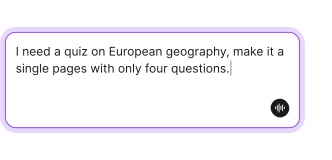
Quiz Generator from Documents
Upload PDFs, Google Docs, or paste text to generate quiz questions with AI.
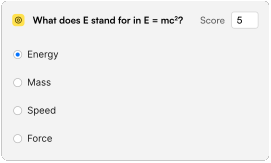
Quiz with Automatic Answers
Assigns correct answers and scores responses automatically—no manual grading.

Interactive Quiz Maker
Creates engaging quizzes with multiple choice, true/false, and short answer questionsSaves you time on manual question-writing and formatting
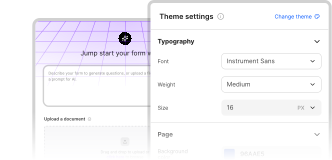
Branded Quiz Customization
Customize quiz appearance with your brand colors, logo, and custom fontsMatches the quiz to your brand with custom colors, logos, and fonts
How to create your quiz from a PDF file with Weavely
Describe what you need and click “Generate.”
The more details you provide in a prompt, the more accurately your quiz will match what you need.

Sign in to Weavely to edit and style your quiz.
Tweak the content, customise the design, or add more questions using AI.

Publish and share your quiz in one click.
Embed it, link it, or pop it up on your site — ready to collect responses instantly.

Built with ❤️ by WEAVE.LY BV • BE0773.878.569 • Herbert Hooverlaan 141, 1030 Schaarbeek, Belgium
