How to Translate a Google Form Into Any Language (Free AI Method)
If you’ve ever tried translating Google Forms, you already know Google didn’t exactly make this easy. There’s no magical “Translate a Google Form” button, no right click → translate, and no built-in Google Translate integration. Which is wild, considering Google… created both products.
But don’t worry, you can translate an entire Google Form into French, Spanish, German, Italian, whatever. And you can do it for free!
Below are two simple methods:
- Free method using Weavely AI (fastest + prettiest)
- Paid add-on inside Google Forms (stays fully inside Google Workspace, but $$)
Translating Google Forms With Weavely (Free, Fast, and Pretty)
If you want a simple yet powerful way to translate your form without paying a cent, the easiest method is using Weavely. It’s a form builder with AI built in, meaning you can:
- import your existing Google Form,
- ask the AI to translate the entire form into your desired language,
- and get a brand-new form you can share instantly.
Here’s how it works.
If you prefer watching over reading, we also recorded a quick video tutorial for you:
Step 1: Import Your Google Form Into Weavely
Open Weavely AI→ click "Import a form". You'll first be asked to create a Weavely account. Second, you'll need to connect your Google Account for Weavely to have access to your forms' data (e.g. questions, etc).
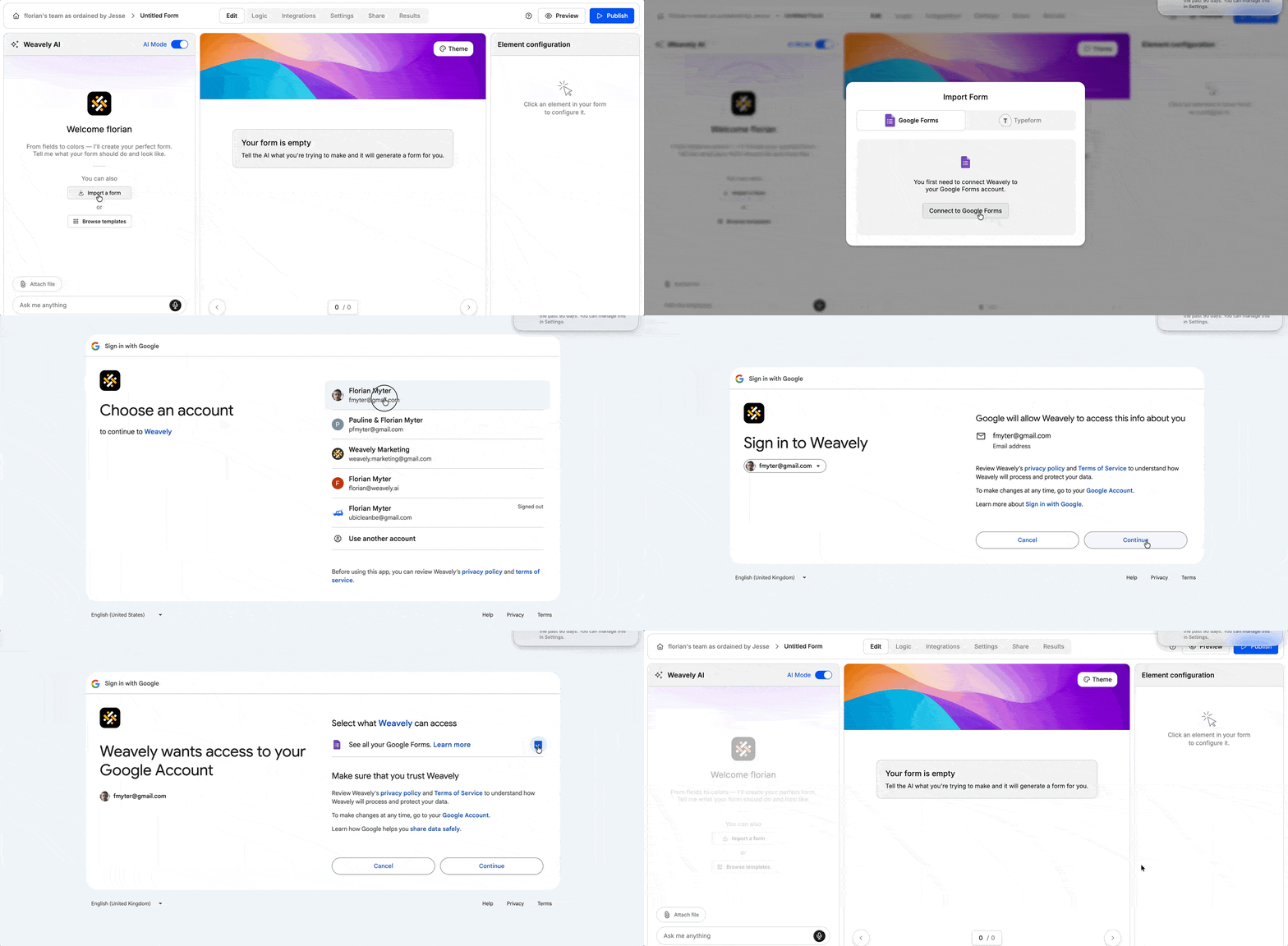
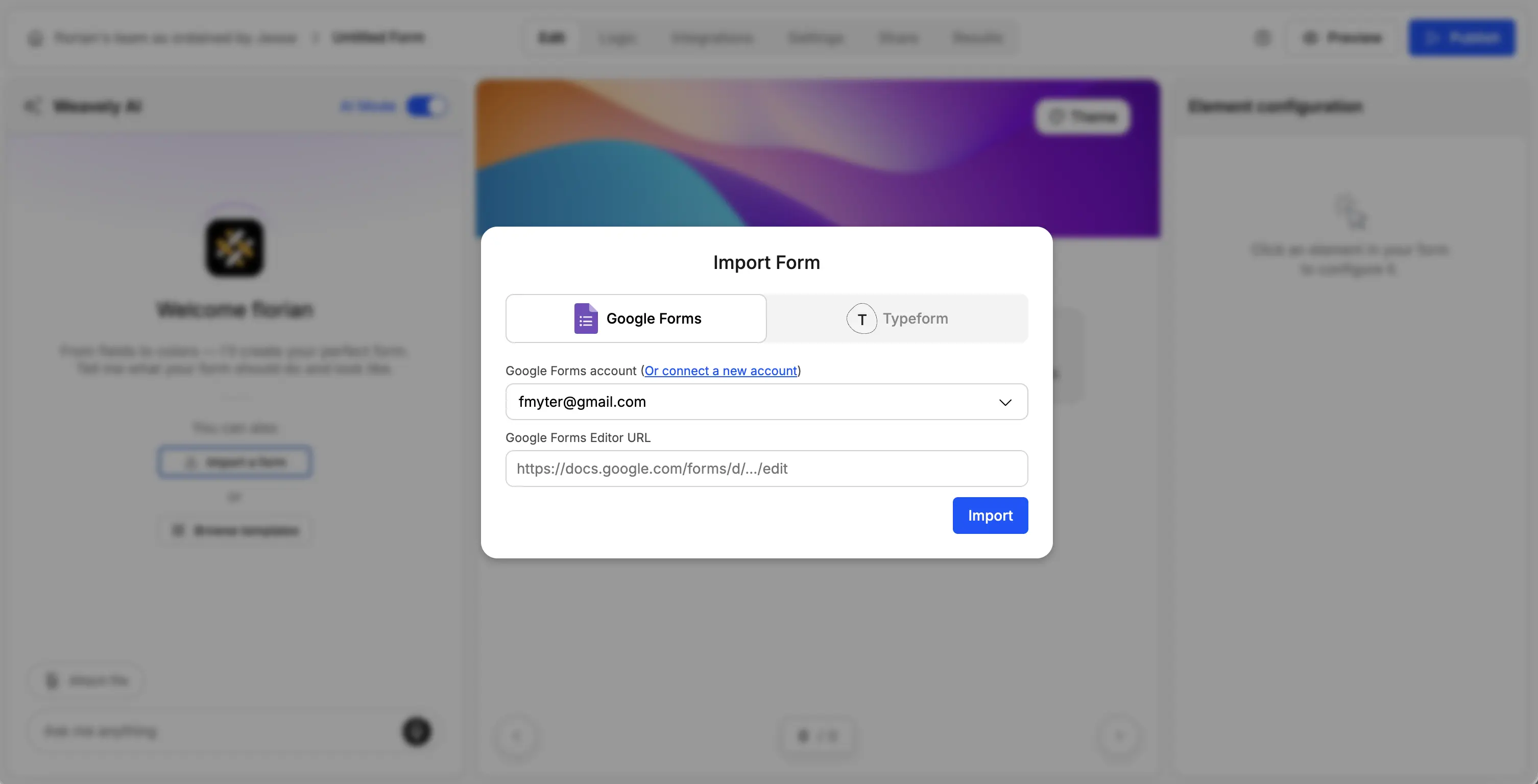
Once you've connected your account you can paste your Google Form link edit link when pressing "Import a form".
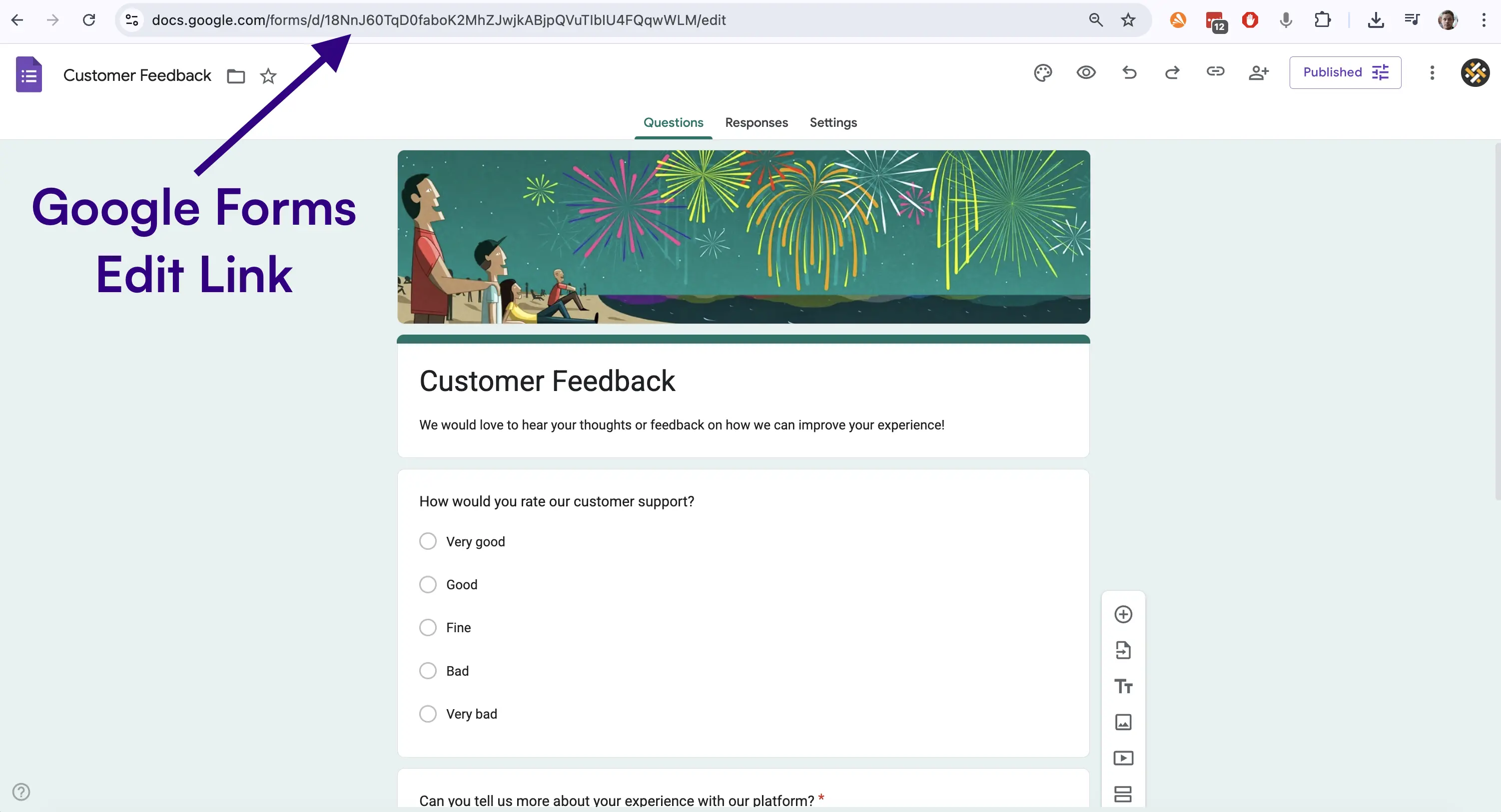
This last step might seem like a detail, but it's crucial. Make sure you copy the edit link, which you'll find in your browser navigation bar while having the form open.
Once you click "Import", the AI will pull in:
- all your Google Form questions,
- dropdown menus,
- instructions,
- page breaks,
- etc.
Once it loads, you now have a fully editable version of your form inside Weavely. And yes, it looks nicer than the original. Think pretty forms designer instead of the classic Google Form purple.
Step 2: Ask the AI to Translate a Google Form Into Your Preferred Language
Now the fun part. Open the AI chat inside Weavely and type something like:
- “Translate this form to French.”
- “Make a Spanish version.”
- “Translate all text to German.”
Within seconds, every question, instruction, and label will be rewritten in your preferred language, while keeping the same form structure and input types. Want multiple languages and reach a global audience? Just duplicate the form and ask the AI to translate again, zero effort!
Step 3 (Optional): Customize Your Translated Form
Besides translating forms, Weavely also lets you tweak and add advanced features to your form:
- conditional logic
- change colors, fonts, and layouts
- add signature or file upload fields
- integrate with Google Sheets
- and much more
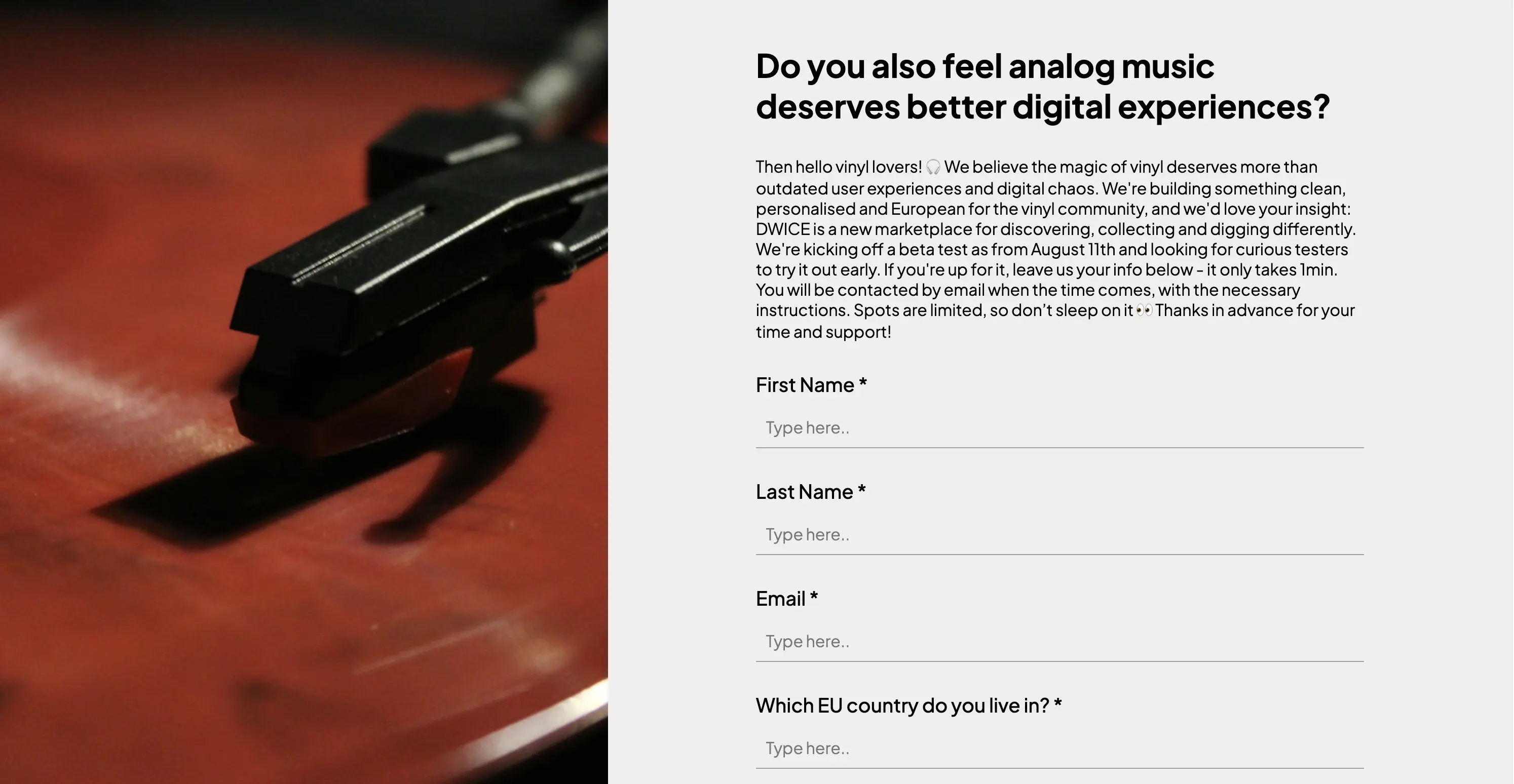
So what's the downside you might think? Well, it’s not technically a Google Form. But it supports unlimited responses, looks better, and still connects to Sheets. In general Weavely is much more versatile.
Translating Google Forms to Multiple Languages Using the Forms Translator App

If you must stay inside the Google Form ecosystem, you can install the Forms Translator App from LivePolls. It lives directly inside your Google Form editor and lets you translate your form to another language with the click translate button.
Once installed, the add-on appears in the side panel. You can choose your preferred language (like Spanish, French, Italian, German) and the tool translates all your text automatically. That sounds like the perfect solution right? However, there is no free tier. The cheapest plan starts at $18 per month, which is… not ideal if you just need a couple of forms translated!
Final Thoughts: Do You Really Need Google Translate for Google Forms?
If you want the fastest way to translate Google Forms into any language, go with Weavely. It's free, completely automatic and generates forms which are more generally prettier. If you must keep the same form inside Google’s editor, the Form Translator app works. But you’ll pay for the privilege.
Either way, your form will finally be accessible to a broader audience, in the language your users actually speak.
Frequently Asked Questions: Translating Google Forms With AI
How do I translate a Google Form into another language?
You can translate a Google Form by importing it into Weavely and asking the AI to rewrite the entire form in your desired language (French, Spanish, German, Italian, etc.). It’s free, fast, and keeps the same questions and structure. You can also use a paid Google Forms app like Forms Translator and click Translate, but it has no free tier.
Can Google Translate automatically translate my Google Form?
Google Translate cannot translate a Google Form directly inside the editor. You must either use a form translator add-on or import your form into a tool like Weavely, which recreates the form in your preferred language automatically.
Is there a free way to translate a Google Form?
Yes, Weavely is the only method that translates forms into multiple languages for free using AI. You can create Spanish, French, German, Italian, or English versions instantly.
Can I convert a Google Doc to a Google Form
Yes, tools such as Weavely's Doc to Form enable you to automatically convert Google Docs into web forms using AI.

Florian is the co-founder and CEO of Weavely, where he does a bit of everything: from product and fundraising to making YouTube videos and writing for the blog. He holds a PhD in computer science and sits on the board of No Code Belgium, the country's no-code community, after more than seven years as a researcher and business developer at Vrije Universiteit Brussel. He writes the hands-on tutorials here, drawing on both an academic background and the day-to-day reality of building a form tool from the ground up. Based in Brussels.


