How to create a product recommendation quiz from one prompt
A product recommendation quiz is a type of quiz, often referred to as match quiz, where a visitor answers a few questions about their situation, preferences, or goals. Based on those answers, they get routed to the product, plan, or service that fits them best.
It's not a survey or a personality test you take with your friends. It's an actual decision tool that does the filtering work for your visitors.
The underlying mechanic is simple: each answer carries a weight toward one or more outcomes. Someone who says they want something lightweight and low-maintenance accumulates points toward Product A. Someone who prioritizes performance accumulates points toward Product B. The outcome with the most points at the end is the recommendation. Behind the scenes there's real logic at work; it just doesn't feel that way to the person filling it in.
Do product recommendation quizzes convert better?
The answer is they do and at a considerably higher rate compared to standard product pages. Product recommendation quizzes convert at rates of 15% - 40%, significantly outperforming standard e-commerce pages which often sit below 3%.
There are multiple factors behind success of product recommendation quizzes. Firstly, when someone lands on a page with five plans or twelve product variants, the default response is paralysis. A quiz sidesteps that entirely. Instead of comparing options, visitors answer questions about themselves. That's a much easier cognitive task.
.png)
Secondly, a product suggestion that arrives at the end of a quiz feels earned. The visitor answered questions, the quiz processed their answers, this result was generated specifically for them. That perceived specificity increases trust and reduces buyer hesitation, even when the underlying logic is relatively simple.
In addition to its high conversion rates, a match quiz can also serve as a data capture tool. Because even when someone doesn't convert immediately, the quiz responses tell you something useful. What profile do most of your visitors fall into? Where do people drop off? That's signal you don't get from a product page bounce.
How to create a product recommendation quiz with AI for free?
Most quiz builders make you do the work: define your outcomes, write your questions, map each answer to an outcome, assign weights, test the logic. It's not difficult exactly, but it's tedious. And if you have more than a handful of products, it takes a while.
Weavely's approach is different - you simply describe what you want, and the AI handles the set-up. A product quiz is ready to go live on your website in a matter of minutes. This way, providing tailored recommendations to your prospects and customers is extremely accessible to anyone, even if you're low on time.
Here are 3 simple steps to create a working product recommendation quiz.
Step 1: Write a prompt describing your products and what you're trying to match people to
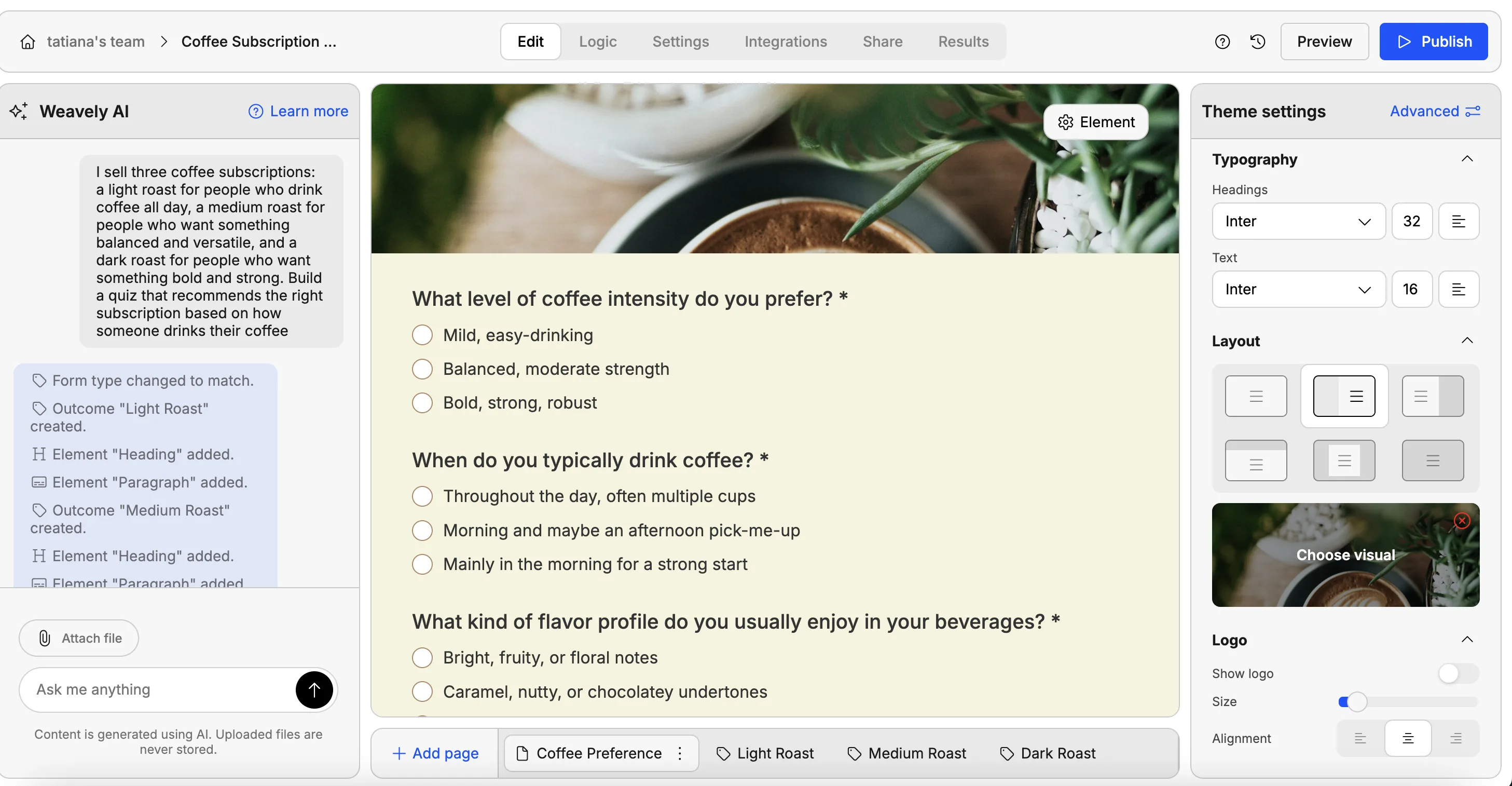
Open Weavely and provide a prompt. This is the whole job. You can write a few sentences, paste a link to your product page, or upload a document with product descriptions. The more context you give (i.e. what each product is, who it's for, what distinguishes it from the others) the better the output.
For example:
"I sell three coffee subscriptions: a light roast for people who drink coffee all day, a medium roast for people who want something balanced and versatile, and a dark roast for people who want something bold and strong. Build a quiz that recommends the right subscription based on how someone drinks their coffee."
Weavely generates relevant questions, writes the outcomes, assigns the scores and applies branching logic automatically - including which answers point toward which products.
Step 2: Review and customize
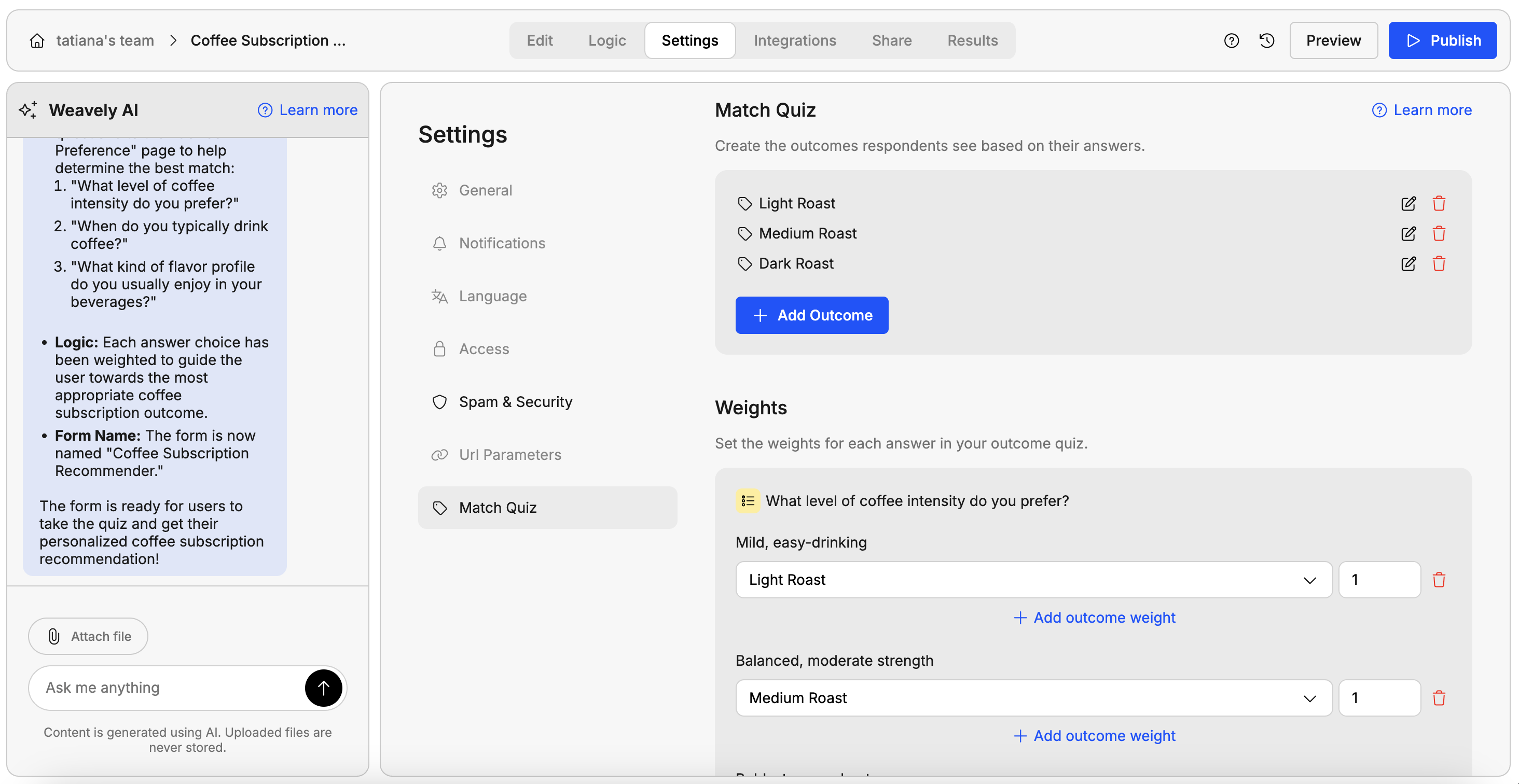
The AI does the heavy lifting, but you know your products better than it does. Read through the generated questions and make sure they're asking what you'd actually want to know. Check the outcomes and make sure the product descriptions feel right. This is also where you can fine-tune the weights, if you want certain answers to be stronger signals for a particular product, you can adjust that manually.
Pro tip: You can slo ask AI to customize the design of your quiz. For example, upload an image of how you want your quiz to look like or paste a link of your website, so that AI can fetch your brand colours and apply them to the quiz.
Step 3: Publish and test
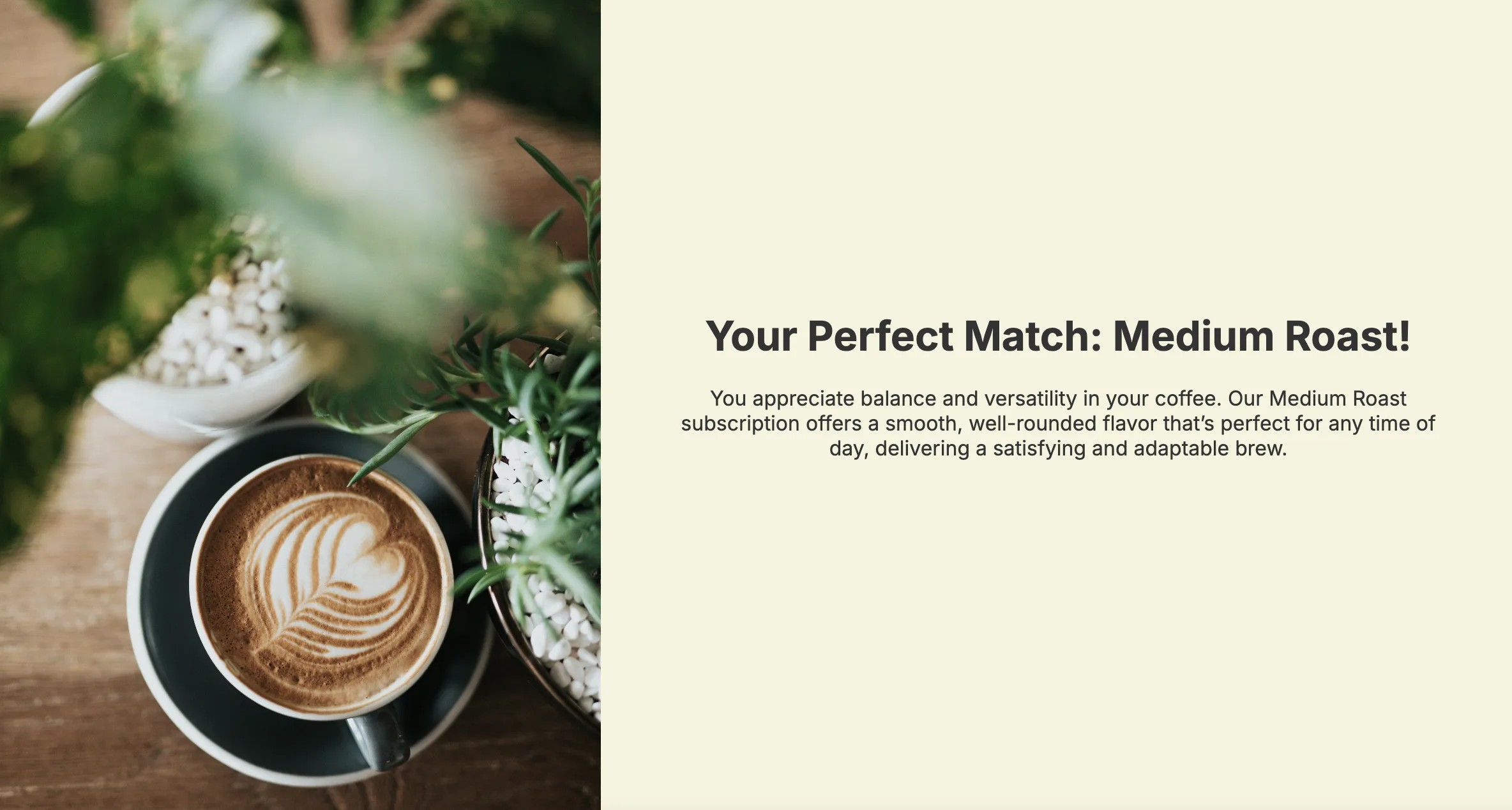
Go to the preview mode and fill it in yourself a few times with different answer combinations and make sure the right product comes out at the end. Looks good? Publish the quiz and share it with your customers or embed it on your website.
For the full walkthrough, see Weavely's help doc on match quizzes.
Creating a good prompt for better output
Since the quality of your quiz depends largely on your prompt, it's worth being deliberate here. A few things that make a real difference:
Describe your products in detail
"I have three skincare serums" is much less useful than "I have a hydrating serum for dry skin, a brightening serum for uneven skin tone, and a resurfacing serum for people dealing with texture and dullness." The AI needs to understand what makes each option distinct so it can write questions that actually discriminate between them.
Tell it who your audience is
If your products are aimed at a specific type of customer, say so. "This is for small business owners, not enterprise teams" or "these are all beginner-friendly, not for experts" helps the AI write questions pitched at the right level.
Be specific about how many questions you want
Shorter quizzes have higher completion rates. For most product recommendation use cases, three to five questions is the sweet spot. If you don't specify, you might get more than you need.
Paste your product descriptions rather than summarizing them
If you have well-written product copy already, use it. Upload a document with all the product descriptions to the form builder. You can also add all the instructions for the quiz in the same doc.
Adding a product recommendation quiz to Shopify, WooCommerce, or WordPress
A product recommendation quiz fits any major e-commerce platform because it works as an embed or a linked page. You build the quiz once, drop it onto a page or into a pop-up, and point each result's button at the matching product URL. No platform-specific rebuild needed.
Most platforms don't build real recommendation quizzes on their own. Shopify's product pages and WooCommerce's filters help shoppers narrow down, but they don't ask questions and return one personalized pick. That's why an embeddable quiz tool is the simpler route.
Shopify
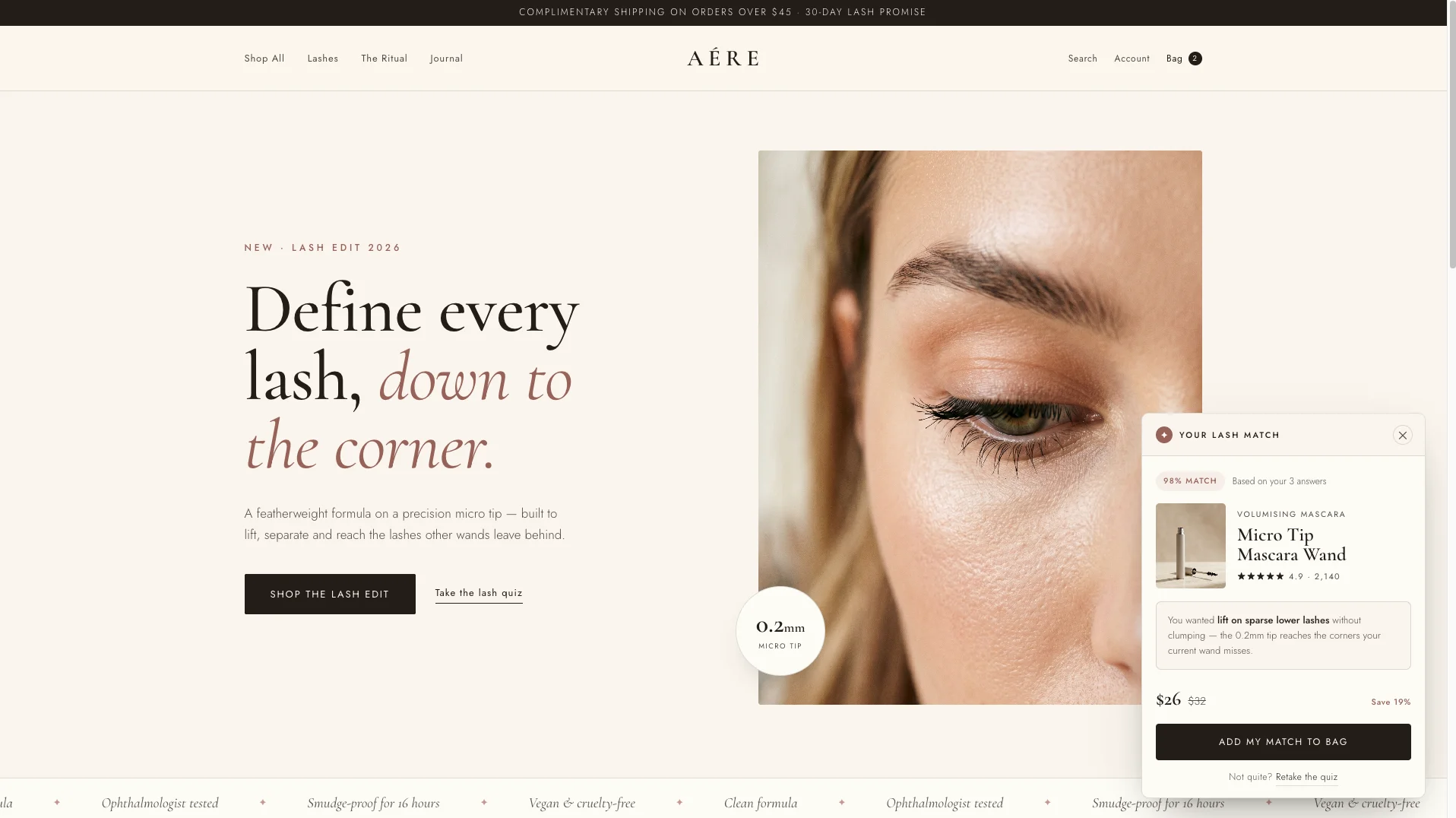
Build the quiz, embed it on a page or as a pop-up, and link each result's "Shop now" button to the relevant Shopify product URL or a direct cart link. Because the quiz lives as an embed, you can place it on a product page, a dedicated landing page for ads, or your homepage.
WooCommerce and WordPress
Same approach: embed the quiz in a post, page, or pop-up on your WordPress site, and point each result at the matching product in your WooCommerce store. A product recommendation quiz on WordPress works either as a standalone page you link from your menu or as an inline block on a high-traffic page.
Tips to design a product recommendation quiz that sells
A product recommendation quiz that sells comes down to four choices: questions that each push toward a specific product, one confident recommendation per outcome, a result page with a product image and a clear buy button, and the right placement on your store. The buy button is the piece most quizzes get wrong: they leave it out.
Make every question map to a product
Each question should help separate one recommendation from another. If you sell four sandals, every question should pull a shopper toward one of those four. "Where will you wear these most?" works, because beach, office, trail, and gym lead to different products. "Do you like sandals?" tells you nothing, so drop it. Use multiple choice or picture choice, not open text, and make sure every answer option points somewhere. A few well-placed follow up questions can sharpen the match without dragging the quiz out.
Give one confident recommendation, not a list
The whole value of the quiz is that it decides for the shopper. End on a single recommended product: the best match for their answers, with a short personalized explanation of why it fits. Don't end on a shortlist that re-creates the paralysis you just removed. If two products genuinely fit, you can offer a complementary add-on (which is also how quizzes lift average order value), but the headline should be one clear pick.
Put a product image and a "Shop now" button on every result
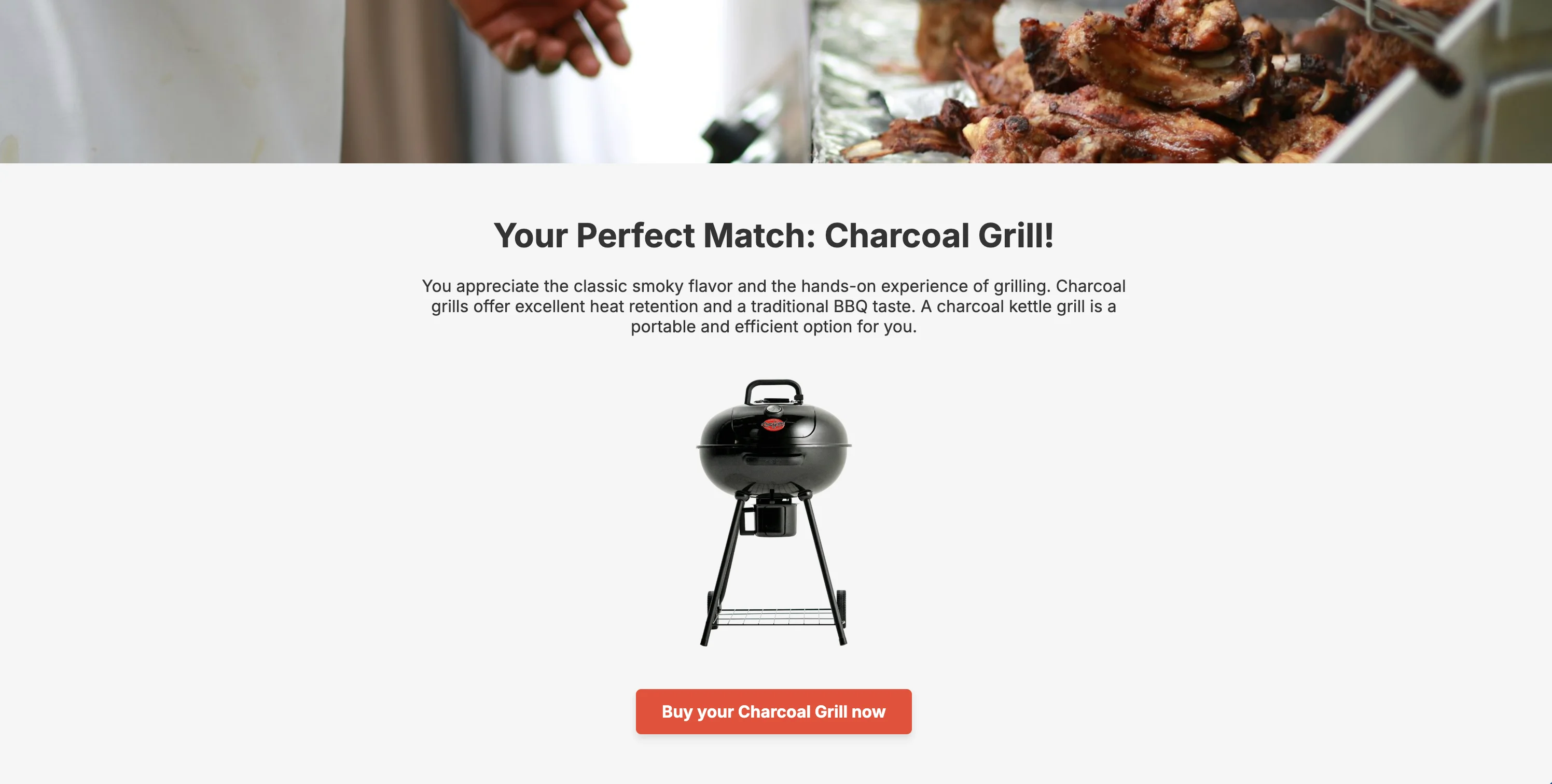
This is the step that turns a quiz into a sales tool, and it's the one most builders skip. Each result page should show the recommended product as a real photo, not just a name, plus a button that links straight to that product's page. The shopper goes from "which one?" to "this one, buy it" without a detour back through your catalog. If your result ends with a paragraph of text and no button, you've answered the question but lost the sale.
Where to place your quiz to improve conversions
A product finder quiz earns its keep on the pages where shoppers hesitate. Common spots: a product or collection page where someone is comparing options, the homepage as a "not sure where to start?" entry point, or a pop-up triggered when a visitor has browsed for a while without adding anything to the cart. That's a simple way to recover abandoned carts and boost conversions on traffic you've already paid for. You can also run it as a standalone landing page for ad traffic, where a guided quiz often posts higher conversion rates than a plain product page.
When should you use a product recommendation quiz for your business?
Not every business needs a quiz that would navigate visitors to a certain product. But those businesses that offer multiple service packages or sell similar products in a different price range can significantly benefit from product recommendation quizzes.
- Physical products with a wide choice
Skincare, cosmetics, food and beverage, tech gadgets - anything where the right product depends on the customer's needs or preferences, not just their taste. A skincare brand asking about skin type, climate, and concerns before recommending a routine is doing something genuinely useful, not just collecting emails.
- SaaS with multiple plans
"Which plan is right for me?" is one of the most common hesitations in SaaS. A quiz that asks about team size, use case, and budget takes someone from the pricing page to a specific plan recommendation — and can double as a lead capture form in the process.
- Services with different tiers or specialisations
Agencies, consultants, coaches, and service businesses often have offerings that suit different client profiles. A quiz that qualifies and routes visitors before they ever reach the contact form saves time on both sides
- Any time you're losing people at the "choose a product" step
If your analytics show traffic dropping off on your product or pricing pages, that's usually a decision-fatigue problem. A product quiz could be an easy fix.
Looking to create more lead generation forms and quizzes?
Weavely offers a free lead generation form builder where you can create lead forms, product recommendation and lead qualification quizzes, registration forms, and more for free. Collect unlimited responses and channel data directly to our of your favourite marketing tools, whether it's HubSpot, ActiveCampaign, Pipedrive or Salesforce. All without hitting a paywall.

Tatiana is the Growth Marketing Manager at Weavely, where she's spent nearly four years running marketing end to end. From campaign strategy to the SEO content that brings new readers to the platform. Working day to day on a form builder gives her a front-row seat to what actually makes forms, surveys, and landing pages convert, and that's what she writes about here: practical, tested advice on lead generation and form design. Before Weavely, she led brand and SEO work at Digital Leap and cut her teeth on B2B and B2C content at Ruddy. She's based in Brussels.


