How to turn a Google Doc to a quiz in Google forms
If you’ve ever compiled questions for an exam or a training in a Google Doc and then had to manually copy-paste every question into Google Forms to create a quiz, you know it’s a very time-consuming process.In the age of Large Language Models (LLMs), it only makes sense to automate this workflow.
The ideal solution is a tool that reads your document, identifies the questions, sets the correct answers, and enables scoring automatically.
In this article, we will walk you through:
- How to convert Google Doc to Google Form quiz using a dedicated extension.
- An easier alternative — using Weavely, a free AI quiz generator that outperforms Google Forms in both speed and design.
Why not just use Google Forms?
Google Forms is a great tool for making quizzes. But it cannot generate quizzes from documents. Bizarrely, there is no native integration between Google Docs and Google Forms. To build it manually, you have to:
- Copy and paste every single question and individual answer option.
- Manually set the question type for each entry.
- Dig into settings to enable "Quiz Mode."
- Assign point values and correct answers one by one.
For a 5-question poll, that's fine. For a 50-question exam, it's way too cumbersome given that there are multiple AI-powered alternatives.
Option 1: Using a Google Forms extension
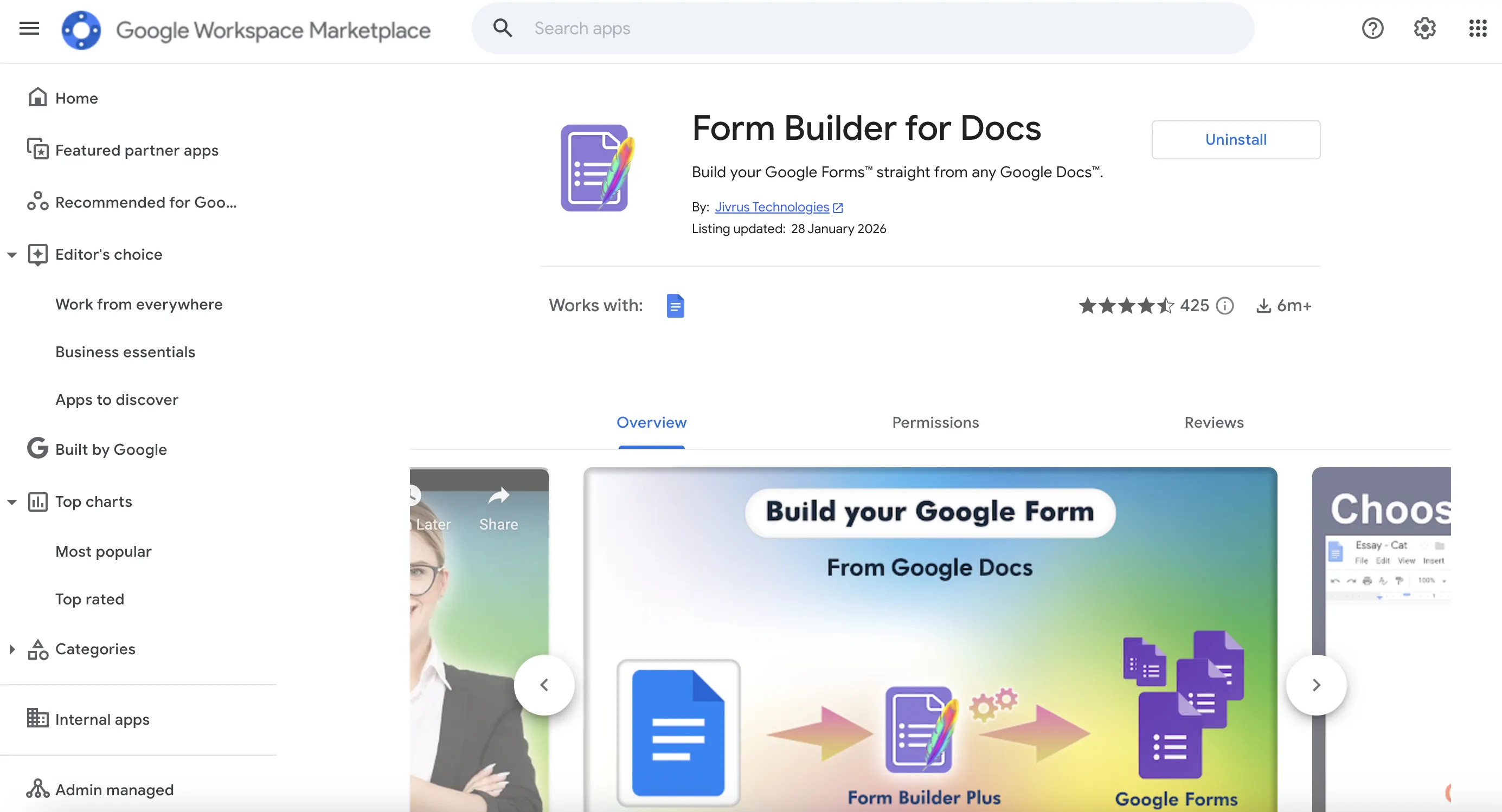
If you want to stay strictly inside the Google ecosystem, you can use an extension like Form Builder for Docs. The tool connects to your Google account and helps generate forms and quizzes from Google Docs and import them into Google Forms.
We tested it, here's how it actually works.
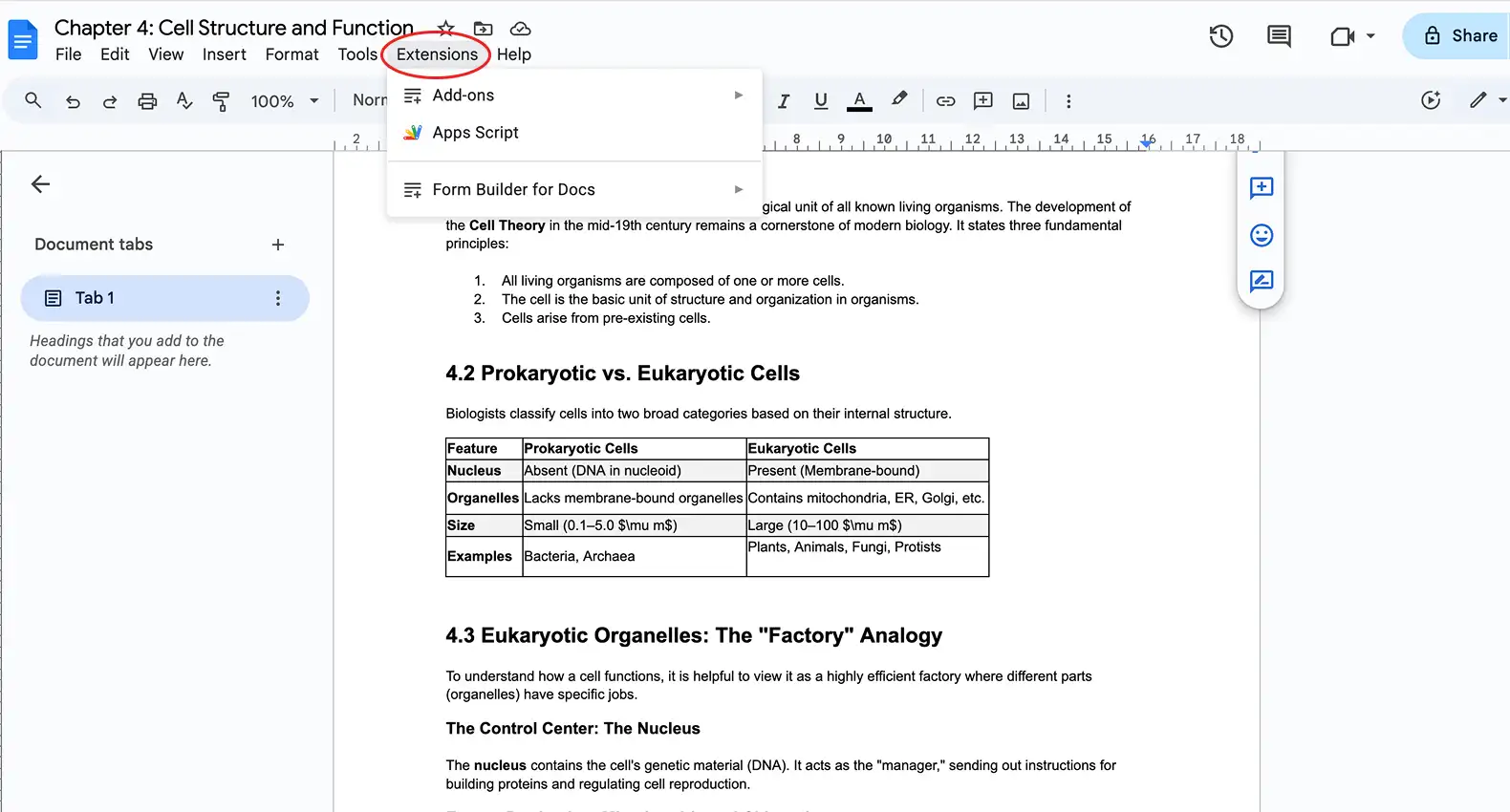
When using Form builder for Docs, your quiz building process starts in the Google Doc itself. To get started, click on extensions and launch the tool. A window will pop up on the right of the screen.
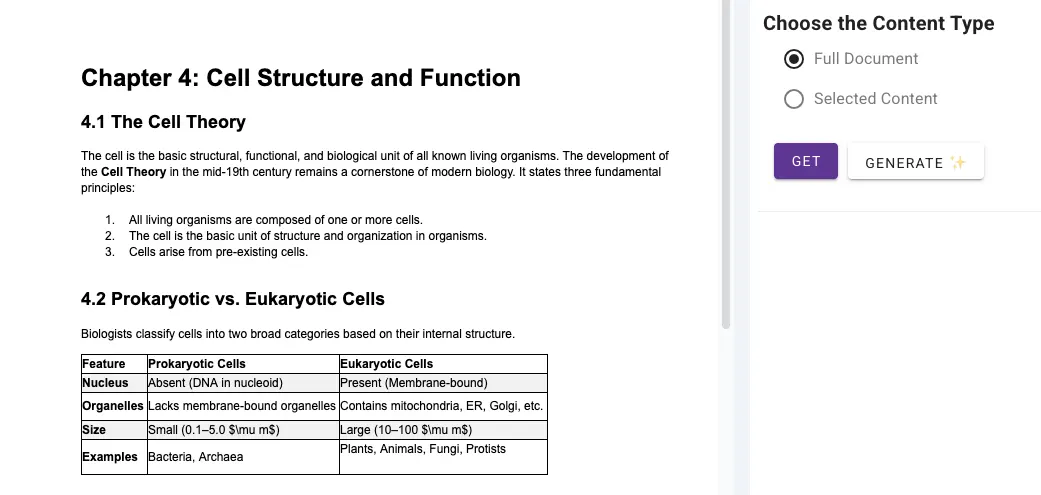
You then get a choice between using the form builder's built-in functionality to turn the document's content into a quiz or to generate a quiz with AI. However, AI generation is not a native feature, so you will have to connect your own OpenAI or Gemini API key — a technical extra step that isn't very user-friendly.
In our test, we used the built-in feature (press purple "Get" button), but because it doesn't analyze the text with AI, the output is far from optimal. The tool lacks the intelligence to "read" the document, and cannot create questions based on a paragraph of notes. Form Builder for Docs only works if you have quiz questions ready and in the right format.
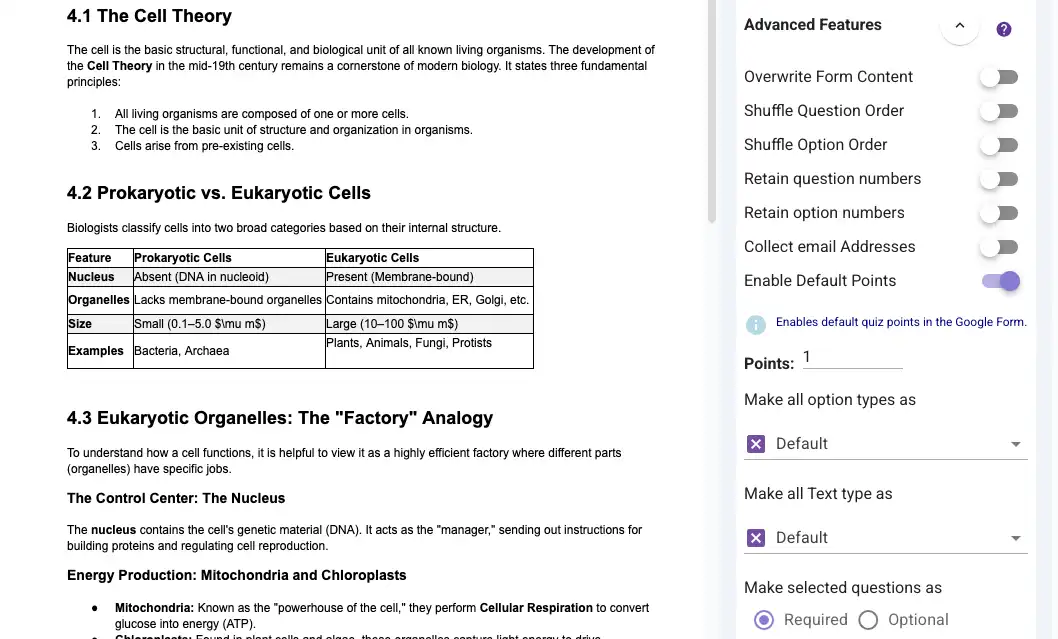
It is important to navigate to the Advanced Features and toggle Enable Default Points. This step is essential to actually transform the document into a quiz within Google Forms. Enabling this ensures that "Quiz Mode" is activated and that each question is assigned a point value. However, keep in mind that you will still have to go into the form and mark the right answers manually.
Additionally, Form builder for Docs offers some other advanced features like Shuffle question order or Shuffle option order, which are great for preventing cheating.
Our verdict: If you already have a perfectly formatted quiz in a Doc, a Google extension will save you the copy-pasting. For example, you can save an hour of tedious work by avoiding the "copy-paste nightmare" of 200 multiple-choice options. However, it isn't capable of smart, AI-driven quiz generation and doesn't fully remove the need for manual effort.
Option 2: Weavely — AI Google Doc to quiz converter
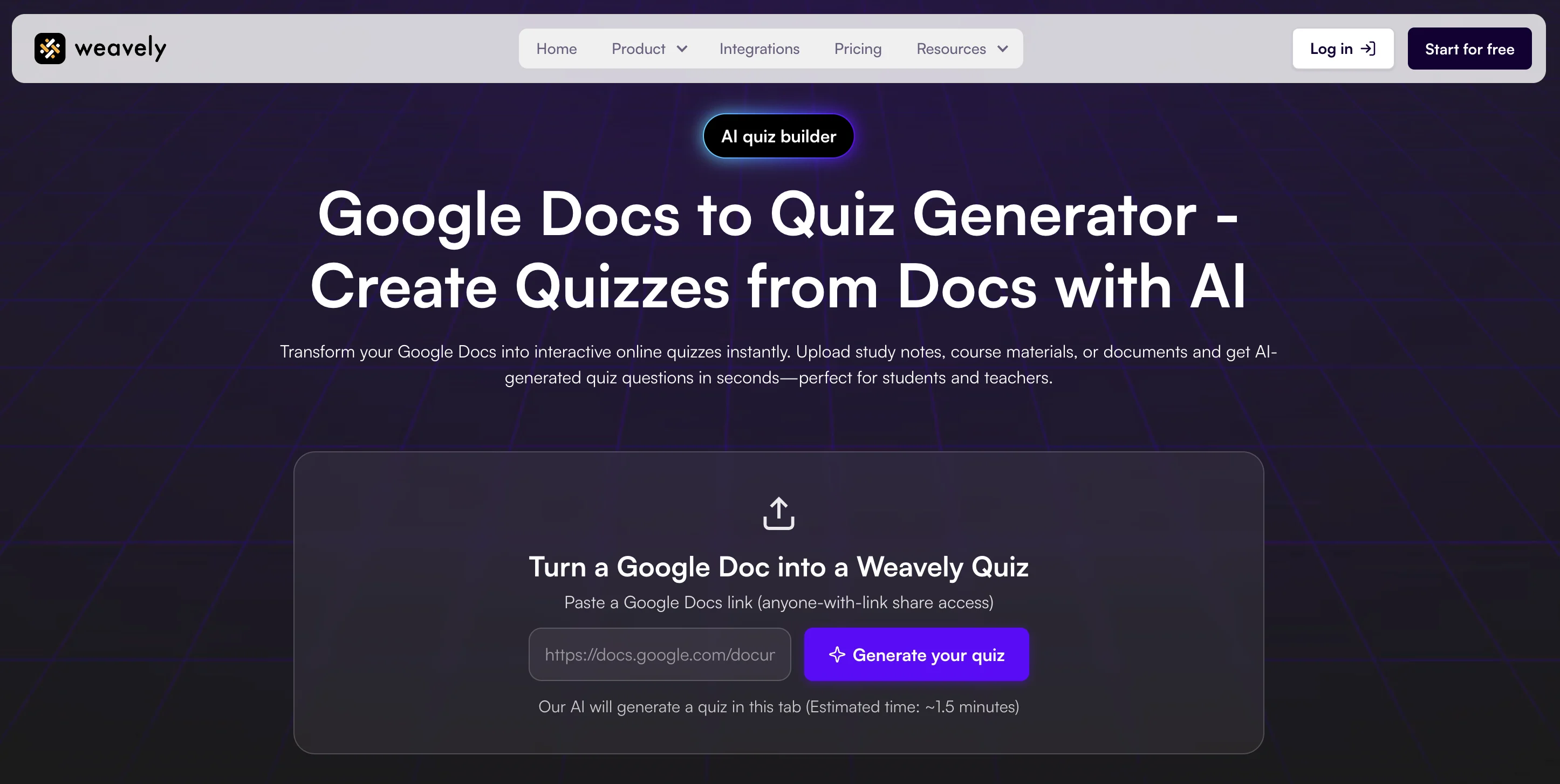
If your only requirement isn’t “it has to be Google,” then Weavely quiz maker is the most efficient way to turn a Google Doc into a quiz.
Weavely is an AI-powered form builder that lets you paste a link to the document, and instantly get a comprehensive quiz. This way, you don't need to neither create questions yourself, nor manually set up the right answers and scores. Weavely can take a chapter from a textbook and turn it into a quiz, test or exam.
In addition to advanced functionality, it also lets you create unlimited quizzes and collect unlimited quiz responses.
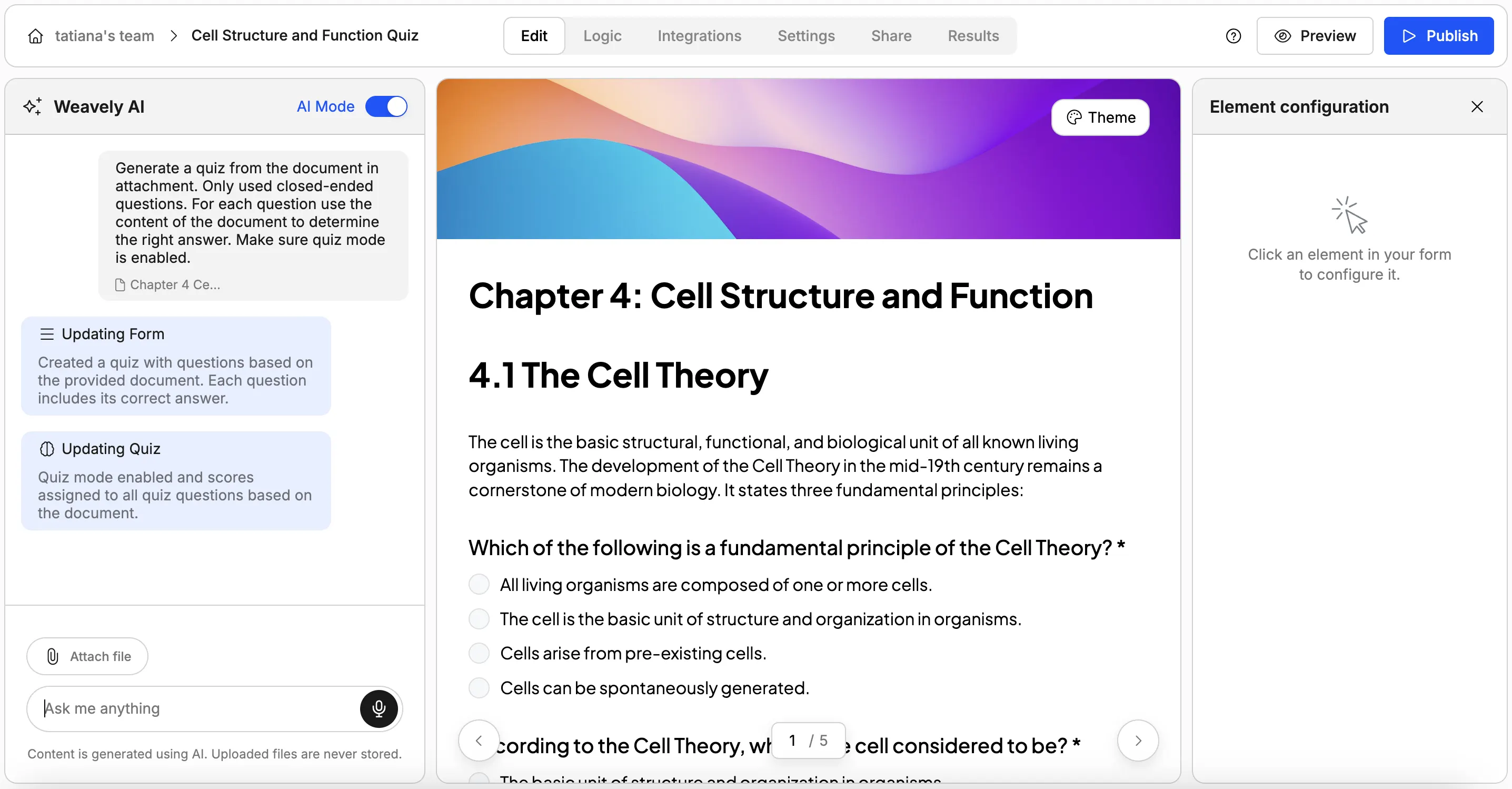
After pasting your Google Doc link, you'll be taken to the editor where a fully functioning quiz will appear with correct answers set and scores assigned. You can then ask AI to add or remove questions, or to adjust the difficulty level of the quiz. At the same time, you retain full manual control over the quiz creation, so that you can still edit questions or design manually if necessary.
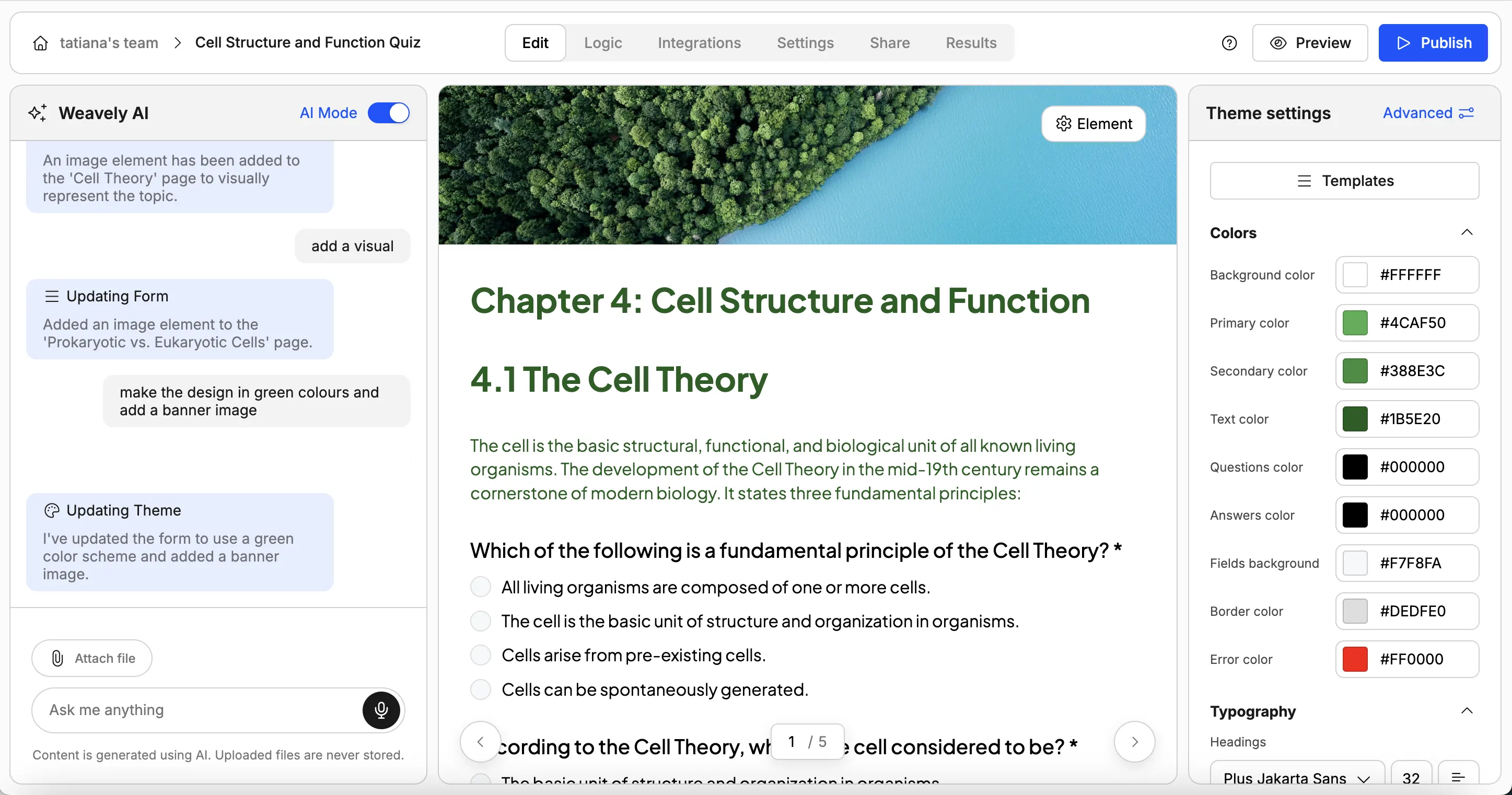
Unlike Google Forms, Weavely lets you fully customize the design of your quiz. In the same chat, you can ask AI to change the colour scheme, add images, or change fonts. All pages of the quiz will be updated automatically.
If you're an educator, more custom, colourful design can help make practice tests or exams more enjoyable for students. If you're a business, you can make the design match your brand, which is important to signal credibility and professionalism.
Why create quizzes with Weavely AI quiz generator:
- Zero manual setup: No toggling "Quiz Mode" or assigning points manually. Everything is scored by default.
- Unlimited everything: No limits on how many questions and quizzes you can generate, no limited on response volume.
- Better design: While Google Forms looks like a basic survey, Weavely lets you customize fonts, layouts, and logic jumps to create more professional and interactive quizzes.
- Instant feedback: You can enable features that show students the correct answer immediately after they submit a page, turning the quiz into a learning tool.
The verdict: If leaving Google ecosystem is not an issue, then Weavely is the easiest and the most affordable way to go from a Google Doc to a quiz.
Generating quizzes from PDF files
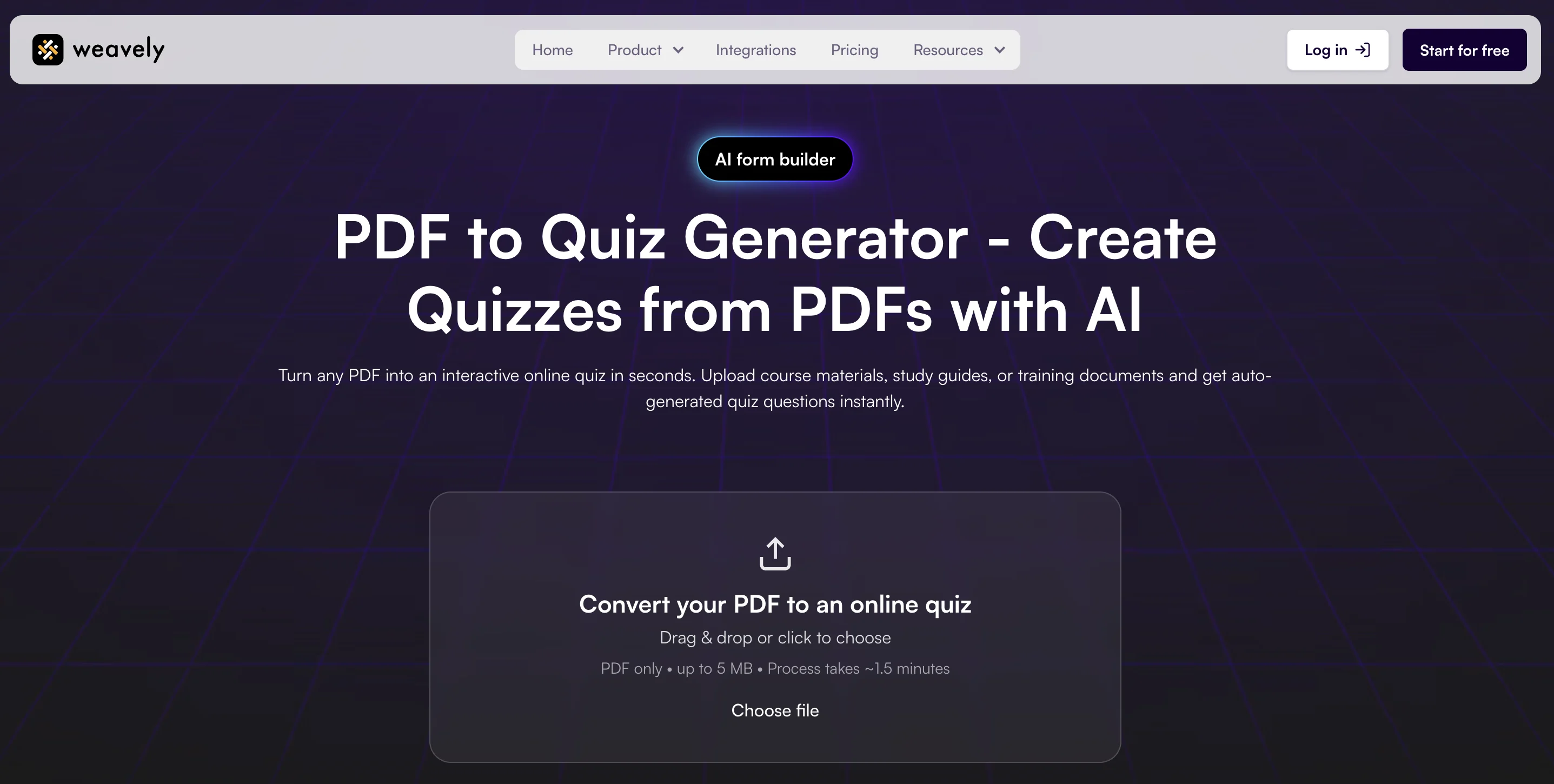
If your source material isn't a Google Doc but a PDF, Weavely also offers a PDF to quiz converter. Unlike Google Form extensions, Weavely’s AI generates smart questions, assigns correct answers, and does scoring automatically. Simply upload the file, and you'll get a fully functioning, beautifully designed quiz ready to go.

Florian is the co-founder and CEO of Weavely, where he does a bit of everything: from product and fundraising to making YouTube videos and writing for the blog. He holds a PhD in computer science and sits on the board of No Code Belgium, the country's no-code community, after more than seven years as a researcher and business developer at Vrije Universiteit Brussel. He writes the hands-on tutorials here, drawing on both an academic background and the day-to-day reality of building a form tool from the ground up. Based in Brussels.


