Branding Questionnaire: How to Ask the Right Questions (and Actually Get Useful Answers)
Every designer has been there. You send a branding questionnaire to a new client, wait a few days for the response, and open it to find: "We want something modern but timeless." Or the classic: "I'll know it when I see it." According to a 2025 Cropink industry report, the demand for branding and marketing design services has grown by 32% over the last three years, and with freelance designers making up roughly 90% of the graphic design workforce, that's a lot of brand discovery questionnaires floating around, and a lot of vague answers coming back.
The problem usually isn't that clients are lazy or uncooperative. It's that most branding questionnaires ask the wrong kinds of questions, in the wrong format, in a way that practically invites one-word or abstract answers. We've spent a lot of time thinking about how form structure affects response quality, and the difference between a well-designed brand identity questionnaire and a generic one is often the difference between a smooth project and three extra rounds of revisions.
How Designers Currently Handle Brand Discovery
Most freelancers and agencies piece together their branding questionnaire from a mix of sources: a Google Doc they started years ago, a Notion template they found on Reddit, or a PDF they downloaded from a design blog. Some skip the form entirely and try to cover everything in a discovery call, then spend 20 minutes after the call trying to reconstruct what the client actually said about their color preferences.
The most common tools for collecting brand information (Google Forms, Typeform, Jotform) do the job at a basic level. You can build a multi-page questionnaire, share a link, and collect responses. But they require a decent amount of manual setup: dragging fields around, configuring logic, styling the form to look professional enough that clients take it seriously. For a freelancer juggling multiple projects, spending an hour building a branding questionnaire from scratch for each new client isn't a great use of time.
There's also the template problem. Generic brand questionnaire templates tend to be one-size-fits-all. A logo design project and a full brand identity project require very different questions, but most templates don't make that distinction. You end up either asking too many irrelevant questions (which clients skip) or too few specific ones (which leads to the vague answers we mentioned earlier).
As a SitePoint article on designer-client communication noted, when the brief is vague, designers are left guessing what the client actually wants, leading to multiple revision loops without advancing toward a real solution.
Building a Better Branding Questionnaire with AI
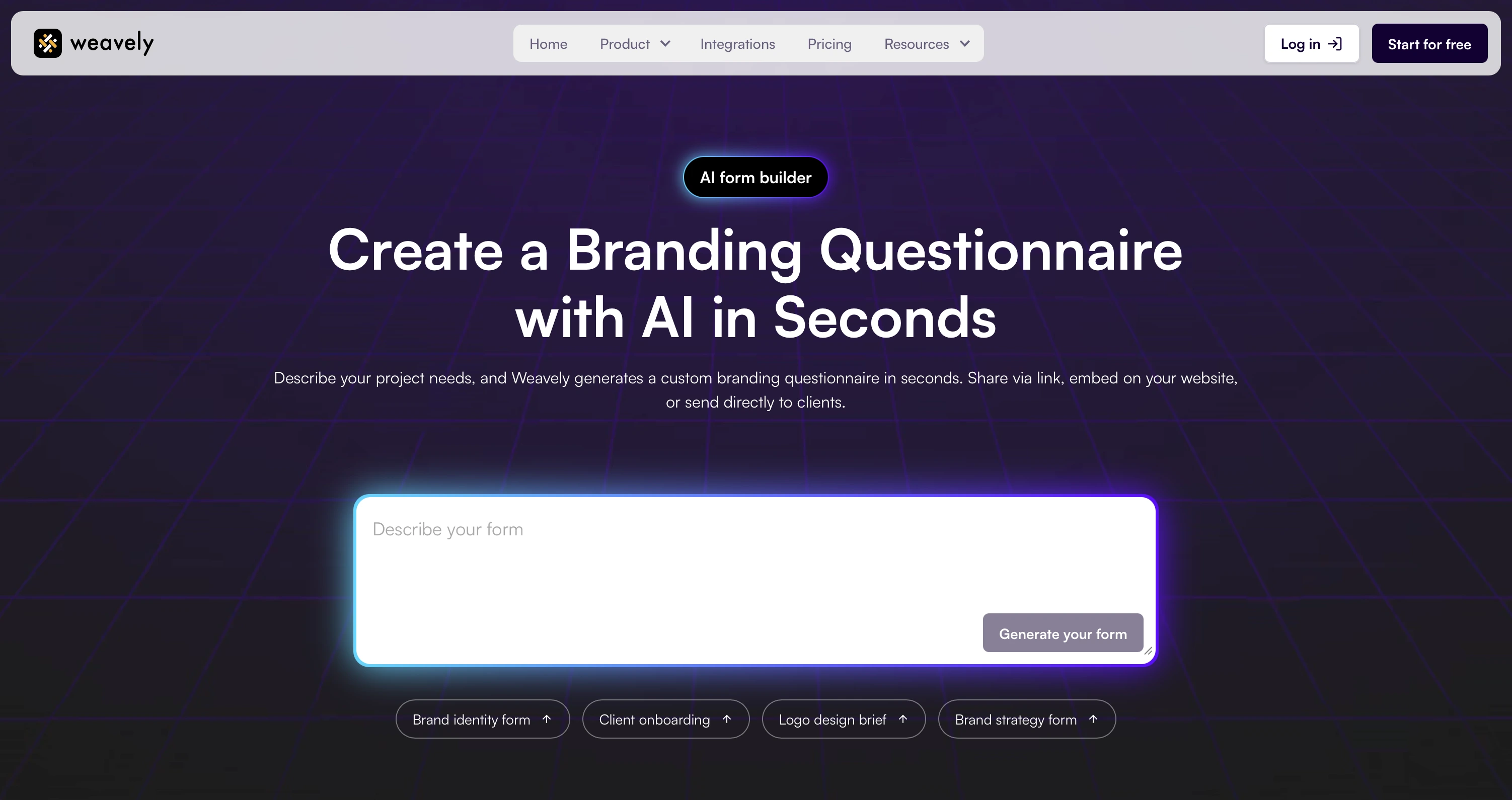
This is where AI-powered branding questionnaires start to make a lot of sense. Instead of building each questionnaire from scratch or adapting a generic template, you can describe exactly what you need and have a custom form generated in seconds.
With Weavely, for example, you could type something like: "Create a brand identity questionnaire that collects company background, mission and values, target audience details, brand personality traits, visual preferences for colors and typography, and competitor examples." You'd get a structured, multi-step form ready to share with your client immediately. Need a version specifically for a logo project? Just adjust the prompt. Client working in healthcare and needs compliance-related fields? Add that to the description.
The speed matters here, but the customization matters more. Every branding project is different, and your questionnaire should reflect that. When clients see questions that are clearly tailored to their project type, they take the form more seriously and give more thoughtful answers.
Once responses come in, you can sync them to Google Sheets for easy reference during the design process, or connect to tools like Notion or HubSpot through integrations with Zapier or Make. And because Weavely forms are shareable via link or embeddable on your website, you can build the brand questionnaire template right into your client onboarding workflow.
What to Ask (and How to Ask It Better)
The structure of your questions matters as much as the questions themselves. Here's what we've found works across the key categories of a branding questionnaire for clients:
Brand story and values. Don't ask "What are your brand values?" That's the kind of question that gets you a list of adjectives pulled from a mission statement. Instead, try: "Describe a moment when a customer had a great experience with your business. What made it great?" You'll learn more about their actual values from a story than from a checkbox list.
Target audience. "Who is your target audience?" almost always returns something like "professionals aged 25-45." More useful: "Describe your ideal customer's typical day. What frustrates them? What do they care about outside of work?" This gets you information you can actually design around.
Visual identity. Instead of "What colors do you like?" (which gets you "blue"), try using image-choice fields where clients select from mood boards or reference images. Asking "Pick 3 images that feel like your brand" gives you far more actionable direction than any written description. This is where form design directly impacts answer quality. A well-structured visual question eliminates the "modern but timeless" problem entirely.
Voice and tone. "How would you describe your brand voice?" is too abstract for most clients. Try: "If your brand were a person at a dinner party, how would they talk? Pick the closest match: the enthusiastic friend, the calm expert, the witty storyteller, or the straight-to-the-point professional." Give them concrete options instead of an open field.
Competition. Ask clients to link to 2-3 competitors and specifically note what they like and dislike about each one's branding. "What do you like about your competitors' branding?" without the comparison structure tends to get blank responses.
Project scope. Be direct about budget and timeline early. Clients who don't want to share a budget range will skip it regardless of how you phrase it, but those who are willing to share appreciate the straightforward ask.
Frequently Asked Questions
What is a branding questionnaire?
A branding questionnaire is a form that designers send to clients before starting a branding project. It collects information about the client's business background, target audience, visual preferences, brand personality, and project goals. The responses serve as a creative brief that guides the entire design process and reduces unnecessary revisions.
What questions should I include in a brand identity questionnaire?
Cover six core categories: brand story and mission, target audience details, visual preferences (colors, typography, style references), brand voice and personality, competitive landscape, and project scope (timeline, budget, deliverables). Adjust the depth of each section based on the project type, whether it's a logo, full identity, or brand strategy engagement.
Can I customize a branding questionnaire for different project types?
Yes, and you should. A logo design brief requires different questions than a full brand identity project. Tools like Weavely's AI form generator let you create tailored questionnaires for each project type in seconds by describing what you need in plain language.
How do I get clients to give detailed answers instead of vague ones?
Use image-choice fields instead of open-ended visual preference questions. Ask for specific examples and stories rather than abstract descriptions. Keep forms focused at 15-20 well-chosen questions. Clients give better responses when questions are concrete and the form doesn't feel overwhelming.
Is there a free branding questionnaire template I can use?
Yes. Weavely's branding questionnaire template is completely free with no limits on responses or forms. You can customize fields, add your branding, and share via link or embed directly on your website. No paywall for advanced features.

Tatiana is the Growth Marketing Manager at Weavely, where she's spent nearly four years running marketing end to end. From campaign strategy to the SEO content that brings new readers to the platform. Working day to day on a form builder gives her a front-row seat to what actually makes forms, surveys, and landing pages convert, and that's what she writes about here: practical, tested advice on lead generation and form design. Before Weavely, she led brand and SEO work at Digital Leap and cut her teeth on B2B and B2C content at Ruddy. She's based in Brussels.


