The Practical Guide to Rubric Makers for Teachers
We've all been there. It's Sunday evening, and we're staring at a blank document trying to build a rubric for Monday's assignment. A good rubric maker would help, but most of us end up copying last year's rubric and hoping it fits.
According to an Education Week survey, K-12 teachers spend about five hours per week on grading and giving feedback. That's on top of the 46% of in-school time already devoted to actual teaching. When lesson planning, meetings, and parent emails pile up, creating thoughtful assessment tools gets pushed aside.
But rubrics matter. Research from Hattie and Timperley found that quality feedback has a 0.73 effect size on learning, higher than most educational interventions. Rubrics also reduce student anxiety and ensure consistent grading across assignments.
In this guide, we'll cover how teachers currently create rubrics, what's working, and how AI rubric generators are speeding up the process.
How Teachers Currently Build Grading Rubrics
Most teachers we talk to approach rubric creation in one of three ways: building from scratch, adapting templates, or using dedicated tools.
Starting from scratch typically means opening a Word document or Google Doc and manually creating a table with criteria and performance levels. This approach offers complete customization but takes the longest. Many teachers do this once, then reuse the same rubric for years, even when it doesn't quite fit new assignments.
Template hunting is more common. Sites like RubiStar and iRubric offer pre-built rubrics that teachers can modify. Google Classroom has a built-in rubric feature that lets you create and reuse scoring guides directly within assignments. You're still manually selecting criteria, writing descriptions for each performance level, and adjusting everything to match your specific needs.
Google Forms workarounds have become popular for tech-savvy teachers who want digital grading. Using the Multiple Choice Grid question type, you can create a basic rubric and record scores in a spreadsheet. Add the autoCrat add-on, and you can automatically generate feedback documents for each student. It works, but the setup involves multiple tools and configurations.
The common thread across all these methods is time. Even with templates, you're clicking through menus, copying text, and adjusting point values.
How an AI Rubric Maker Speeds Up the Process
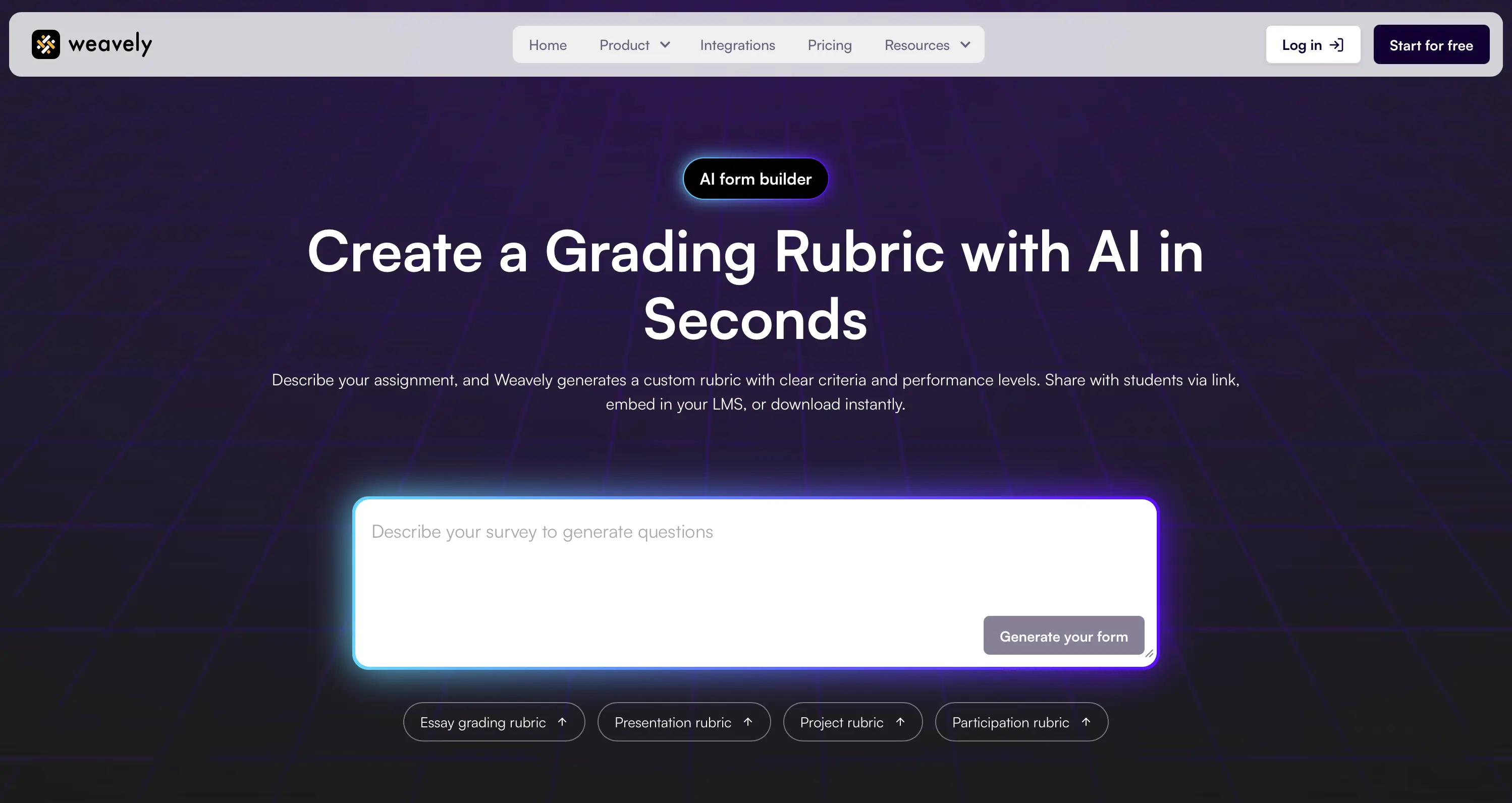
This is where AI-powered tools like Weavely's rubric generator offer a different approach.
Instead of hunting for templates or building tables from scratch, you describe your assignment in natural language. Tell the AI you need "a presentation rubric for a 5th grade science fair project that evaluates research quality, visual display, and oral explanation" and you get a complete grading rubric with criteria, performance levels, and descriptive text in seconds.
What makes this useful is the conversational aspect. If the generated rubric doesn't match what you had in mind, you can refine it: "Add a criterion for teamwork" or "Change the scale from 4 points to 3." The AI adjusts the entire rubric accordingly, including all performance level descriptions.
Here's what this looks like in practice:
- Essay rubric: "Create a persuasive essay rubric for high school students with criteria for thesis strength, evidence quality, counterargument handling, and grammar."
- Presentation rubric: "Build a rubric for oral presentations that assesses content knowledge, delivery, slide design, and audience engagement."
- Project rubric: "Generate a group project rubric covering individual contribution, collaboration, final product quality, and creative problem-solving."
Once your rubric is ready, you can share it via link, embed it on your class website, or connect responses to Google Sheets for tracking. No more copying tables between documents.
Best Practices for Creating Effective Rubrics
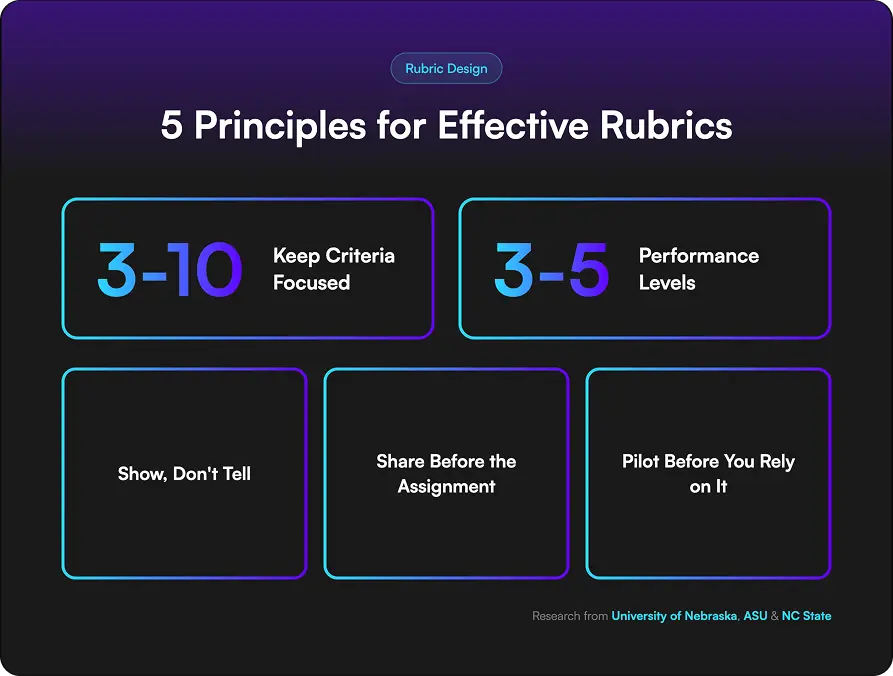
Whether you use an AI rubric creator or build rubrics manually, a few principles separate helpful rubrics from confusing ones.
Keep criteria focused. Research from the University of Nebraska's Center for Transformative Teaching suggests 3 to 10 criteria is the sweet spot. More than that increases cognitive load for students and slows down grading. If your assignment has twelve things worth evaluating, consider consolidating related skills.
Use 3 to 5 performance levels. According to assessment researchers at ASU, rubrics with too many levels make it harder to distinguish between performance. Labels like Exemplary, Proficient, Developing, and Beginning give enough range without splitting hairs.
Write descriptions that show, not tell. Avoid vague language like "good use of evidence." Instead, describe what you'd actually see: "Includes 3+ credible sources with proper citations" or "Argument relies on a single unsupported claim."
Share rubrics before the assignment. A rubric handed out on due day is a grading tool. A rubric shared at assignment introduction is a learning tool. Research from NC State shows students perform better when they understand expectations from the start.
Pilot before you rely on it. Apply your rubric to a few sample assignments before using it for real grades. You'll quickly discover if performance levels overlap or criteria need clarification.
Frequently Asked Questions
What is a rubric and why should teachers use one?
A rubric is a scoring guide that outlines criteria and performance levels for evaluating student work. Teachers use rubrics because they make grading faster and more consistent, communicate clear expectations, and provide structured feedback. Research shows rubrics reduce student anxiety and improve work quality when students know exactly how they'll be evaluated.
How do I make a rubric for my class?
You can build a rubric manually using a table in Google Docs or Word, adapt a template from sites like RubiStar, or use an AI rubric maker like [LINK TO LANDING PAGE: Weavely]. Start by identifying 3 to 5 key criteria for your assignment, then define what performance looks like at each level. Share the rubric with students when you introduce the assignment, not when you return grades.
Can I customize an AI-generated rubric for my specific assignment?
Yes. Tools like Weavely's rubric generator let you refine rubrics through conversation. After the initial generation, you can ask the AI to add criteria, change performance level labels, adjust point values, or rewrite descriptions in student-friendly language. The rubric updates instantly based on your feedback.
Is there a free rubric maker for teachers?
Yes. Weavely's AI rubric generator is completely free with no limits on how many rubrics you create. Describe your assignment, get a complete grading rubric, and customize or share it without paying for subscriptions or premium features.
Start Building Better Rubrics
Good rubrics don't have to take hours. With an AI rubric maker, you describe what you need, get a complete rubric in seconds, and spend your time teaching instead of formatting tables. We built Weavely to help teachers like us stop spending Sundays on assessment prep. Try Weavely's free rubric maker to see how fast it can be.

Tatiana is the Growth Marketing Manager at Weavely, where she's spent nearly four years running marketing end to end. From campaign strategy to the SEO content that brings new readers to the platform. Working day to day on a form builder gives her a front-row seat to what actually makes forms, surveys, and landing pages convert, and that's what she writes about here: practical, tested advice on lead generation and form design. Before Weavely, she led brand and SEO work at Digital Leap and cut her teeth on B2B and B2C content at Ruddy. She's based in Brussels.


