Should you code your own contact form or use a form builder?
When you're launching a website, the contact form often feels like a minor detail, until you have to actually build it. Developers often lean toward coding a custom solution from scratch, while marketers usually reach for a form builder. The choice is more than just about aesthetics. It's about who manages the data storage and how much work you want to do every time you need to change a single question.
In this article, we will compare two options of setting up a contact form for a website - custom coding and using a professional AI contact form generator. Let’s break it down in practical terms.
What fields should you include in your website contact form?
Generally, you want a balance between collecting enough information to respond effectively and keeping the form simple so users actually submit it. The most common form fields for an effective contact form usually are:
Essential fields
Name, email address, message.
Optional but often useful
Dropdowns or checkboxes, such as "reason for contact" or "how did you hear about us".
Based on the context
Company name, location, consent opt-in box, hidden fields.
Using a form builder

These days, it is even easier than before to create forms with professional form software, as many online form builders offer AI functionality.
For example, Weavely, an advanced form builder, has a dedicated contact form generator that can create a form from a single prompt. You can even upload a screenshot of your website, and the tool will automatically match the style. Of course, you still retain full manual control if needed. This means it’s no longer just a template, you can generate a contact form tailored to your specific use case in seconds.
You simply design the form visually, embed it on your site, and the entire submission pipeline already exists.
Pros of using a form builder
- Fast iteration without developer involvement
- Clear and predefined data storage and delivery
- Built-in handling for security, spam, and compliance
- Access to form insights, such as view rate, click-through-rate, and more
With a form builder, changing a form is usually a matter of minutes. You can add or remove fields, adjust copy, and change where submissions are sent without touching code. While submissions are stored in the builder’s system, form tools often have a whole gallery of integrations so that you can send your contact form data directly into a CRM, Google Sheets, a porject management tool, email marketing platform, and more.
Cons
- Less control over where data is physically stored
- Dependence on a third-party provider
- May not satisfy highly specialized internal policies
It is true that dependence on a form tools often requires a paid subscription to continue collecting submissions. While many form builders impose limitations on free functionality or response volume, Weavely lets you create unlimited forms and gather unlimited responses completely for free.
Coding Your Own Contact Form
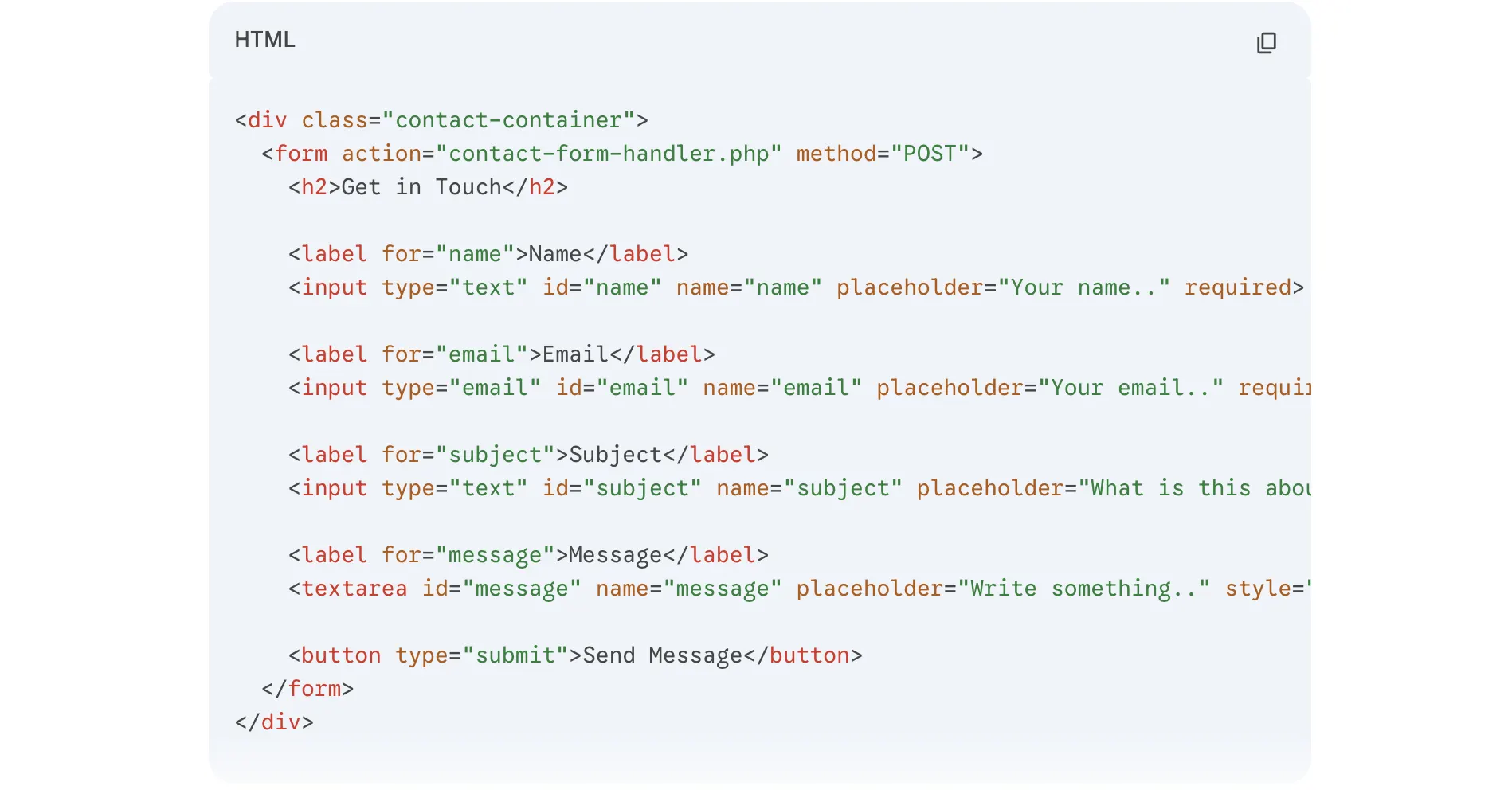
Coding your own contact form using HTML, CSS, and backend code gives you almost infinite flexibility over design and behavior. You are not constrained by predefined field types, layouts, or workflows. The form can look and behave exactly how you want, because it is just code inside your application.
This approach is common when a developer or agency builds a website for you. However, that flexibility comes with trade‑offs such as slower iteration, higher maintenance overhead, developer dependency for every change, and the fact that you have to decide where data goes and how it’s stored and protected.
Pros
- Full control over where data is stored and how it is processed
- Ability to meet very specific internal, legal, or compliance requirements
- No dependency on third‑party form providers
When a form is custom‑coded, you can decide whether submissions go to your own database, an internal API, an on‑premise system, or a tightly controlled cloud environment.
Cons
- Iteration is slow and developer‑dependent
- Every change requires code updates, testing, and deployment
- Data storage and handling must be designed from scratch
In practice, this means that even small changes, such as adding a new question, changing field validation, or adjusting conditional logic, require going back to a developer. If the form was built by someone else (an agency or contractor), this creates ongoing friction and cost.
Data storage is another common pain point. You must decide where submissions live, how long they are retained, how they are secured, and how they are accessed. If these decisions aren’t made explicitly, data handling often becomes unclear.
Final verdict
Coding your own contact form gives you ultimate control, but only if you actually design, secure, and maintain the entire pipeline. At the same time, form builders make the data flow explicit, reliable, and auditable from day one.
The biggest trap with custom forms is that the data has nowhere to go by default. If you code your own form, you must also write scripts to tell the server how to process the form submissions. And you will have to set up and secure a private database to store responses. To actually see your leads, you often have to build a separate admin dashboard.
For most typical websites, form builders are the better choice because they offer speed, reliability, and clarity with minimal effort. Coded forms are only justified in cases involving highly sensitive data or strict compliance requirements—and even then, they make sense only if your team can properly manage security, backups, monitoring, and ongoing maintenance.

Tatiana is the Growth Marketing Manager at Weavely, where she's spent nearly four years running marketing end to end. From campaign strategy to the SEO content that brings new readers to the platform. Working day to day on a form builder gives her a front-row seat to what actually makes forms, surveys, and landing pages convert, and that's what she writes about here: practical, tested advice on lead generation and form design. Before Weavely, she led brand and SEO work at Digital Leap and cut her teeth on B2B and B2C content at Ruddy. She's based in Brussels.


