Exit Tickets: A Complete Guide to Quick Formative Assessment
Teachers are increasingly turning to exit tickets as a reliable way to check student understanding, with recent research showing these quick assessments can significantly improve learning outcomes. A 2024 study at Bacoor National High School in the Philippines found that students using exit tickets showed measurable improvement in science achievement, while a 2025 study published in Assessment in Education analyzing over 1,000 Grade 5 students confirmed that exit tickets consistently predicted student self-efficacy and engagement in computer science lessons.
Yet despite this proven effectiveness, we hear from teachers that actually implementing exit tickets remains challenging. More than 50% of teachers in a recent Italian study on formative assessment in upper secondary schools cited time constraints and large class sizes as major barriers to using formative assessment tools effectively. The reality is that creating meaningful exit tickets, reviewing responses, and adjusting instruction based on feedback requires time most teachers simply don't have.
In this guide, we'll explore how teachers currently use exit tickets, the tools available to make them easier, and how AI is changing the game for busy educators who want formative assessment without the prep work.
How Teachers Currently Handle Exit Tickets
Exit tickets have been a classroom staple for years, but the methods teachers use to create and manage them haven't changed much. Most educators fall into one of a few camps.
Some teachers still rely on paper exit slips, those physical index cards or half-sheets students fill out before leaving class. These work fine for a quick pulse check, but the downsides are real. You're left with a stack of handwritten responses to sort through, no easy way to spot patterns, and everything has to be manually recorded if you want to track progress over time. For teachers juggling 150+ students across multiple classes, this quickly becomes overwhelming.
Others have moved to digital solutions, primarily Google Forms. Google offers a free exit ticket template that many teachers customize for their lessons. The appeal is obvious: responses are collected automatically, you can see charts showing class-wide trends, and everything's accessible from any device. Teachers Pay Teachers is full of pre-made Google Forms exit ticket templates (some free, many paid) showing just how much demand exists for ready-to-use digital options.
But even Google Forms requires work. You're still manually creating questions, adjusting settings, copying forms for each new lesson, and spending 10-15 minutes on setup. As one chemistry teacher who recently switched to digital exit tickets noted:
"I've been teaching my courses online, and my trusty stack of paper exit tickets just wasn't going to cut it."
The shift to digital helped, but the setup time remained. Educational platforms like Formative, Socrative, and Poll Everywhere offer more sophisticated options with auto-grading and real-time results. These work well, but they typically require subscriptions and add another platform for students to log into. For many teachers, the learning curve and cost aren't worth it for something as simple as a quick 3-question check.
Teachers want exit tickets but need them to be faster and easier to implement consistently.
How AI Changes Exit Ticket Creation
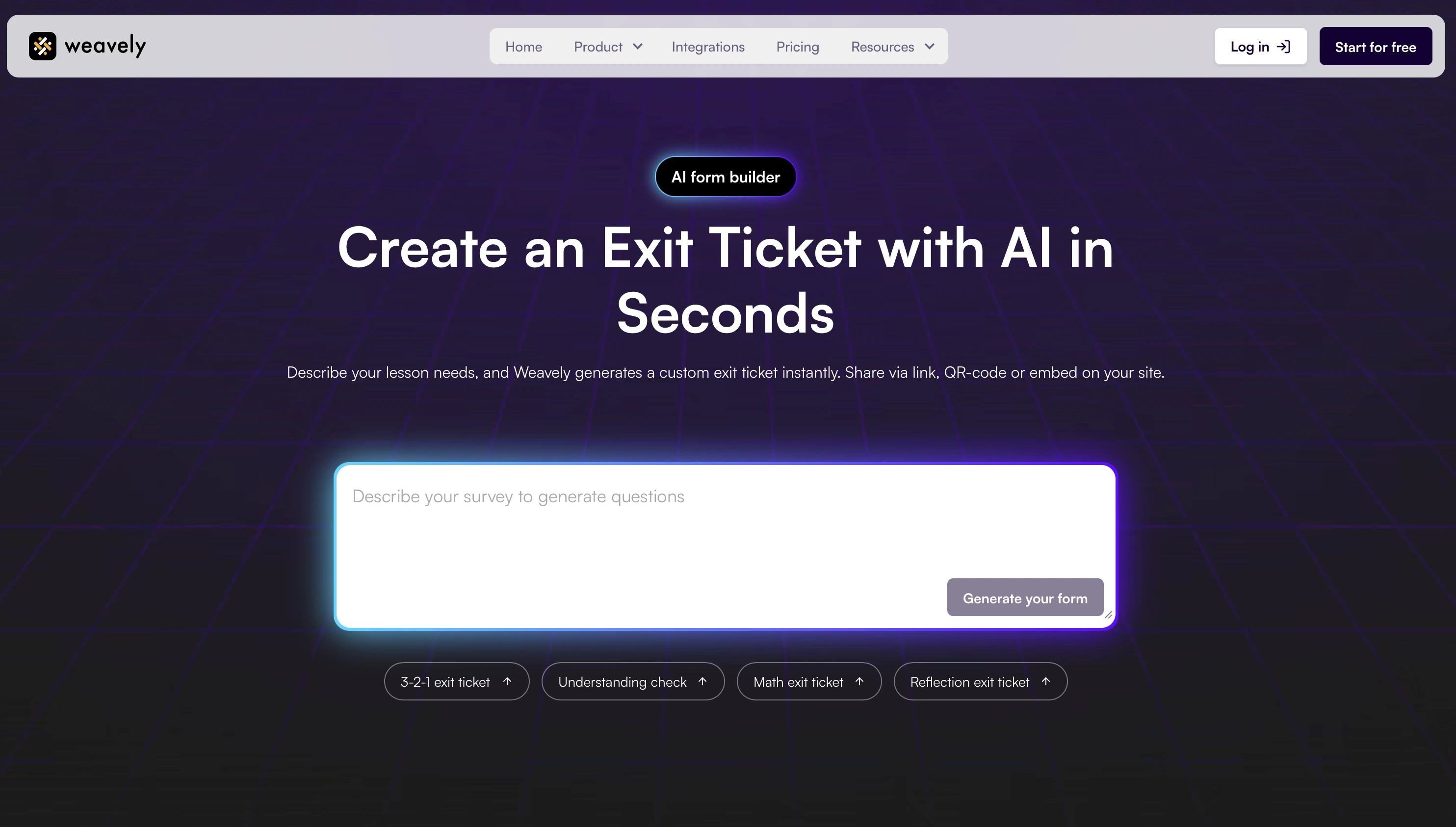
This is where AI-powered exit ticket generation makes a real difference. Instead of spending 15 minutes setting up a Google Form or searching through template libraries, you describe what you need and the exit ticket generates itself in seconds.
For example, you might say: "Create a 3-2-1 exit ticket for my 7th grade science lesson on photosynthesis: 3 things learned, 2 questions remaining, 1 real-world connection." Within seconds, you have a complete digital form ready to share with students. No manual field creation, no fiddling with settings, no copying last week's form and editing questions one by one.
The real power shows up when you need subject-specific or lesson-specific exit tickets. Teaching a math lesson on solving quadratic equations? Ask for an exit ticket with 2-3 practice problems and a confidence rating scale. Running a literature discussion on symbolism in The Great Gatsby? Request reflection questions about the green light symbolism and how it connects to the American Dream. The AI generates customized exit tickets that match exactly what you taught that day.
Once you've generated an exit ticket, sharing it takes seconds. You can send students a direct link, embed it on your class website, or post it to Google Classroom. Responses automatically collect in one place, giving you instant data on which concepts students understood and which need reteaching. For teachers using Google Sheets, responses can sync automatically for easy tracking over time.
The speed matters more than you might think. When creating an exit ticket takes 30 seconds instead of 15 minutes, you're far more likely to actually use them consistently. That consistency is what makes formative assessment effective—not using it once a month when you have time, but integrating it into your daily routine.
Best Practices for Exit Tickets That Actually Work
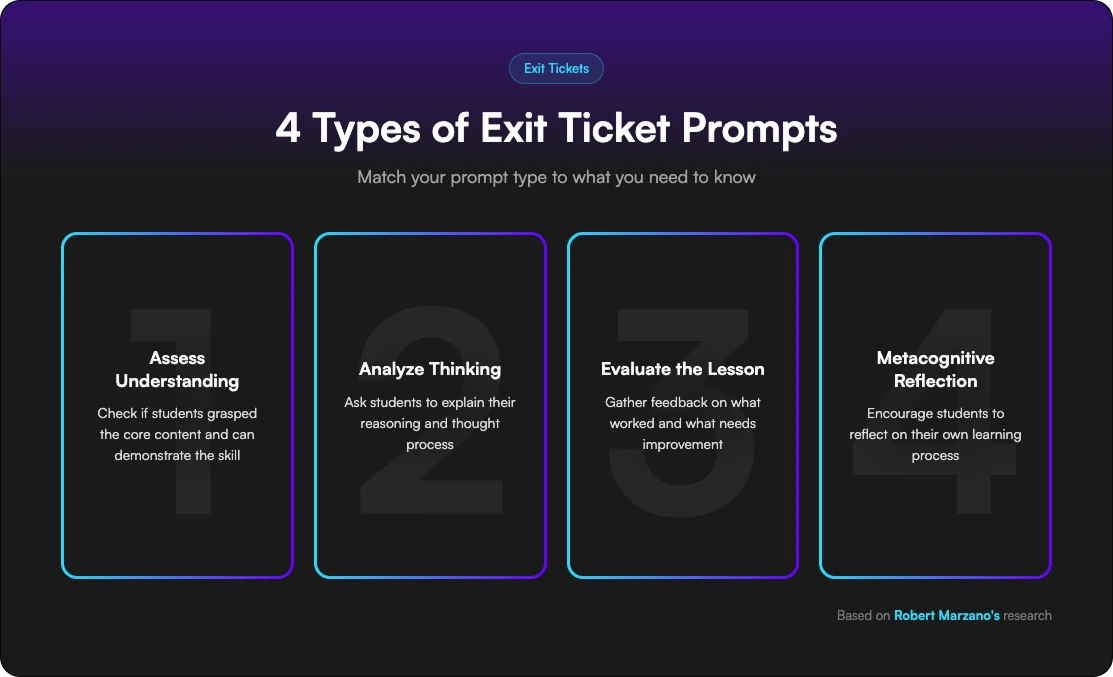
Exit tickets are most effective when they're focused and actionable. Robert Marzano's research identifies four types of exit ticket prompts that serve different purposes: prompts that assess understanding, prompts that ask students to analyze their thinking, prompts that invite students to evaluate the lesson, and prompts that encourage metacognitive reflection.
The key is matching your prompt type to what you actually need to know. If you're teaching a procedural skill, ask students to solve 2-3 practice problems so you can spot specific errors. If you're introducing a complex concept, ask them to rate their confidence level and identify the most confusing part. If you want to gauge engagement, ask what was most interesting and what questions they still have.
Keep exit tickets short: 3-5 minutes maximum. Students are more likely to give thoughtful responses when they're not writing an essay. Most effective exit tickets have 2-4 questions that get directly at understanding. The popular 3-2-1 format (3 things learned, 2 questions, 1 application) works well because it's quick but comprehensive.
Timing matters too. Give students the exit ticket with 5-7 minutes left in class, not as the bell rings. This ensures they have time to think rather than rushing through responses on their way out the door. Digital exit tickets have an advantage here. Students can complete them as homework if you run out of time, though in-class completion typically gets better response rates.
The most important best practice? Actually use the data. An exit ticket that sits unreviewed in your inbox helps no one. Review responses within 24 hours while the lesson is fresh, looking for patterns rather than grading individual answers. If 60% of students couldn't explain the difference between mitosis and meiosis, that tells you tomorrow needs a reteach. If one student is completely lost while others got it, that signals a need for individual check-in.
Don't feel pressured to use exit tickets every single day. Two to three times per week at key points: after introducing new concepts, before assessments, or when you're genuinely unsure if students understood. Quality and consistency beat quantity.
Frequently Asked Questions
Q: What is an exit ticket in education?
Exit tickets are brief formative assessments given at the end of a lesson to gauge student understanding before they leave class. They're typically 2-4 questions that take students 3-5 minutes to complete, either on paper or digitally. Teachers use exit ticket responses to quickly identify what students learned, what confused them, and what needs to be retaught. Unlike quizzes or tests, exit tickets are low-stakes and ungraded—they're purely for gathering information to inform tomorrow's instruction.
Q: Is an exit ticket a formative or summative assessment?
Exit tickets are formative assessments. They're used during the learning process to monitor student understanding and provide feedback that improves teaching and learning, rather than evaluating final mastery. Formative assessments like exit tickets are typically low-stakes or ungraded, while summative assessments (like unit tests) measure achievement after learning is complete. However, exit tickets can occasionally be used for summative purposes in subjects with definitive answers, like checking mastery of specific math procedures at the end of a unit.
Q: What are some good examples of exit ticket questions?
Effective exit ticket questions depend on your purpose. For understanding checks: "Explain [concept] in your own words" or "Solve this problem and show your work." For identifying confusion: "What's the muddiest point from today's lesson?" or "What question do you still have?" For metacognitive reflection: "Rate your confidence on [topic] from 1-5 and explain why." For making connections: "How does today's lesson relate to something you already knew?" The 3-2-1 format works well across subjects: 3 things you learned, 2 questions you have, 1 way you'll use this information.
Q: How do I create exit tickets quickly without spending hours on prep?
The fastest method is using [LINK TO LANDING PAGE: AI-powered exit ticket generators] that create customized forms from simple descriptions. Rather than manually building forms in Google or searching for templates, you describe what you need and get a ready-to-share exit ticket in seconds. For teachers who prefer building their own, Google Forms templates provide a starting point that you can customize. The key is reusing formats—once you have a 3-2-1 template or confidence rating scale set up, duplicate it and just change the subject-specific content each time rather than starting from scratch.
Start Using Exit Tickets That Save You Time
Exit tickets are one of the most powerful formative assessment tools available. They give you real-time data on student understanding without the time commitment of grading full assignments. Research consistently shows they improve student achievement and engagement when used regularly.
The barrier has always been time: time to create them, time to review them, time to act on the results. AI form generation removes that barrier by turning a 15-minute task into a 30-second task, making it realistic to use exit tickets consistently without adding to your already packed schedule.
Ready to try it? Generate your first exit ticket and see how quickly you can create formative assessments that actually fit into your teaching routine.

Tatiana is the Growth Marketing Manager at Weavely, where she's spent nearly four years running marketing end to end. From campaign strategy to the SEO content that brings new readers to the platform. Working day to day on a form builder gives her a front-row seat to what actually makes forms, surveys, and landing pages convert, and that's what she writes about here: practical, tested advice on lead generation and form design. Before Weavely, she led brand and SEO work at Digital Leap and cut her teeth on B2B and B2C content at Ruddy. She's based in Brussels.


