Church Membership Forms: A Complete Guide to Digital Management
Churches today are navigating a fascinating paradox. While U.S. church membership has dipped below 50% for the first time in 80 years according to recent Gallup research, approximately 86% of churches have adopted some form of digital management tool to strengthen their operations and member engagement. This digital transformation isn't just about keeping up with technology, it's about making it easier for people to connect with faith communities during a time when that connection matters more than ever.
The shift to digital forms isn't happening in isolation. Churches are realizing that modernizing how they collect member information is critical for building stronger congregations. The question isn't whether to digitize your membership forms anymore, it's how to do it in a way that feels authentic to your congregation while actually making your administrative life easier.
In this guide, we'll walk through how churches currently handle membership forms, why AI-powered tools like Weavely are changing the game, and the best practices you need to create forms that people actually want to complete.
How Churches Currently Handle Membership Forms

Most churches still rely on one of three approaches for membership forms: paper forms stored in filing cabinets, generic online tools like Google Forms, or premium form builders like Typeform and Jotform.
The paper route is familiar but increasingly impractical. You're manually entering data, dealing with illegible handwriting, and losing forms between the welcome desk and the church office. One misplaced membership form means you don't have someone's emergency contact information when you need it most.
Google Forms became the go-to digital solution for many churches during the pandemic, and for good reason: it's free and familiar. But it lacks the customization most churches actually need. Collecting different information for families versus individuals requires workarounds. Adding conditional logic to show baptism questions only to unbaptized members means wrestling with a one-size-fits-all interface that doesn't reflect your specific denominational requirements.
Premium form builders like Jotform and Typeform offer more features, but they come with monthly subscriptions and steep learning curves. We've talked to church administrators who spent hours hunting through template libraries, only to discover the "perfect" template still needed extensive customization. For a church membership form that matches your denomination's specific requirements, you're often starting from scratch anyway.
None of these solutions were built with churches in mind. They're generic tools trying to serve everyone, which means they don't serve anyone particularly well. Whether you're a Baptist church needing detailed baptism history or a Pentecostal congregation tracking spiritual gifts, you're forced to adapt your needs to fit the tool's limitations.
How AI is Transforming Church Membership Forms
Instead of searching for templates or manually building forms field-by-field, AI-powered tools like Weavely's church membership form generator let you describe what you need in plain English and generate a custom form in seconds.
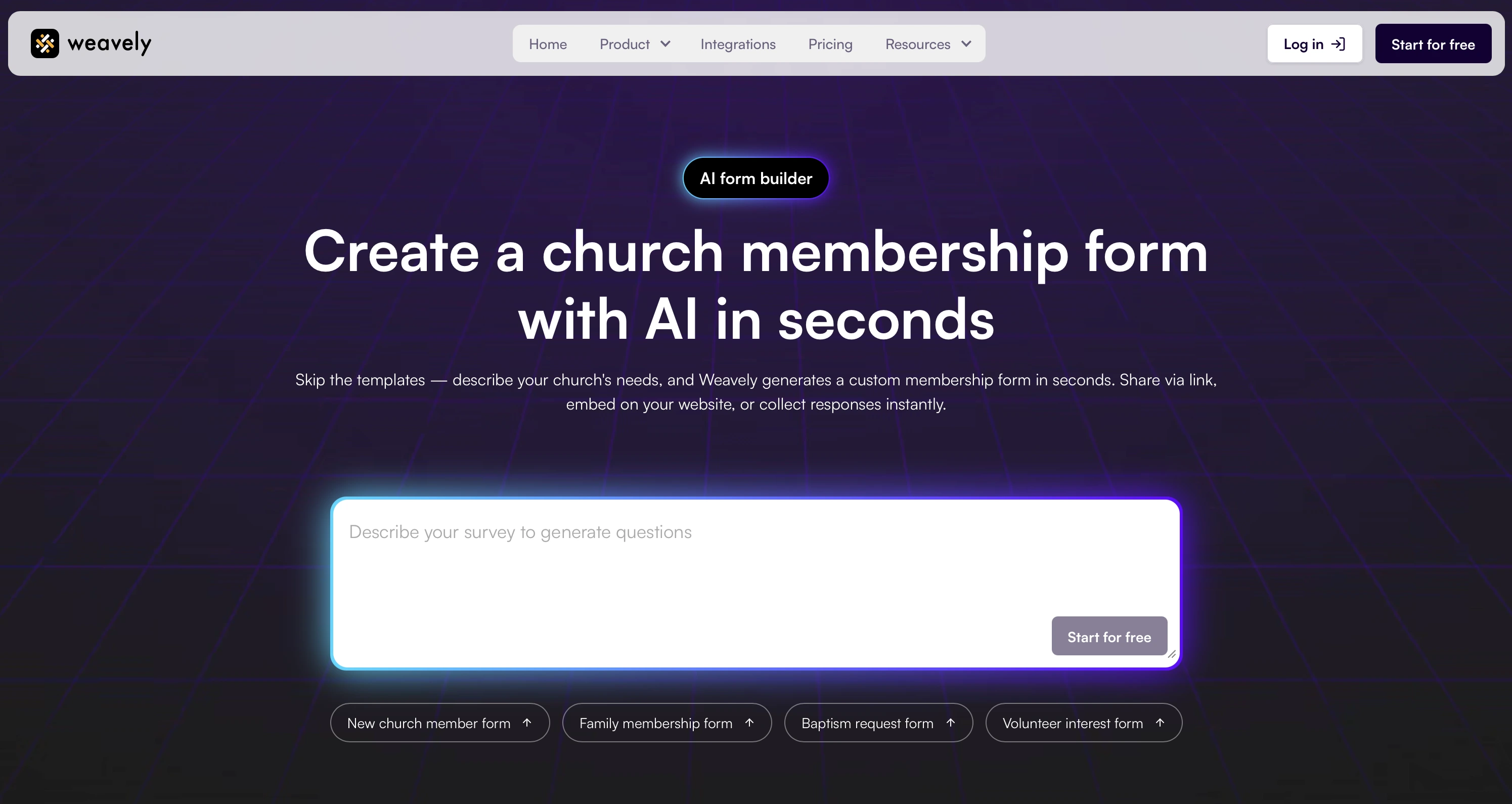
Imagine this: You tell Weavely, "Create a membership form for our Baptist church that collects personal details, baptism history, previous church membership, ministry interests, and small group preferences. Include a section for parents to add children's information." Within seconds, you have a fully functional form that matches your exact requirements. No template hunting, no manual field creation, no technical knowledge required.
The customization goes deeper than just fields. Your form can match your church's branding with your logo and colors. Conditional logic lets families see different questions than single members. You can collect information differently for visitors versus transfer members. All of this happens through simple conversational commands.
Once your form is generated, sharing it is instant. You can embed it directly on your church website, share a link via email and social media, or even create a QR code for your printed bulletin. Responses flow automatically into your database, and if you're using Google Sheets for member management, Weavely connects seamlessly to keep everything in sync.
The best part is that Weavely is completely free with no limitations. While premium form builders restrict features or response counts in their free tiers, you get unlimited forms and unlimited responses, with just a small "generated by Weavely AI" badge at the bottom.
Best Practices for Church Membership Forms
Beyond the tool you use, what should you actually include on a church membership form? Based on research from churches that have successfully digitized their processes, here's what works:
Start with the essentials. Every membership form needs basic contact information: full name, address, phone number, and email. Add date of birth for age-appropriate ministry placement and emergency contact details for safety purposes. Don't overcomplicate this section. The goal is accuracy, not exhaustive life histories.
Ask about spiritual background thoughtfully. Most churches want to know about previous church membership, baptism status, and how someone came to faith. But the way you ask these questions matters. Instead of yes/no checkboxes, consider open-ended questions that let people share their spiritual journey in their own words. This gives you valuable context while making new members feel heard rather than processed.
Make ministry involvement invitational, not mandatory. Include questions about interests, skills, and availability for serving. But frame them as opportunities, not obligations. The Liberty University study mentioned earlier found that churches with structured membership processes see stronger member engagement and retention, but that structure should feel supportive, not bureaucratic.
Respect privacy while collecting necessary data. You need certain information for legal and safety reasons (background checks for children's ministry volunteers, for example), but be transparent about how you'll use sensitive data. Include a brief privacy statement and make optional fields truly optional. Some churches find that offering members the ability to opt-in to certain communications, rather than requiring opt-out, builds trust from the start.
Keep it mobile-friendly. With roughly 68% of churches employing mobile-enabled interfaces, your membership form needs to work flawlessly on smartphones. Long forms with tiny text boxes frustrate people. Break complex forms into multiple pages or use progressive disclosure to show questions only when relevant.
The churches seeing the best completion rates are those that regularly review and streamline their forms. If you're asking for information you never actually use, cut it. If certain questions consistently confuse people, rewrite them. Your membership form should evolve with your congregation's needs.
Moving Your Church Membership Process Forward
The churches thriving in 2025 aren't the ones with the fanciest technology. They're the ones using smart tools to remove friction from meaningful connection. Digital membership forms aren't about replacing the personal touch of pastoral care; they're about freeing up your time so you can focus on relationships instead of paperwork.
Whether you're managing a small congregation or a multi-site church, the right membership form makes a difference. It's often the first substantial interaction someone has with your church community beyond Sunday services. Make it easy, make it welcoming, and make it reflect who you are as a congregation.
Ready to create a custom church membership form in seconds? Try Weavely's AI-powered form generator and see how quickly you can move from idea to deployed form.
Frequently Asked Questions
What information should be included on a church membership form?
Essential information includes contact details (name, address, phone, email), personal details (date of birth, marital status), spiritual background (baptism status, previous church), and ministry interests. Many churches also include emergency contact information and communication preferences. Consider your denomination's specific requirements when deciding what to collect. Baptist churches might need detailed baptism history, while Catholic parishes focus on sacrament information.
Can I create digital church membership forms for free?
Yes! Tools like Weavely allow you to create unlimited digital church membership forms completely free. Unlike platforms that limit responses or features in their free tiers, you can collect unlimited submissions and customize forms for any denomination without cost. The only addition is a small "generated by Weavely AI" badge, which most churches find acceptable given the savings.
How do churches collect membership information digitally?
Churches typically use online form builders that allow members to submit information via a web link or form embedded on the church website. Responses are automatically collected in a database, eliminating manual data entry and making it easy to track and manage member information. Many churches integrate these forms with their existing church management software or Google Sheets for seamless record-keeping.
What's the best way to share a church membership form?
The most effective approach combines multiple distribution methods. Embed the form directly on your church website's "Become a Member" page and share the link via email, social media, and during announcements. Create a QR code linking to your digital form for printed materials like bulletins and welcome packets. This multi-channel approach ensures new members can access the form however they prefer, whether they're visiting your website, checking email, or picking up a printed bulletin on Sunday morning.
Should church membership forms be different for different denominations?
Absolutely. A Baptist church membership form typically includes detailed questions about baptism by immersion and believer's baptism, while a Pentecostal form might ask about spiritual gifts and charismatic experiences. Catholic parishes focus on sacrament history and confirmation status. Methodist and Presbyterian churches often emphasize covenant membership and connectionalism. The beauty of AI-powered form builders is that you can easily customize forms to match your denomination's theology and practices without starting from scratch.
How can I customize a church membership form for families versus individuals?
Use conditional logic to show or hide questions based on the respondent's household composition. When someone indicates they're joining as a family, display additional fields for spouse and children's information. For single members, skip those sections entirely. This approach keeps your form clean and relevant while collecting the specific information you need for each situation. Many modern form builders, including AI-powered church form generators, make this kind of smart customization simple through natural language commands.

Tatiana is the Growth Marketing Manager at Weavely, where she's spent nearly four years running marketing end to end. From campaign strategy to the SEO content that brings new readers to the platform. Working day to day on a form builder gives her a front-row seat to what actually makes forms, surveys, and landing pages convert, and that's what she writes about here: practical, tested advice on lead generation and form design. Before Weavely, she led brand and SEO work at Digital Leap and cut her teeth on B2B and B2C content at Ruddy. She's based in Brussels.


